デモ
どのデモも 1 ファイルで(opsboard と multi だけはディレクトリ)、リポジトリの crates/yokan/ の中でそのまま動きます。
numpy を使う 3 本(pystats / csv_viewer / app)は uv run --with numpy で動かします。
transcribe は必要な依存を自分で宣言しているので、uv run demo/transcribe/app.py がそれを取ってきます。
初めて文字起こしをするときには、Whisper のモデルも取りに行きます。
ゲートは全デモの一括チェックには入れず、単独(just transcribe-gate)で走らせます。
app と csv_viewer の 2 本は辞書 state を使う開発専用のデモなので、ゲートの対象外です(今できないことを参照)。
スクリーンショットはどれも起動直後の画面ですが、transcribe だけは文字起こしを終えたところを写しています。
起動直後は表が空で、何も伝わらないからです。
まず動きを見る
counter — いちばん小さいアプリ。同じアプリを別の書き方にしたのが counter_state.py(型付き State セル)と counter_with.py
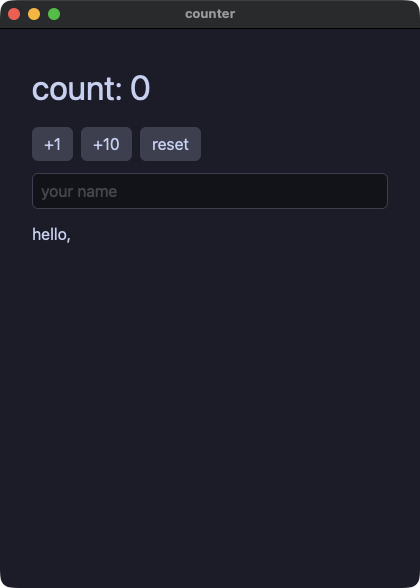
counter.py
# /// script
# requires-python = ">=3.14"
# ///
"""The dialect reference: everything in this file translates to .pix.

Develop:  uv run demo/counter.py
Ship:     python3 yokan_gate.py gate demo/counter.py --script "click:+1,input:Momo"
"""
import os
import sys

sys.path.insert(0, os.path.join(os.path.dirname(os.path.abspath(__file__)), ".."))

from yokan import button, column, row, run, State, text, text_field  # noqa: E402


count: State[int] = State(0)
name: State[str] = State("")


def view():
    return column(
        text(f"count: {count()}", size=34),
        row(
            button("+1", on_click=lambda: count.set(count() + 1)),
            button("+10", on_click=lambda: count.set(count() + 10)),
            button("reset", on_click=lambda: count.set(0)),
            spacing=8,
        ),
        text_field(name(), placeholder="your name", on_change=name.set),
        text(f"hello, {name()}"),
        spacing=12,
        padding=16,
    )


if __name__ == "__main__":
    run(view, title="counter")
opsboard — 旗艦デモ。3 モジュールで組んだダッシュボード(ストア 2 つ、直和型のヘルスモデル、チャート、仮想化したアラートフィード、テーマ切替、fs へのレポート出力)
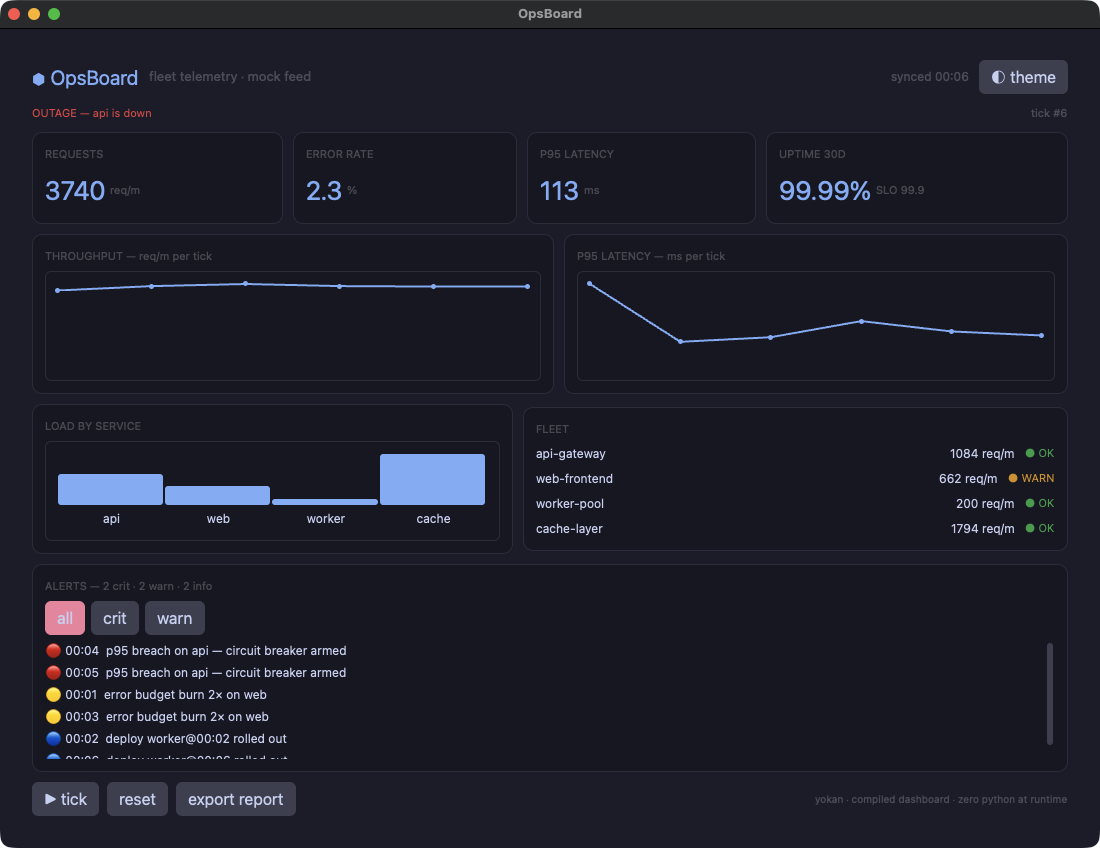
app.py
# /// script
# requires-python = ">=3.14"
# ///
"""OpsBoard — a fleet-operations dashboard, fully compiled.

Three modules, two stores, a sum-typed health model matched in the
view, seeded mock telemetry, charts, a virtualized alert feed with
severity filters, slotted cards, themed styling with a live palette
flip — and the shipped artifact is one native binary with no Python
in it. Every behavior below is gate-checked against CPython.

Run:   uv run demo/opsboard/app.py
Gate:  yokan gate demo/opsboard/app.py --script "click:reset,click:tick,..."
Ship:  yokan build demo/opsboard/app.py --release
"""
import os
import sys

sys.path.insert(0, os.path.join(os.path.dirname(os.path.abspath(__file__)), "..", ".."))
sys.path.insert(0, os.path.dirname(os.path.abspath(__file__)))

from yokan import (
    bar_chart,
    button,
    column,
    fs,
    line_chart,
    list_view,
    row,
    run,
    text,
)

from state import Alerts, Degraded, Healthy, Metrics, Outage, health, mode  # noqa: E402
from widgets import btn, btn_hot, card, h1, h2, kpi, panel, pill_crit, pill_ok, pill_warn, svc_row  # noqa: E402


def reset():
    Metrics.reset()
    Alerts.reset()
    health.set(Healthy())


def tick():
    Metrics.tick()
    Alerts.emit_tick(Metrics.ticks)
    if Alerts.crit_n > 1:
        health.set(Outage("api"))
    elif Alerts.crit_n > 0:
        health.set(Degraded(1))
    else:
        health.set(Healthy())


def boot():
    """Open onto history, not zeros: reset then replay six minutes
    of telemetry — deterministic, so both tiers boot identically."""
    Metrics.reset()
    Alerts.reset()
    for i in range(6):
        Metrics.tick()
        Alerts.emit_tick(Metrics.ticks)
    if Alerts.crit_n > 1:
        health.set(Outage("api"))
    elif Alerts.crit_n > 0:
        health.set(Degraded(1))
    else:
        health.set(Healthy())


def export():
    fs.write_text(
        "demo/.gate/opsboard-report.txt",
        f"OpsBoard report @ {Metrics.clock} — rps={Metrics.rps} p95={Metrics.p95}ms alerts={Alerts.crit_n}/{Alerts.warn_n}/{Alerts.info_n}",
    )


def flip_theme():
    if mode() == "dark":
        mode.set("light")
    else:
        mode.set("dark")


def alert_row(i):
    return text(Alerts.visible[i], size=12)


def view():
    with column(spacing=10, padding=16, background="windowBg", grow=1.0, theme=mode()):
        # ── header ────────────────────────────────────────────────
        with row(spacing=10):
            text("⬢ OpsBoard", **h1)
            text("fleet telemetry · mock feed", **h2)
            text(f"synced {Metrics.clock}", size=12, color="textDim", grow=1.0, align="right")
            button("◐ theme", on_click=flip_theme, **btn)
        # ── system health (sum type, matched live) ───────────────
        with row(spacing=8):
            match health():
                case Healthy():
                    text("ALL SYSTEMS NOMINAL", animate=140, easing="out", **pill_ok)
                case Degraded(services):
                    text(f"DEGRADED — {services} service(s) impacted", animate=140, easing="out", **pill_warn)
                case Outage(service):
                    text(f"OUTAGE — {service} is down", animate=140, easing="out", **pill_crit)
            text(f"tick #{Metrics.ticks}", size=11, color="textDim", grow=1.0, align="right")
        # ── KPI row ──────────────────────────────────────────────
        with row(spacing=10):
            kpi("REQUESTS", f"{Metrics.rps}", "req/m")
            kpi("ERROR RATE", f"{Metrics.err_pct:.1f}", "%")
            kpi("P95 LATENCY", f"{Metrics.p95}", "ms")
            kpi("UPTIME 30D", f"{Metrics.uptime}", "SLO 99.9")
        # ── charts ───────────────────────────────────────────────
        with row(spacing=10):
            with card("THROUGHPUT — req/m per tick"):
                line_chart(Metrics.rps_trend, height=110.0)
            with card("P95 LATENCY — ms per tick"):
                line_chart(Metrics.p95_trend, height=110.0)
        with row(spacing=10):
            with card("LOAD BY SERVICE"):
                bar_chart(Metrics.svc_reqs, labels=Metrics.svc_names, height=100.0)
            with card("FLEET"):
                svc_row("api-gateway", Metrics.api_r, Metrics.api_s)
                svc_row("web-frontend", Metrics.web_r, Metrics.web_s)
                svc_row("worker-pool", Metrics.worker_r, Metrics.worker_s)
                svc_row("cache-layer", Metrics.cache_r, Metrics.cache_s)
        # ── alert feed ───────────────────────────────────────────
        with card(f"ALERTS — {Alerts.crit_n} crit · {Alerts.warn_n} warn · {Alerts.info_n} info"):
            with row(spacing=6):
                # the highlight follows the ACTIVE filter
                if Alerts.filter == "all":
                    button("all", on_click=lambda: Alerts.set_filter("all"), **btn_hot)
                else:
                    button("all", on_click=lambda: Alerts.set_filter("all"), **btn)
                if Alerts.filter == "crit":
                    button("crit", on_click=lambda: Alerts.set_filter("crit"), **btn_hot)
                else:
                    button("crit", on_click=lambda: Alerts.set_filter("crit"), **btn)
                if Alerts.filter == "warn":
                    button("warn", on_click=lambda: Alerts.set_filter("warn"), **btn_hot)
                else:
                    button("warn", on_click=lambda: Alerts.set_filter("warn"), **btn)
            list_view(len(Alerts.visible), alert_row, item_height=22.0, grow=1.0)
        # ── footer ───────────────────────────────────────────────
        with row(spacing=8):
            button("▶ tick", on_click=tick, **btn)
            button("reset", on_click=reset, **btn)
            button("export report", on_click=export, **btn)
            text("yokan · compiled dashboard · zero python at runtime", size=10, color="textDim", grow=1.0, align="right")


if __name__ == "__main__":
    run(view, title="OpsBoard", width=1100, height=820, on_start=boot)
state.py
# /// script
# requires-python = ">=3.14"
# ///
"""OpsBoard state: the whole data model compiles — sum-typed fleet
health, two stores, seeded mock generation. No CPython at runtime.
"""
import random
from dataclasses import dataclass

from yokan import State, store  # noqa: E402
from yokan import clock

BASE_MS = 1767225600000  # 2026-01-01 00:00 UTC — the mock clock's epoch


@dataclass(frozen=True)
class Healthy:
    pass


@dataclass(frozen=True)
class Degraded:
    services: int


@dataclass(frozen=True)
class Outage:
    service: str


type Health = Healthy | Degraded | Outage

health: State[Health] = State(Healthy())
mode: State[str] = State("dark")


@store
class Metrics:
    ticks: int = 0
    clock: str = "--:--"
    rps: int = 0
    err_pct: float = 0.0
    p95: int = 0
    uptime: str = "99.99%"
    rps_trend: list[float] = []
    p95_trend: list[float] = []
    svc_reqs: list[int] = []
    svc_names: list[str] = ["api", "web", "worker", "cache"]
    api_r: int = 0
    api_s: str = "ok"
    web_r: int = 0
    web_s: str = "ok"
    worker_r: int = 0
    worker_s: str = "ok"
    cache_r: int = 0
    cache_s: str = "ok"

    def reset(self) -> None:
        random.seed(3)
        self.ticks = 0
        self.clock = "--:--"
        self.rps = 0
        self.err_pct = 0.0
        self.p95 = 0
        self.rps_trend = []
        self.p95_trend = []
        self.svc_reqs = []
        self.api_r = 0
        self.web_r = 0
        self.worker_r = 0
        self.cache_r = 0
        self.api_s = "ok"
        self.web_s = "ok"
        self.worker_s = "ok"
        self.cache_s = "ok"

    def tick(self) -> None:
        self.ticks += 1
        self.clock = clock.format_ms(1767225600000 + self.ticks * 60000, "%H:%M")
        self.api_r = 900 + random.randint(0, 300)
        self.web_r = 600 + random.randint(0, 250)
        self.worker_r = 200 + random.randint(0, 120)
        self.cache_r = 1500 + random.randint(0, 400)
        self.rps = self.api_r + self.web_r + self.worker_r + self.cache_r
        self.err_pct = 0.1 * random.randint(1, 28)
        self.p95 = 80 + random.randint(0, 220)
        self.rps_trend = self.rps_trend + [1.0 * self.rps]
        self.p95_trend = self.p95_trend + [1.0 * self.p95]
        self.svc_reqs = []
        self.svc_reqs = self.svc_reqs + [self.api_r]
        self.svc_reqs = self.svc_reqs + [self.web_r]
        self.svc_reqs = self.svc_reqs + [self.worker_r]
        self.svc_reqs = self.svc_reqs + [self.cache_r]
        if self.p95 > 260:
            self.api_s = "crit"
        elif self.p95 > 200:
            self.api_s = "warn"
        else:
            self.api_s = "ok"
        if self.err_pct > 2.0:
            self.web_s = "warn"
        else:
            self.web_s = "ok"


@store
class Alerts:
    crit_rows: list[str] = []
    warn_rows: list[str] = []
    info_rows: list[str] = []
    visible: list[str] = []
    filter: str = "all"
    crit_n: int = 0
    warn_n: int = 0
    info_n: int = 0

    def reset(self) -> None:
        self.crit_rows = []
        self.warn_rows = []
        self.info_rows = []
        self.visible = []
        self.filter = "all"
        self.crit_n = 0
        self.warn_n = 0
        self.info_n = 0

    def emit_tick(self, tick_no: int) -> None:
        stamp = clock.format_ms(1767225600000 + tick_no * 60000, "%H:%M")
        roll = random.randint(0, 9)
        if roll < 2:
            self.crit_rows = self.crit_rows + ["🔴 " + stamp + "  p95 breach on api — circuit breaker armed"]
            self.crit_n += 1
        elif roll < 5:
            self.warn_rows = self.warn_rows + ["🟡 " + stamp + "  error budget burn 2× on web"]
            self.warn_n += 1
        else:
            self.info_rows = self.info_rows + ["🔵 " + stamp + "  deploy worker@" + stamp + " rolled out"]
            self.info_n += 1
        self.rebuild()

    def set_filter(self, f: str) -> None:
        self.filter = f
        self.rebuild()

    def rebuild(self) -> None:
        self.visible = []
        if self.filter == "all":
            for r in self.crit_rows:
                self.visible = self.visible + [r]
            for r in self.warn_rows:
                self.visible = self.visible + [r]
            for r in self.info_rows:
                self.visible = self.visible + [r]
        elif self.filter == "crit":
            for r in self.crit_rows:
                self.visible = self.visible + [r]
        else:
            for r in self.warn_rows:
                self.visible = self.visible + [r]
widgets.py
# /// script
# requires-python = ">=3.14"
# ///
"""OpsBoard widgets: named styles and reusable components — the
slotted panel, KPI cards, status pills — all compiled to native
views with pixie's Slot{} splice.

Colors are theme TOKENS (panel/border/surface/textDim/accent…) so
the whole board re-skins on a palette flip; only the status colors
are fixed hex, picked to read on both palettes.
"""
from yokan import column, component, row, slot, style, text  # noqa: E402

panel = style(background="panel", border_radius=10, border_width=1.0, border_color="border", padding=12, spacing=6, grow=1.0)
kpi_label = style(size=11, color="textDim")
kpi_value = style(size=26, color="accent")
kpi_unit = style(size=11, color="textDim")
h1 = style(size=20, color="accent")
h2 = style(size=13, color="textDim")
pill_ok = style(size=11, color="#2fa84f")
pill_warn = style(size=11, color="#d99a1f")
pill_crit = style(size=11, color="#e5484d")
row_text = style(size=12)
btn = style(background="surface", hover_background="surfaceHover")
hot = style(background="#f38ba8", hover_background="#eba0ac")
btn_hot = btn | hot


@component(slots=True)
def card(title: str):
    with column(**panel):
        text(title, **kpi_label)
        slot()


@component
def kpi(label: str, value: str, unit: str):
    with column(**panel):
        text(label, **kpi_label)
        with row(spacing=4):
            text(value, **kpi_value)
            text(unit, **kpi_unit)


@component
def pill(status: str):
    with row():
        if status == "crit":
            text("● CRIT", **pill_crit)
        elif status == "warn":
            text("● WARN", **pill_warn)
        else:
            text("● OK", **pill_ok)


@component
def svc_row(name: str, reqs: int, status: str):
    with row(spacing=10):
        text(name, size=12, grow=1.0)
        text(f"{reqs} req/m", **row_text)
        pill(status)
forms — フォームの要素一式。checkbox / switch / slider / select / radio_group / tab_bar があり、どのハンドラも新しい値をひとつ受け取る
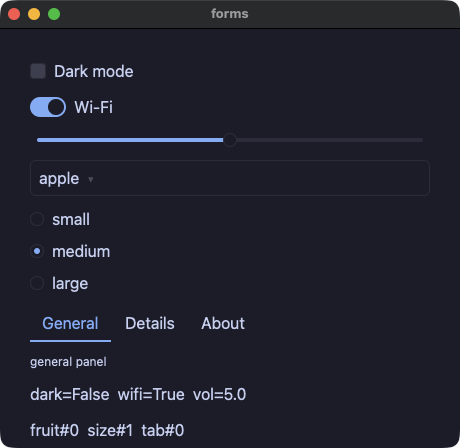
forms.py
# /// script
# requires-python = ">=3.14"
# ///
"""The form controls, gated: checkbox / switch (click by label
toggles), slider (`slide:` steps), select / radio_group / tab_bar
(`select:` steps) — every handler receives the new value as its one
argument. The last one is a text field that holds paragraphs:
`multiline=True` makes it wrap, `enter` writes a newline instead of
submitting, and `rows=` says how many lines are visible. Two of the
controls carry `tooltip=`, which every element takes: the window
shows it when the pointer rests there, and it is in the dump either
way, so a script sees it.
"""
import os
import sys

sys.path.insert(0, os.path.join(os.path.dirname(os.path.abspath(__file__)), ".."))

from yokan import (
    checkbox,
    column,
    text_field,
    radio_group,
    run,
    select,
    slider,
    State,
    store,
    switch,
    tab_bar,
    text,
)


@store
class Settings:
    dark: bool = False
    wifi: bool = True
    volume: float = 5.0
    fruits: list[str] = ["apple", "banana", "cherry"]
    fruit: int = 0
    sizes: list[str] = ["small", "medium", "large"]
    size: int = 1
    tabs: list[str] = ["General", "Details", "About"]
    tab: int = 0
    note: str = ""

    def set_dark(self, on: bool) -> None:
        self.dark = on

    def set_wifi(self, on: bool) -> None:
        self.wifi = on

    def set_volume(self, v: float) -> None:
        self.volume = v

    def pick_fruit(self, i: int) -> None:
        self.fruit = i

    def pick_size(self, i: int) -> None:
        self.size = i

    def pick_tab(self, i: int) -> None:
        self.tab = i

    def write(self, t: str) -> None:
        self.note = t


def view():
    with column(spacing=10, padding=14):
        checkbox(
            "Dark mode",
            checked=Settings.dark,
            on_change=Settings.set_dark,
            tooltip="the whole window follows this",
        )
        switch("Wi-Fi", checked=Settings.wifi, on_change=Settings.set_wifi)
        slider(
            value=Settings.volume,
            min=0.0,
            max=10.0,
            step=1.0,
            on_change=Settings.set_volume,
            tooltip="0 to 10, in whole steps",
        )
        select(options=Settings.fruits, selected=Settings.fruit, on_change=Settings.pick_fruit)
        radio_group(options=Settings.sizes, selected=Settings.size, on_change=Settings.pick_size)
        tab_bar(labels=Settings.tabs, active=Settings.tab, on_change=Settings.pick_tab)
        if Settings.tab == 0:
            text("general panel", size=12)
        elif Settings.tab == 1:
            text("details panel", size=12)
        else:
            text("about panel", size=12)
        text_field(
            Settings.note,
            placeholder="notes (enter writes a newline)",
            on_change=Settings.write,
            multiline=True,
            rows=3,
        )
        text(f"dark={Settings.dark}  wifi={Settings.wifi}  vol={Settings.volume:.1f}")
        text(f"fruit#{Settings.fruit}  size#{Settings.size}  tab#{Settings.tab}")


if __name__ == "__main__":
    run(view, title="forms", width=460, height=420)
calc — 定番の電卓:レイアウトは grow だけで組んであり(行が高さを分け合い、キーが行の幅を分け合い、0 キーは 2 コマ分)、ウィンドウを伸ばせばパッド全体が隙間なく追従する
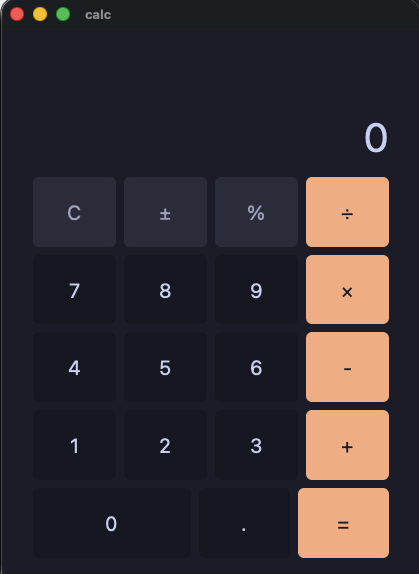
calc.py
# /// script
# requires-python = ">=3.14"
# ///
"""A calculator — the classic keypad, in the dialect. The layout is
all `grow`: the root column fills the window, every row shares the
height, keys share each row's width, and the zero key takes two
shares (`grow=2`), so resizing the window scales the whole pad with
no dead space. Styles are dicts merged with `|`.
`strings.to_float` is total (bad text parses as the default), so
the arithmetic needs no try."""
import os
import sys

sys.path.insert(0, os.path.join(os.path.dirname(os.path.abspath(__file__)), ".."))

from yokan import button, column, row, run, store, strings, style, text  # noqa: E402


@store
class Calc:
    display: str = "0"
    acc: float = 0.0
    op: str = ""
    fresh: bool = True
    has_dot: bool = False

    def press(self, d: str) -> None:
        if self.fresh:
            self.display = d
            self.fresh = False
            self.has_dot = False
        elif self.display == "0":
            self.display = d
        else:
            self.display = self.display + d

    def dot(self) -> None:
        if self.fresh:
            self.display = "0."
            self.fresh = False
            self.has_dot = True
        elif not self.has_dot:
            self.display = self.display + "."
            self.has_dot = True

    def negate(self) -> None:
        v = strings.to_float(self.display, 0.0)
        if v != 0.0:
            self.display = f"{0.0 - v}"
            self.fresh = False

    def percent(self) -> None:
        v = strings.to_float(self.display, 0.0)
        self.display = f"{v / 100.0}"
        self.fresh = True
        self.has_dot = False

    def apply(self, nxt: str) -> None:
        if self.fresh and self.op != "":
            self.op = nxt
            return
        cur = strings.to_float(self.display, 0.0)
        if self.op == "":
            self.acc = cur
        if self.op == "+":
            self.acc = self.acc + cur
        if self.op == "-":
            self.acc = self.acc - cur
        if self.op == "×":
            self.acc = self.acc * cur
        if self.op == "÷":
            if cur == 0.0:
                self.display = "Error"
                self.acc = 0.0
                self.op = ""
                self.fresh = True
                return
            self.acc = self.acc / cur
        self.display = f"{self.acc}"
        self.op = nxt
        self.fresh = True

    def do_op(self, o: str) -> None:
        Calc.apply(o)

    def equals(self) -> None:
        Calc.apply("")

    def clear(self) -> None:
        self.display = "0"
        self.acc = 0.0
        self.op = ""
        self.fresh = True
        self.has_dot = False


key = style(
    grow=1, size=20, background="panel",
    hover_background="#45475a", active_background="#585b70",
)
fun_tint = style(background="#313244", color="#a6adc8")
fun = key | fun_tint
op_tint = style(
    background="#fab387", color="#1e1e2e",
    hover_background="#f8c49b", active_background="#f5e0dc",
)
op = key | op_tint
wide_tint = style(grow=2, basis=8)
wide = key | wide_tint
readout = style(size=40, color="text", align="right", grow=1.4)
keys = style(spacing=8, grow=1)


def view():
    with column(spacing=8, padding=16, grow=1):
        text(f"{Calc.display}", **readout)
        with row(**keys):
            button("C", on_click=Calc.clear, **fun)
            button("±", on_click=Calc.negate, **fun)
            button("%", on_click=Calc.percent, **fun)
            button("÷", on_click=lambda: Calc.do_op("÷"), **op)
        with row(**keys):
            button("7", on_click=lambda: Calc.press("7"), **key)
            button("8", on_click=lambda: Calc.press("8"), **key)
            button("9", on_click=lambda: Calc.press("9"), **key)
            button("×", on_click=lambda: Calc.do_op("×"), **op)
        with row(**keys):
            button("4", on_click=lambda: Calc.press("4"), **key)
            button("5", on_click=lambda: Calc.press("5"), **key)
            button("6", on_click=lambda: Calc.press("6"), **key)
            button("-", on_click=lambda: Calc.do_op("-"), **op)
        with row(**keys):
            button("1", on_click=lambda: Calc.press("1"), **key)
            button("2", on_click=lambda: Calc.press("2"), **key)
            button("3", on_click=lambda: Calc.press("3"), **key)
            button("+", on_click=lambda: Calc.do_op("+"), **op)
        with row(**keys):
            button("0", on_click=lambda: Calc.press("0"), **wide)
            button(".", on_click=Calc.dot, **key)
            button("=", on_click=Calc.equals, **op)


if __name__ == "__main__":
    run(view, title="calc")
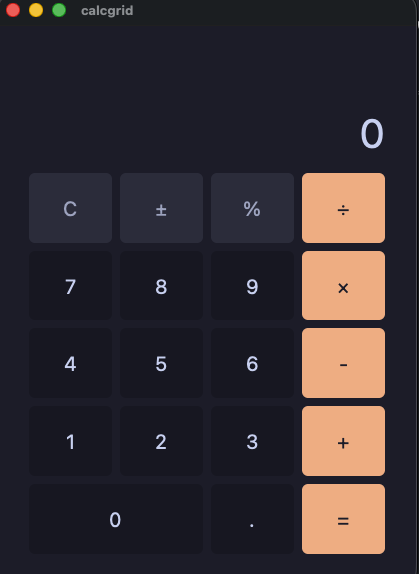
calcgrid — 同じ電卓を grid(columns=4, rows=5) で書いたもの:等分トラックのコンテナ一つに全キーが並び、0 キーは col_span=2 で 2 セルにまたがる
calcgrid.py
# /// script
# requires-python = ">=3.14"
# ///
"""The calculator again, on a grid. `grid(columns=4, rows=5)`
lays equal tracks, every key fills its cell, and the zero key says
`col_span=2` — the whole keypad is one container instead of five
rows. Same store as demo/calc.py; only the view differs."""
import os
import sys

sys.path.insert(0, os.path.join(os.path.dirname(os.path.abspath(__file__)), ".."))

from yokan import button, column, grid, run, store, strings, style, text  # noqa: E402


@store
class Calc:
    display: str = "0"
    acc: float = 0.0
    op: str = ""
    fresh: bool = True
    has_dot: bool = False

    def press(self, d: str) -> None:
        if self.fresh:
            self.display = d
            self.fresh = False
            self.has_dot = False
        elif self.display == "0":
            self.display = d
        else:
            self.display = self.display + d

    def dot(self) -> None:
        if self.fresh:
            self.display = "0."
            self.fresh = False
            self.has_dot = True
        elif not self.has_dot:
            self.display = self.display + "."
            self.has_dot = True

    def negate(self) -> None:
        v = strings.to_float(self.display, 0.0)
        if v != 0.0:
            self.display = f"{0.0 - v}"
            self.fresh = False

    def percent(self) -> None:
        v = strings.to_float(self.display, 0.0)
        self.display = f"{v / 100.0}"
        self.fresh = True
        self.has_dot = False

    def apply(self, nxt: str) -> None:
        if self.fresh and self.op != "":
            self.op = nxt
            return
        cur = strings.to_float(self.display, 0.0)
        if self.op == "":
            self.acc = cur
        if self.op == "+":
            self.acc = self.acc + cur
        if self.op == "-":
            self.acc = self.acc - cur
        if self.op == "×":
            self.acc = self.acc * cur
        if self.op == "÷":
            if cur == 0.0:
                self.display = "Error"
                self.acc = 0.0
                self.op = ""
                self.fresh = True
                return
            self.acc = self.acc / cur
        self.display = f"{self.acc}"
        self.op = nxt
        self.fresh = True

    def do_op(self, o: str) -> None:
        Calc.apply(o)

    def equals(self) -> None:
        Calc.apply("")

    def clear(self) -> None:
        self.display = "0"
        self.acc = 0.0
        self.op = ""
        self.fresh = True
        self.has_dot = False


key = style(
    size=20, background="panel",
    hover_background="#45475a", active_background="#585b70",
)
fun_tint = style(background="#313244", color="#a6adc8")
fun = key | fun_tint
op_tint = style(
    background="#fab387", color="#1e1e2e",
    hover_background="#f8c49b", active_background="#f5e0dc",
)
op = key | op_tint
readout = style(size=40, color="text", align="right", grow=1.4)


def view():
    with column(spacing=8, padding=16, grow=1):
        text(f"{Calc.display}", **readout)
        with grid(columns=4, rows=5, spacing=8, grow=5):
            button("C", on_click=Calc.clear, **fun)
            button("±", on_click=Calc.negate, **fun)
            button("%", on_click=Calc.percent, **fun)
            button("÷", on_click=lambda: Calc.do_op("÷"), **op)
            button("7", on_click=lambda: Calc.press("7"), **key)
            button("8", on_click=lambda: Calc.press("8"), **key)
            button("9", on_click=lambda: Calc.press("9"), **key)
            button("×", on_click=lambda: Calc.do_op("×"), **op)
            button("4", on_click=lambda: Calc.press("4"), **key)
            button("5", on_click=lambda: Calc.press("5"), **key)
            button("6", on_click=lambda: Calc.press("6"), **key)
            button("-", on_click=lambda: Calc.do_op("-"), **op)
            button("1", on_click=lambda: Calc.press("1"), **key)
            button("2", on_click=lambda: Calc.press("2"), **key)
            button("3", on_click=lambda: Calc.press("3"), **key)
            button("+", on_click=lambda: Calc.do_op("+"), **op)
            button("0", on_click=lambda: Calc.press("0"), col_span=2, **key)
            button(".", on_click=Calc.dot, **key)
            button("=", on_click=Calc.equals, **op)


if __name__ == "__main__":
    run(view, title="calcgrid")
状態の持ち方
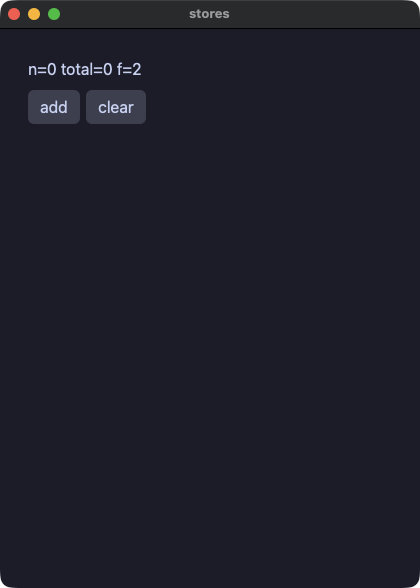
stores — 名前付きストア。クラス名がそのままシングルトンになり、ストア同士でメソッドを呼び合える
stores.py
# /// script
# requires-python = ">=3.14"
# ///
"""Named stores: `@store` is a process-lifetime singleton with
fields AND methods — the decorator returns the instance, so the
class name IS the store. Stores
call each other's methods; views read their fields reactively.
"""
import os
import sys

sys.path.insert(0, os.path.join(os.path.dirname(os.path.abspath(__file__)), ".."))

from yokan import button, column, row, run, store, text  # noqa: E402


@store
class Settings:
    factor: int = 2

    def double(self) -> None:
        self.factor *= 2


@store
class Cart:
    items: list[str] = []
    total: int = 0

    def add(self, name: str, price: int) -> None:
        self.items = self.items + [name]
        self.total += price * Settings.factor
        Settings.double()

    def clear(self) -> None:
        self.items = []
        self.total = 0


def view():
    with column(spacing=8, padding=12):
        text(f"n={len(Cart.items)} total={Cart.total} f={Settings.factor}")
        with row(spacing=6):
            button("add", on_click=lambda: Cart.add("apple", 10))
            button("clear", on_click=Cart.clear)


if __name__ == "__main__":
    run(view, title="stores")
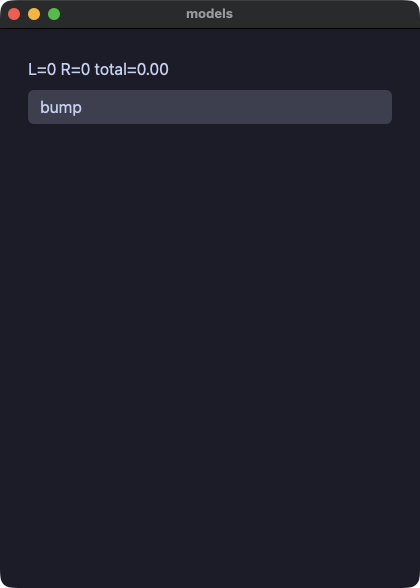
models — @model と Protocol。観測されるオブジェクトと、静的ディスパッチされるインターフェース
models.py
# /// script
# requires-python = ">=3.14"
# ///
"""class ↔ @model and trait ↔ Protocol. A model is an observed
object: Python objects and native handles are both references, so
identity agrees from the start. A Protocol base routes its methods
into a native `impl`, and a Protocol-typed helper compiles to a
bounded generic fn — static dispatch, no boxing.
"""
import os
import sys

sys.path.insert(0, os.path.join(os.path.dirname(os.path.abspath(__file__)), ".."))

from typing import Protocol  # noqa: E402

from yokan import button, column, model, run, State, text  # noqa: E402


class Shape(Protocol):
    def area(self) -> float: ...


@model
class Circle(Shape):
    r: float = 1.0
    hits: int = 0

    def grow(self, by: float) -> None:
        self.r += by
        self.hits += 1

    def area(self) -> float:
        return self.r * self.r * 3.0


left = Circle()
right = Circle()
total: State[float] = State(0.0)


def area_of(s: Shape) -> float:
    return s.area()


def bump():
    left.grow(0.5)
    right.grow(2.0)
    total.set(area_of(left) + area_of(right))


def view():
    with column(spacing=8, padding=12):
        text(f"L={left.hits} R={right.hits} total={total():.2f}")
        button("bump", on_click=bump)


if __name__ == "__main__":
    run(view, title="models")
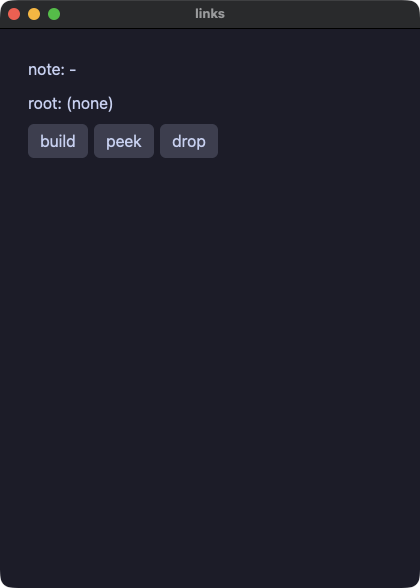
links — モデルがモデルを参照する。所有は Node | None、逆向きは Weak[Node](循環しないので、根を手放すと連鎖ごと解放される)
links.py
# /// script
# requires-python = ">=3.14"
# ///
"""Models referencing models, gated: `Node | None` fields wire an
ownership chain in handlers, `Weak[Node]` is the not-owning back
pointer (it breaks the cycle, so dropping the root frees the chain
in both tiers at the same statement), and views read through
walrus-narrowed bindings.
"""
import os
import sys

sys.path.insert(0, os.path.join(os.path.dirname(os.path.abspath(__file__)), ".."))

from yokan import button, column, model, row, run, State, store, text, Weak  # noqa: E402


@model
class Node:
    label: str = "n"
    kid: Node | None = None
    parent: Weak[Node] = None


@store
class Tree:
    root: Node | None = None
    keep: Node | None = None
    note: str = "-"

    def build(self) -> None:
        a = Node()
        a.label = "alpha"
        b = Node()
        b.label = "beta"
        a.kid = b
        b.parent = a
        self.root = a
        self.keep = b

    def drop_root(self) -> None:
        self.root = None

    def peek(self) -> None:
        if (r := Tree.root) is not None:
            if (k := r.kid) is not None:
                if (p := k.parent) is not None:
                    self.note = f"kid={k.label} parent={p.label}"
                else:
                    self.note = f"kid={k.label} parent=gone"
            else:
                self.note = "no kid"
        elif (k := Tree.keep) is not None:
            if (p := k.parent) is not None:
                self.note = f"kept {k.label}, parent={p.label}"
            else:
                self.note = f"kept {k.label}, parent=gone"
        else:
            self.note = "no root"


def view():
    with column(spacing=8, padding=12):
        text(f"note: {Tree.note}")
        if (r := Tree.root) is not None:
            text(f"root: {r.label}")
        else:
            text("root: (none)")
        with row(spacing=6):
            button("build", on_click=Tree.build)
            button("peek", on_click=Tree.peek)
            button("drop", on_click=Tree.drop_root)


if __name__ == "__main__":
    run(view, title="links")
stateful — @component + local。呼び出し位置ごとに独立した状態を持つコンポーネント
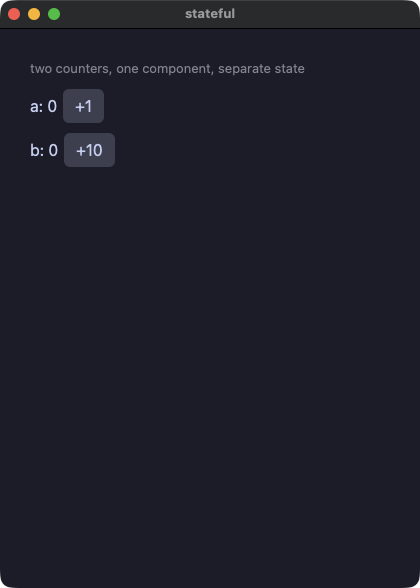
stateful.py
# /// script
# requires-python = ">=3.14"
# ///
"""Per-instance state: @component + local. Each call site owns
its own `n`; identity is positional (the no-key rule), and the state
survives rebuilds and reloads.
"""
import os
import sys

sys.path.insert(0, os.path.join(os.path.dirname(os.path.abspath(__file__)), ".."))

from yokan import button, column, component, local, row, run, State, text  # noqa: E402


@component
def counter(label: str, step: int):
    n: State[int] = local(0)
    with row(spacing=6):
        text(f"{label}: {n()}")
        button(f"+{step}", on_click=lambda: n.set(n() + step))


def view():
    with column(spacing=10, padding=14):
        text("two counters, one component, separate state", size=13, color="#8a8f98")
        counter("a", 1)
        counter("b", 10)


if __name__ == "__main__":
    run(view, title="stateful")
lookup — 辞書セル。読みは .get(key, default) と in、書き込みは cell[k] = v のその場更新
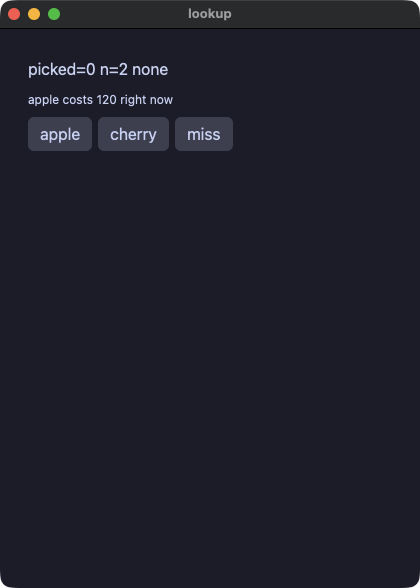
lookup.py
# /// script
# requires-python = ">=3.14"
# ///
"""Dict cells. The order question is DECIDED: iteration stays out
(Python orders by insertion, native maps by key — admitting either
would lie), and everything order-free is in: per-key writes land in
place in both tiers (`prices["cherry"] = 200` is pixie's
`m[k] = v`), reads are total via .get(key, default), membership
guards conditions, len counts.
"""
import os
import sys

sys.path.insert(0, os.path.join(os.path.dirname(os.path.abspath(__file__)), ".."))

from yokan import button, column, row, run, State, text  # noqa: E402

prices: State[dict[str, int]] = State({"apple": 120, "banana": 80})
picked: State[int] = State(0)
label: State[str] = State("none")


def pick_apple():
    picked.set(prices().get("apple", -1))
    if "cherry" in prices():
        label.set("cherry known")
    else:
        label.set("no cherry")


def add_cherry():
    prices["cherry"] = 200
    picked.set(prices().get("cherry", -1))
    if "cherry" in prices():
        label.set("cherry known")


def miss():
    picked.set(prices().get("durian", -7))


def view():
    with column(spacing=8, padding=12):
        text(f"picked={picked()} n={len(prices())} {label()}")
        text(f"apple costs {prices().get('apple', -1)} right now", size=12)
        with row(spacing=6):
            button("apple", on_click=pick_apple)
            button("cherry", on_click=add_cherry)
            button("miss", on_click=miss)


if __name__ == "__main__":
    run(view, title="lookup")
mixer — フィールドだけの @store。注釈を付けたフィールドに直接代入すると、画面がそれに追随する
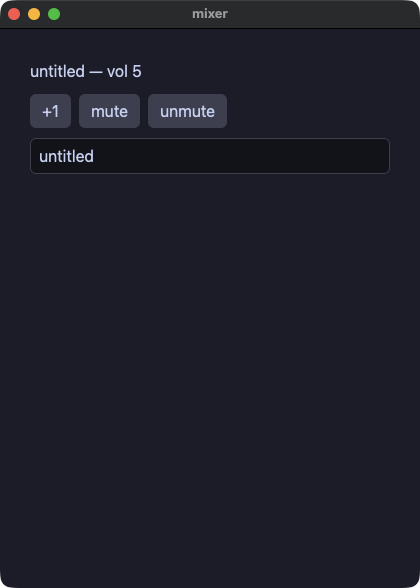
mixer.py
# /// script
# requires-python = ">=3.14"
# ///
"""Grouped state is a fields-only @store: annotated fields, direct
reads in views (`Mixer.volume`), writes through methods — no
separate instance line, and methods are there the day you need one.
"""
import os
import sys

sys.path.insert(0, os.path.join(os.path.dirname(os.path.abspath(__file__)), ".."))

from yokan import button, column, row, run, store, text, text_field  # noqa: E402


@store
class Mixer:
    volume: int = 5
    title: str = "untitled"
    muted: bool = False

    def louder(self) -> None:
        self.volume += 1

    def set_muted(self, on: bool) -> None:
        self.muted = on

    def rename(self, t: str) -> None:
        self.title = t


def view():
    with column(spacing=10, padding=14):
        text(f"{Mixer.title} — vol {Mixer.volume}", size=16)
        with row(spacing=8):
            button("+1", on_click=Mixer.louder)
            button("mute", on_click=lambda: Mixer.set_muted(True))
            button("unmute", on_click=lambda: Mixer.set_muted(False))
        if Mixer.muted:
            text("(muted)", size=12, color="#8a8f98")
        text_field(Mixer.title, placeholder="title", on_change=Mixer.rename)


if __name__ == "__main__":
    run(view, title="mixer")
値と型
points — Value クラス(frozen dataclass)。書き換えは replace による関数的な更新
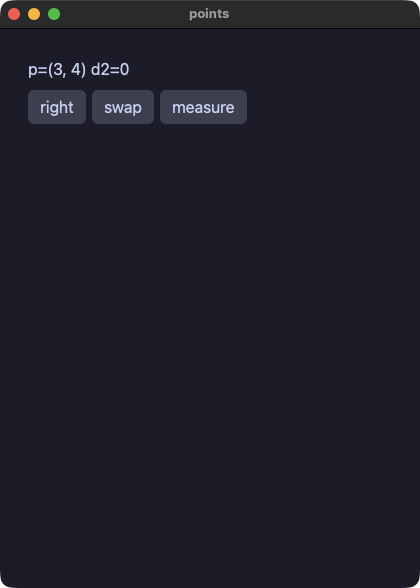
points.py
# /// script
# requires-python = ">=3.14"
# ///
"""struct ↔ frozen dataclass. `frozen=True` is the admission ticket:
an immutable value cannot expose Python's reference aliasing, so it
means the same thing as a native COW value by construction. Updates
are `dataclasses.replace` — a new value, both tiers.
"""
import os
import sys

sys.path.insert(0, os.path.join(os.path.dirname(os.path.abspath(__file__)), ".."))

from dataclasses import dataclass, replace  # noqa: E402

from yokan import button, column, row, run, State, text  # noqa: E402


@dataclass(frozen=True)
class Point:
    x: int
    y: int = 0


sel: State[Point] = State(Point(3, 4))
dist: State[int] = State(0)


def move_right():
    sel.set(replace(sel(), x=sel().x + 5))


def swap():
    sel.set(Point(sel().y, sel().x))


def measure():
    p = sel()
    dist.set(p.x * p.x + p.y * p.y)


def view():
    with column(spacing=8, padding=12):
        text(f"p=({sel().x}, {sel().y}) d2={dist()}")
        with row(spacing=6):
            button("right", on_click=move_right)
            button("swap", on_click=swap)
            button("measure", on_click=measure)


if __name__ == "__main__":
    run(view, title="points")
pkgapp — 方言で書いたパッケージから組み立てたアプリ。py.yokan が目印で、モジュールはアプリの中にコンパイルされ、パッケージが宣言した Rust crate も一緒に入る
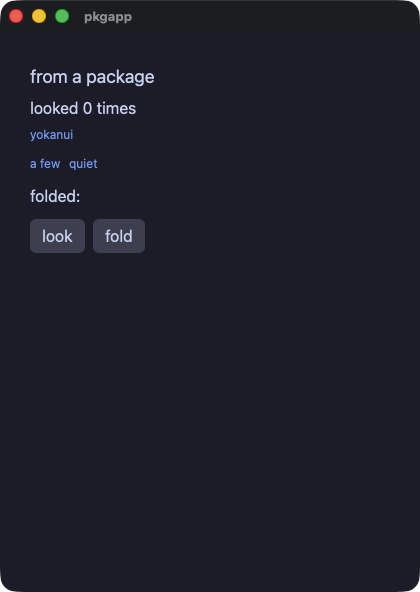
pkgapp.py
# /// script
# requires-python = ">=3.14"
# ///
"""An app built from a package written in the dialect.

`yokanui` is an ordinary installed Python package that carries a
`py.yokan` marker beside its `__init__.py`. The translator reads its
modules the way it reads the app's own files and compiles them into
the same binary, so there is no library at run time and nothing to
ship beside the app.

Its names are emitted under names derived from its modules, so the
package and the app can both have a `badge` and neither has to know
about the other. Here they do.
"""
import os
import sys

sys.path.insert(0, os.path.join(os.path.dirname(os.path.abspath(__file__)), ".."))

from yokan import State, button, column, row, run, text  # noqa: E402
from yokanui import badge, panel, pill, plain  # noqa: E402

seen: State[int] = State(0)
folded: State[str] = State("")


def badge_of(n: int) -> str:
    """The app's own `badge`-ish name, which the package's `badge`
    does not disturb."""
    return "many" if n > 2 else "a few"


def look() -> None:
    seen.set(seen() + 1)


def fold() -> None:
    # The package declares the Rust crate this calls, and the app
    # never mentions it: `[tool.yokan.crates]` beside the marker
    # merges into the app's.
    folded.set(plain("ようかん"))


def view() -> None:
    with column(spacing=10, padding=14):
        panel("from a package", f"looked {seen()} times")
        with row(spacing=8):
            badge(badge_of(seen()))
            pill("loud" if seen() > 2 else "quiet", seen() > 2)
        text(f"folded: {folded()}")
        with row(spacing=8):
            button("look", on_click=look)
            button("fold", on_click=fold)


if __name__ == "__main__":
    run(view, title="pkgapp")
points.py
# /// script
# requires-python = ">=3.14"
# ///
"""struct ↔ frozen dataclass. `frozen=True` is the admission ticket:
an immutable value cannot expose Python's reference aliasing, so it
means the same thing as a native COW value by construction. Updates
are `dataclasses.replace` — a new value, both tiers.
"""
import os
import sys

sys.path.insert(0, os.path.join(os.path.dirname(os.path.abspath(__file__)), ".."))

from dataclasses import dataclass, replace  # noqa: E402

from yokan import button, column, row, run, State, text  # noqa: E402


@dataclass(frozen=True)
class Point:
    x: int
    y: int = 0


sel: State[Point] = State(Point(3, 4))
dist: State[int] = State(0)


def move_right():
    sel.set(replace(sel(), x=sel().x + 5))


def swap():
    sel.set(Point(sel().y, sel().x))


def measure():
    p = sel()
    dist.set(p.x * p.x + p.y * p.y)


def view():
    with column(spacing=8, padding=12):
        text(f"p=({sel().x}, {sel().y}) d2={dist()}")
        with row(spacing=6):
            button("right", on_click=move_right)
            button("swap", on_click=swap)
            button("measure", on_click=measure)


if __name__ == "__main__":
    run(view, title="points")
vecops — Value クラスの演算子。__add__ / __sub__ / __mul__ を定義すると + - * がその意味になる
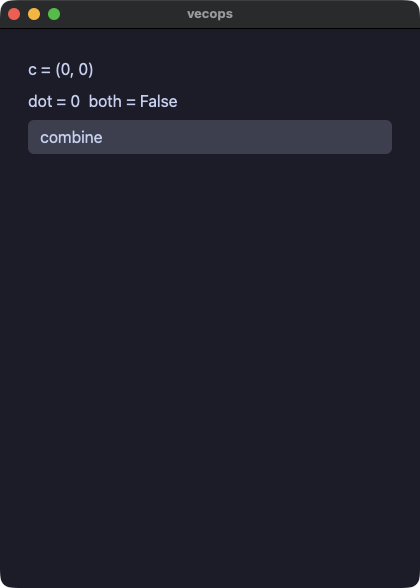
vecops.py
# /// script
# requires-python = ">=3.14"
# ///
"""Operator overloading on value classes, gated: __add__ / __sub__ /
__mul__ become the operator's meaning in both tiers, and plain value
methods are handler-callable. Bool logic as a VALUE (and / or / not
over bools) rides along.
"""
import os
import sys

sys.path.insert(0, os.path.join(os.path.dirname(os.path.abspath(__file__)), ".."))

from yokan import button, column, run, State, text, value  # noqa: E402


@value
class V2:
    x: int
    y: int

    def __add__(self, o: "V2") -> "V2":
        return V2(self.x + o.x, self.y + o.y)

    def __sub__(self, o: "V2") -> "V2":
        return V2(self.x - o.x, self.y - o.y)

    def __mul__(self, k: int) -> "V2":
        return V2(self.x * k, self.y * k)

    def dot(self, o: "V2") -> int:
        return self.x * o.x + self.y * o.y


a: State[V2] = State(V2(1, 2))
b: State[V2] = State(V2(10, 20))
c: State[V2] = State(V2(0, 0))
d: State[int] = State(0)
both: State[bool] = State(False)
hot: State[bool] = State(True)
cold: State[bool] = State(False)


def combine():
    c.set(a() + b() * 2 - V2(1, 1))
    d.set(a().dot(b()))
    both.set(hot() and not cold())


def view():
    with column(spacing=6, padding=12):
        text(f"c = ({c().x}, {c().y})")
        text(f"dot = {d()}  both = {both()}")
        button("combine", on_click=combine)


if __name__ == "__main__":
    run(view, title="vecops")
geometry — Protocol による静的ディスパッチ。実装ごとに特殊化してコンパイルされる
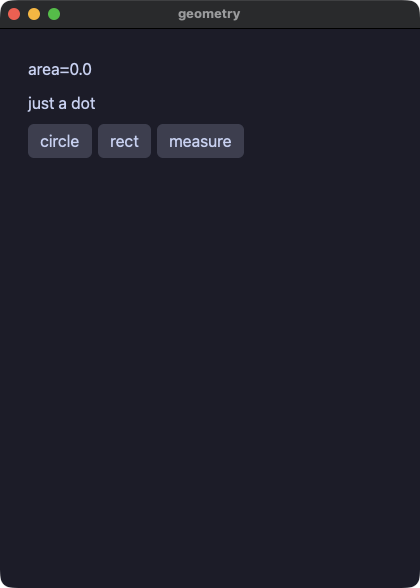
geometry.py
# /// script
# requires-python = ">=3.14"
# ///
"""Sum types: frozen dataclasses joined by a `type` alias compile to
a native payload enum, and `match` destructures in handlers AND view
bodies — this required fixing a real substrate contradiction (the
checker demanded view patterns the emitter refused; both tiers can
bind them now).
"""
import os
import sys

sys.path.insert(0, os.path.join(os.path.dirname(os.path.abspath(__file__)), ".."))

from dataclasses import dataclass  # noqa: E402

from yokan import button, column, row, run, State, text  # noqa: E402


@dataclass(frozen=True)
class Circle:
    r: float


@dataclass(frozen=True)
class Rect:
    w: float
    h: float


@dataclass(frozen=True)
class Dot:
    pass


type Shape = Circle | Rect | Dot

sel: State[Shape] = State(Dot())
area: State[float] = State(0.0)


def mk_circle():
    sel.set(Circle(2.0))


def mk_rect():
    sel.set(Rect(3.0, 4.0))


def measure():
    match sel():
        case Circle(r):
            area.set(r * r * 3.0)
        case Rect(w, h):
            area.set(w * h)
        case Dot():
            area.set(0.0)


def view():
    with column(spacing=8, padding=12):
        text(f"area={area():.1f}")
        match sel():
            case Circle(r):
                text(f"circle r={r:.1f}")
            case Rect(w, h):
                text(f"rect {w:.1f} x {h:.1f}")
            case Dot():
                text("just a dot")
        with row(spacing=6):
            button("circle", on_click=mk_circle)
            button("rect", on_click=mk_rect)
            button("measure", on_click=measure)


if __name__ == "__main__":
    run(view, title="geometry")
moods — Enum と Optional とアニメーション
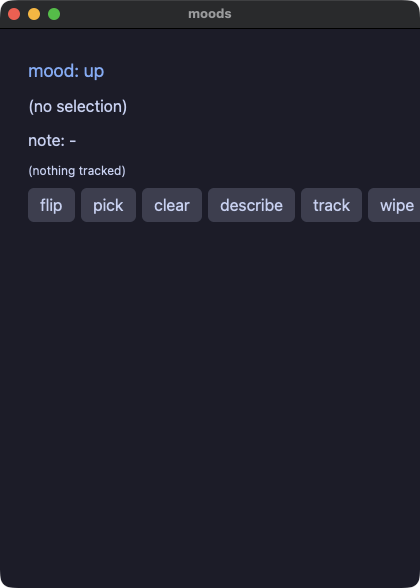
moods.py
# /// script
# requires-python = ">=3.14"
# ///
"""Enum, Optional and animation. `match` IS pixie's `case` (exhaustiveness checked
natively), the walrus IS `if let some(v)` (Python's own spelling of
narrowing), and `animate=`/`easing=` ride the kernel's animation clock, so
`advance:` frames dump identically in both tiers.
"""
import os
import sys

sys.path.insert(0, os.path.join(os.path.dirname(os.path.abspath(__file__)), ".."))

from enum import Enum, auto  # noqa: E402

from yokan import button, column, row, run, State, store, text  # noqa: E402


class Mood(Enum):
    HAPPY = auto()
    SAD = auto()


@store
class Tracker:
    last: int | None = None
    trend: Mood = Mood.HAPPY

    def note(self, v: int) -> None:
        self.last = v
        match self.trend:
            case Mood.HAPPY:
                self.trend = Mood.SAD
            case Mood.SAD:
                self.trend = Mood.HAPPY

    def wipe(self) -> None:
        self.last = None


mood: State[Mood] = State(Mood.HAPPY)
sel: State[int | None] = State(None)
note: State[str] = State("-")


def flip():
    match mood():
        case Mood.HAPPY:
            mood.set(Mood.SAD)
        case Mood.SAD:
            mood.set(Mood.HAPPY)


def describe():
    if (v := sel()) is not None:
        note.set(f"picked {v}")
    else:
        note.set("nothing picked")


def view():
    with column(spacing=8, padding=12):
        match mood():
            case Mood.HAPPY:
                text("mood: up", size=18, color="accent", animate=120, easing="out")
            case Mood.SAD:
                text("mood: down", size=18, color="#f38ba8", animate=120, easing="out")
        if (v := sel()) is not None:
            text(f"selection: {v}")
        else:
            text("(no selection)")
        text(f"note: {note()}")
        if (t := Tracker.last) is not None:
            text(f"tracked: {t}", size=12)
        else:
            text("(nothing tracked)", size=12)
        with row(spacing=6):
            button("flip", on_click=flip)
            button("pick", on_click=lambda: sel.set(7))
            button("clear", on_click=lambda: sel.set(None))
            button("describe", on_click=describe)
            button("track", on_click=lambda: Tracker.note(9), animate=100, easing="inOut")
            button("wipe", on_click=Tracker.wipe)


if __name__ == "__main__":
    run(view, title="moods")
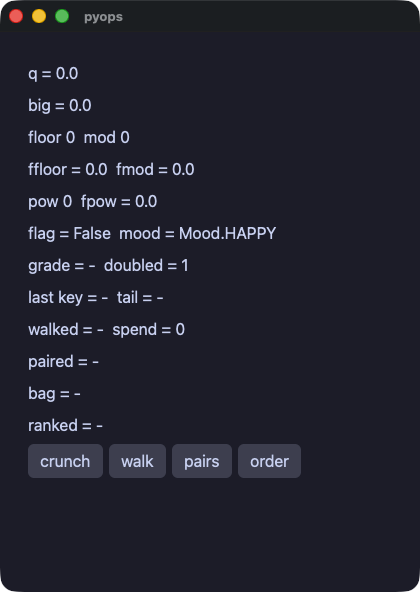
pyops — CPython と同じ算術。/ // % ** から負のインデックス、キーによる並べ替えまで、両実行の結果がバイト単位で一致する
pyops.py
# /// script
# requires-python = ">=3.14"
# ///
"""Python-semantics operations, gated: `/` `//` `%` `**`, bare
float/bool/enum text, negative indexing, dict iteration (the keys
in the order they went in, the values, `.items()`, and sorted()),
tuples (a literal, a part, unpacking, a pair loop, a tuple return),
ordering by a key (`sorted`/`min`/`max` with `key=`, `reverse=`),
comprehensions and `[::-1]` over a value class, if/else locals that
outlive the branch, @value, list-typed store method parameters.
The interpreted run uses the real operators and str(); the compiled
run reproduces CPython's results exactly — the gate proves they print
the same bytes.
"""
import os
import sys
from enum import Enum

sys.path.insert(0, os.path.join(os.path.dirname(os.path.abspath(__file__)), ".."))

from yokan import button, column, row, run, State, store, text, value  # noqa: E402


@value
class Point:
    x: int
    y: int = 0


class Mood(Enum):
    HAPPY = 1
    GRUMPY = 2


q: State[float] = State(0.0)
big: State[float] = State(0.0)
fd: State[int] = State(0)
md: State[int] = State(0)
ffd: State[float] = State(0.0)
fmd: State[float] = State(0.0)
p2: State[int] = State(0)
pf: State[float] = State(0.0)
flag: State[bool] = State(False)
mood: State[Mood] = State(Mood.HAPPY)
grade: State[str] = State("-")
last_key: State[str] = State("-")
walked: State[str] = State("-")
paired: State[str] = State("-")
sized: State[tuple[str, int]] = State(("-", 0))
spend: State[int] = State(0)
tail: State[str] = State("-")
pt: State[Point] = State(Point(3, 4))
prices: State[dict[str, int]] = State({"cherry": 300, "apple": 120, "banana": 80})
names: State[list[str]] = State(["ada", "erik", "momo"])
people: State[list[Point]] = State([Point(3, 1), Point(1, 5), Point(2, 5)])
ranked: State[str] = State("-")


@store
class Bag:
    joined: str = "-"

    def take(self, xs: list[str]) -> None:
        self.joined = ""
        for x in xs:
            self.joined = self.joined + x

    def spot(self, p: Point) -> None:
        self.joined = f"({p.x}, {p.y})"


def crunch():
    q.set(1 / 3)
    big.set(9007199254740993 / 3)
    fd.set(-7 // 2)
    md.set(7 % -2)
    ffd.set(-7.5 // 2.0)
    fmd.set(-1.0 % 0.3)
    p2.set(2 ** 10)
    pf.set(2.0 ** -2)
    flag.set(True)
    mood.set(Mood.GRUMPY)
    n = 25
    if n > 20:
        verdict = "high"
    else:
        verdict = "low"
    grade.set(verdict)


def measure(word: str) -> tuple[str, int]:
    return (word.upper(), len(word))


def pairs():
    # A dict walks as pairs, a tuple comes back from a helper, and
    # `divmod` answers the two numbers Python says it does.
    s = ""
    for k, v in prices().items():
        s = s + f"{k[0]}{v}"
    label, n = measure("momo")
    whole, rest = divmod(len(s), 3)
    sized.set((label, n))
    paired.set(f"{s} {label}{n} {whole}r{rest} {sized()[1]}")


def walk():
    for k in sorted(prices()):
        last_key.set(k)
    # A dict walks in the order its keys went in, which is not the
    # sorted order above — cherry, apple, banana.
    order = ""
    for k in prices():
        order = order + k[0]
    walked.set(order)
    n = 0
    for v in prices().values():
        n = n + v
    spend.set(n)
    r = names()
    tail.set(r[-1])
    Bag.take(names())
    Bag.spot(pt())


def rank(p: Point) -> int:
    return p.y


def order():
    # A key says which part to compare, so an order works for a value
    # class as much as for a number, and the key can be a lambda or a
    # helper. Sorting is stable: the two points with y=5 keep the
    # order they came in, and `reverse=True` keeps it as well — it
    # turns the comparison around, not the answer.
    by_y = sorted(people(), key=lambda p: p.y)
    down = sorted(people(), key=rank, reverse=True)
    lo = min(people(), key=lambda p: p.x)
    hi = max(people(), key=lambda p: p.x)
    xs = [p.x for p in people()]
    back = people()[::-1]
    high = sorted(xs, reverse=True)
    ranked.set(
        f"{by_y[0].x}{by_y[1].x}{by_y[2].x} {down[0].x}{down[1].x} "
        f"{lo.x}{hi.x} {xs[0]} {back[0].x} {high[0]}"
    )


def view():
    with column(spacing=6, padding=12):
        text(f"q = {q()}")
        text(f"big = {big()}")
        text(f"floor {fd()}  mod {md()}")
        text(f"ffloor = {ffd()}  fmod = {fmd()}")
        text(f"pow {p2()}  fpow = {pf()}")
        text(f"flag = {flag()}  mood = {mood()}")
        text(f"grade = {grade()}  doubled = {p2() * 2 + 1}")
        text(f"last key = {last_key()}  tail = {tail()}")
        text(f"walked = {walked()}  spend = {spend()}")
        text(f"paired = {paired()}")
        text(f"bag = {Bag.joined}")
        text(f"ranked = {ranked()}")
        with row(spacing=6):
            button("crunch", on_click=crunch)
            button("walk", on_click=walk)
            button("pairs", on_click=pairs)
            button("order", on_click=order)


if __name__ == "__main__":
    run(view, title="pyops")
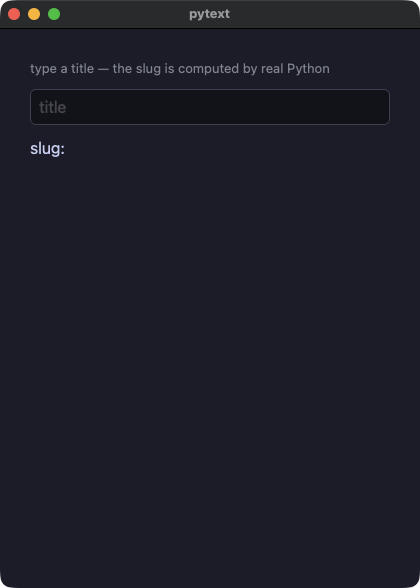
pytext — 素の float / bool / Enum の表示が Python の str() と一致する
pytext.py
# /// script
# requires-python = ">=3.14"
# ///
"""@py — a CPython escape compiled INTO the native app.

`slug` stays real Python (stdlib `re`) in both tiers: interpreted on
CPython, and run on an EMBEDDED CPython inside the pixie binary,
bridged through pixie's own [crates] binding machinery. The gate
proves both tiers agree.
"""
import os
import sys

sys.path.insert(0, os.path.join(os.path.dirname(os.path.abspath(__file__)), ".."))

from yokan import column, py, run, State, text, text_field  # noqa: E402


@py
def slug(t: str) -> str:
    import re

    return re.sub(r"[^a-z0-9]+", "-", t.lower()).strip("-")


title: State[str] = State("")
slugged: State[str] = State("")


def retitle(t: str):
    title.set(t)
    slugged.set(slug(t))


def view():
    with column(spacing=10, padding=14):
        text("type a title — the slug is computed by real Python", size=13, color="#8a8f98")
        text_field(title(), placeholder="title", on_change=retitle)
        text(f"slug: {slugged()}", size=16)


if __name__ == "__main__":
    run(view, title="pytext")
制御フローとエラー
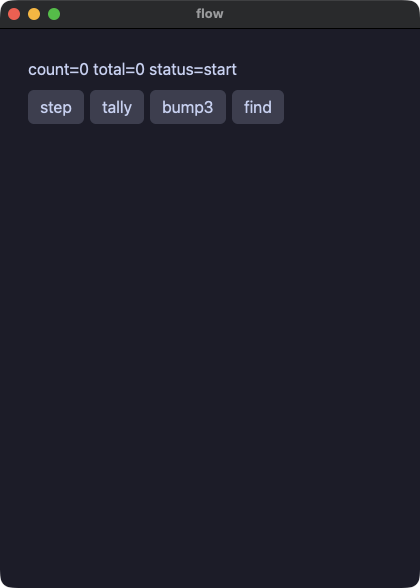
flow — ハンドラの中の本物の制御フロー(if / elif / while / for / break / continue)
flow.py
# /// script
# requires-python = ">=3.14"
# ///
"""Handler control flow, natively compiled: if/elif/else, while,
for-over-range and for-over-list with break/continue, and a pure
helper fn that lowers to a native free fn (not an escape — the
computation itself compiles). Locals are block-scoped natively, so
the translator refuses reads that Python would leak.

A decorator compiles too: decoration happens at import and the
compiled app never runs the module, so the wrapper is folded into
the handler it decorates. Both runs then do the same thing — which
is what the gate compares.
"""
import os
import sys

sys.path.insert(0, os.path.join(os.path.dirname(os.path.abspath(__file__)), ".."))

from yokan import button, column, row, run, State, text  # noqa: E402

count: State[int] = State(0)
total: State[int] = State(0)
status: State[str] = State("start")


def double(v: int) -> int:
    return v * 2


def announced(f):
    """A wrapper around the handler: it says what it is doing, runs
    the handler, and says it is done."""

    def wrapper():
        status.set("working")
        f()
        status.set("done")

    return wrapper


def step():
    count.set(count() + 1)
    if count() > 3 and count() < 100:
        status.set("big")
    elif count() == 3:
        status.set("three")
    else:
        status.set("small")


def tally():
    total.set(0)
    for i in range(1, 6):
        if i == 3:
            continue
        total.set(total() + double(i))


@announced
def bump3():
    while count() < 3:
        count.set(count() + 1)


def find():
    for i in range(0, 10):
        if i * i > 10:
            count.set(i)
            break


def view():
    with column(spacing=8, padding=12):
        text(f"count={count()} total={total()} status={status()}")
        with row(spacing=6):
            button("step", on_click=step)
            button("tally", on_click=tally)
            button("bump3", on_click=bump3)
            button("find", on_click=find)


if __name__ == "__main__":
    run(view, title="flow")
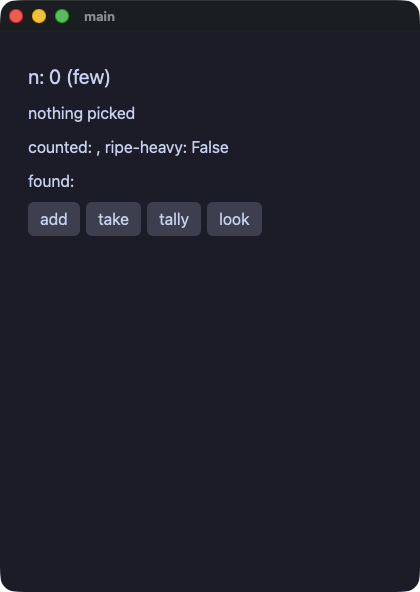
dialect — これまで断っていた普段の Python。int | None を返すメソッド、ローカルの辞書、ビューの中の条件式、KeyError として捕まえる d[k]、比較される二つめの出力になった print、途中の return
dialect.py
# /// script
# requires-python = ">=3.14"
# ///
"""The everyday Python the dialect used to refuse, gated: a method
that answers `int | None`, a local dict counted up and read back, a
conditional expression inside a view, `d[k]` caught as a KeyError,
`print` as a checked output, an early `return` inside a branch, and a
comparison used as a value.

`print` writes to stdout and the screens go to the file `PIXIE_DUMP`
names, so the gate compares both: the dumps and what the app printed.
"""
import os
import sys

sys.path.insert(0, os.path.join(os.path.dirname(os.path.abspath(__file__)), ".."))

from yokan import State, button, column, row, run, store, text  # noqa: E402

words: State[list[str]] = State(["ripe", "green", "ripe", "gold", "ripe", "green"])
counted: State[str] = State("")
found: State[str] = State("")
flagged: State[bool] = State(False)


@store
class Basket:
    n: int = 0
    # An optional field, and a method that answers one.
    picked: int | None = None

    def pick(self) -> int | None:
        if self.n > 2:
            return self.n
        return None

    # A conditional expression, nested, read by the view as a
    # property.
    @property
    def grade(self) -> str:
        return "many" if self.n > 4 else ("some" if self.n > 2 else "few")

    # An early return inside a branch, and an `if` / `else` where both
    # sides answer.
    def rung(self) -> int:
        if self.n > 4:
            return 2
        elif self.n > 2:
            return 1
        else:
            return 0

    def add(self) -> None:
        self.n = self.n + 1


def take() -> None:
    print("rung", Basket.rung())
    v = Basket.pick()
    if v is not None:
        Basket.picked = v
        print("picked", v)
    else:
        print("nothing to pick")


def tally() -> None:
    # A local dict: counted up, read with `.get`, asked with `in`,
    # walked in sorted order.
    counts: dict[str, int] = {}
    for w in words():
        counts[w] = counts.get(w, 0) + 1
    best = ""
    most = 0
    for k in sorted(counts):
        if counts.get(k, 0) > most:
            most = counts.get(k, 0)
            best = k
    counted.set(f"{best}={most} of {len(counts)}")
    # A comparison as a value.
    flagged.set(most > 2 and "ripe" in counts)
    print("tallied", len(counts), "kinds", sep=" ", end="\n")


def look() -> None:
    counts: dict[str, int] = {}
    for w in words():
        counts[w] = counts.get(w, 0) + 1
    # `d[k]` is the read Python answers with a KeyError, and what a
    # `try` catches is the read itself, bound to a name.
    try:
        gold = counts["gold"]
        found.set(f"gold {gold}")
    except KeyError as e:
        found.set(f"no {e}")
    try:
        plum = counts["plum"]
        found.set(f"{found()}, plum {plum}")
    except KeyError as e:
        found.set(f"{found()}, no {e}")


def view() -> None:
    with column(spacing=8, padding=12):
        # A conditional expression, where a view used to have none.
        text(f"n: {Basket.n} ({Basket.grade})", size=20)
        if (v := Basket.picked) is not None:
            text(f"picked: {v}")
        else:
            text("nothing picked")
        text(f"counted: {counted()}, ripe-heavy: {flagged()}")
        text(f"found: {found()}")
        with row(spacing=6):
            button("add", on_click=Basket.add)
            button("take", on_click=take)
            button("tally", on_click=tally)
            button("look", on_click=look)


if __name__ == "__main__":
    run(view)
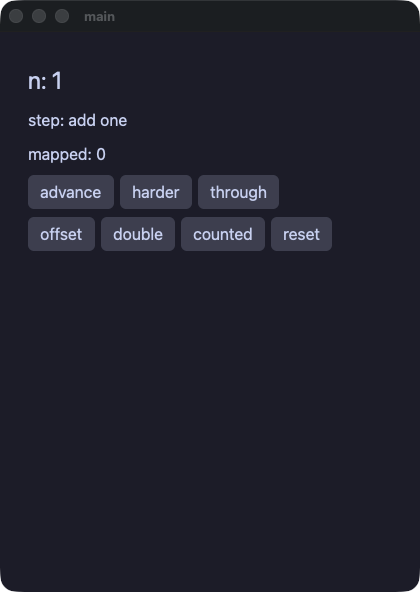
closures — 値としての関数。ローカル変数のラムダ、捕獲する入れ子の def、差し替えられるコールバックのフィールド、メソッドに渡すクロージャ、それを呼ぶ map
closures.py
# /// script
# requires-python = ">=3.14"
# ///
"""Functions as values, gated: a lambda held in an annotated local, a
nested def that captures a local, a `Callable` field a store is armed
with and swapped later, a closure handed to a method that declares
one, `map` over a function value and a function value as a sort key.

Captures are by value, taken where the closure is made, and the two
places Python's variable capture would disagree are refused by name:
writing to a captured local, and letting a closure that took a loop
variable outlive the iteration.
"""
import os
import sys
from typing import Callable

sys.path.insert(0, os.path.join(os.path.dirname(os.path.abspath(__file__)), ".."))

from yokan import State, button, column, row, run, store, text  # noqa: E402

xs: State[list[int]] = State([1, 2, 3])
mapped: State[int] = State(0)


@store
class Pipeline:
    n: int = 1
    # A callback field: the store is armed with one and can be armed
    # with another while the app runs.
    step: Callable[[int], int] = lambda x: x + 1
    label: str = "add one"

    def advance(self) -> None:
        f = self.step
        self.n = f(self.n)

    def harder(self) -> None:
        self.step = lambda x: x * x
        self.label = "squares"

    def reset(self) -> None:
        self.n = 1
        self.step = lambda x: x + 1
        self.label = "add one"

    # A method that takes a function value, and one that hands it one.
    def apply(self, g: Callable[[int], int]) -> None:
        self.n = g(self.n)

    def through(self) -> None:
        self.apply(lambda x: x * 10)


def double_all() -> None:
    twice: Callable[[int], int] = lambda x: x * 2
    doubled = list(map(twice, xs()))
    mapped.set(sum(doubled))


def offset() -> None:
    # A nested def, capturing a local by value: `base` is the number
    # that was there when the closure was made.
    base = Pipeline.n

    def add(x: int) -> int:
        return x + base

    Pipeline.n = add(10)


def ordered() -> None:
    # A function value as a sort key: the keys are built once, and the
    # list comes back in their order.
    down: Callable[[int], int] = lambda x: -x
    xs.set(sorted(xs(), key=down))
    mapped.set(xs()[0])


def counted() -> None:
    # A closure made inside a loop and called there: both runs read
    # the same value, so it is allowed.
    total = 0
    for i in xs():
        scale: Callable[[int], int] = lambda x: x * i
        total = total + scale(2)
    mapped.set(total)


def view() -> None:
    with column(spacing=8, padding=12):
        text(f"n: {Pipeline.n}", size=24)
        text(f"step: {Pipeline.label}")
        text(f"mapped: {mapped()}")
        with row(spacing=6):
            button("advance", on_click=Pipeline.advance)
            button("harder", on_click=Pipeline.harder)
            button("through", on_click=Pipeline.through)
        with row(spacing=6):
            button("offset", on_click=offset)
            button("double", on_click=double_all)
            button("counted", on_click=counted)
            button("ordered", on_click=ordered)
            button("reset", on_click=Pipeline.reset)


if __name__ == "__main__":
    run(view)
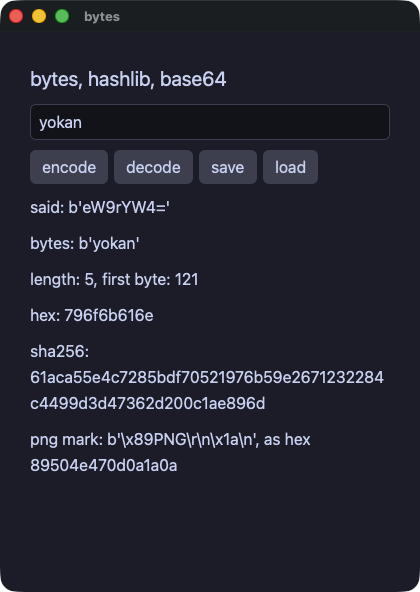
bytes — バイト列のリテラル、ダイジェスト、base64、そして書いて読み直すバイナリファイル。先頭の目印はリテラルと突き合わせる
bytes.py
# /// script
# requires-python = ">=3.14"
# ///
"""`bytes` in the dialect, and the two modules that wait on it.

A `bytes` value is what a file, a response or a digest is made of.
The literal is Python's (`b"..."` with its escapes), and so are the
operations: `len`, indexing to a number, slicing, `+`, `.hex()`,
`bytes.fromhex`, `str.encode()` and `bytes.decode()`. A hole renders
one the way Python's `str(b)` does, `b'...'` and all.

`hashlib` and `base64` are Python's own modules over those bytes:
`hashlib.sha256(b).hexdigest()` and `base64.b64encode(b)`. A digest
is a function of its input alone, so the compiled run answers it
without CPython, and a table CPython printed holds it to CPython.

`fs.read_bytes` and `fs.write_bytes` are Yokan's own: one
implementation, both runs, for the file the text pair cannot carry.
"""
import base64
import hashlib
import os
import sys

sys.path.insert(0, os.path.join(os.path.dirname(os.path.abspath(__file__)), ".."))

from yokan import State, button, column, row, run, store, text, text_field  # noqa: E402
from yokan import fs  # noqa: E402

# The eight bytes every PNG starts with, written as a literal.
PNG = b"\x89PNG\r\n\x1a\n"
FILE = "demo/.gate/bytes_demo/mark.bin"

phrase: State[str] = State("yokan")
said: State[str] = State("")


@store
class Note:
    # A bytes field starts empty and is filled while the app runs.
    body: bytes = b""
    digest: str = ""
    size: int = 0

    def take(self, text: str) -> None:
        self.body = text.encode()
        self.size = len(self.body)
        self.digest = hashlib.sha256(self.body).hexdigest()

    def save(self) -> None:
        Note.take(phrase())
        n = fs.write_bytes(FILE, PNG + self.body)
        said.set(f"wrote {n} bytes")

    def load(self) -> None:
        try:
            raw = fs.read_bytes(FILE)
        except RuntimeError:
            said.set("nothing saved yet")
            return
        head = raw[0:8]
        rest = raw[8:len(raw)]
        self.body = rest
        self.size = len(rest)
        self.digest = hashlib.sha256(rest).hexdigest()
        if head == PNG:
            said.set(f"read {len(raw)} bytes, mark {head} is the one")
        else:
            said.set(f"read {len(raw)} bytes, mark {head} is not the one")


def encode() -> None:
    Note.take(phrase())
    said.set(f"{base64.b64encode(Note.body)}")


def decode() -> None:
    # Back the way it came: base64 answers bytes, and bytes decode to
    # the text they were made from.
    packed = base64.b64encode(phrase().encode())
    said.set(base64.b64decode(packed).decode())


def view() -> None:
    with column(spacing=10, padding=14):
        text("bytes, hashlib, base64", size=20)
        text_field(phrase(), placeholder="text to encode", on_change=phrase.set)
        with row(spacing=6):
            button("encode", on_click=encode)
            button("decode", on_click=decode)
            button("save", on_click=Note.save)
            button("load", on_click=Note.load)
        text(f"said: {said()}")
        text(f"bytes: {Note.body}")
        text(f"length: {Note.size}, first byte: {Note.body[0] if Note.size > 0 else 0}")
        text(f"hex: {Note.body.hex()}")
        text(f"sha256: {Note.digest}")
        text(f"png mark: {PNG}, as hex {PNG.hex()}")


if __name__ == "__main__":
    run(view, title="bytes", on_start=encode)
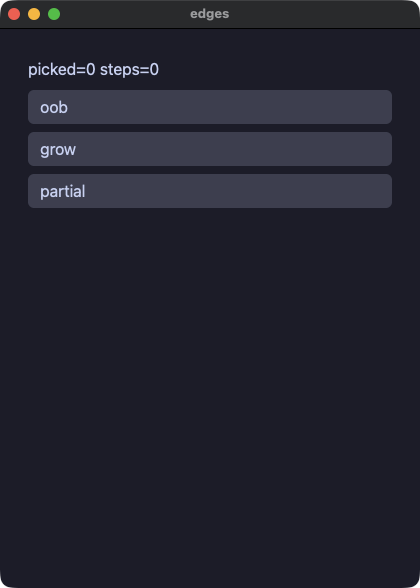
edges — 封じ込めの実証。範囲外アクセスもオーバーフローも、両実行のどちらでも同じ文で同じように止まり、アプリは動き続ける
edges.py
# /// script
# requires-python = ">=3.14"
# ///
"""Containment, proven by the gate: every predictable failure an
admitted program can reach fails the SAME way interpreted and
compiled — the statement aborts before writing, earlier statements'
effects stay, the app keeps running.

  oob     — a local subscript past the end
  grow    — i64 overflow (the write is refused before it happens,
            in both runs)
  partial — first statement lands, second fails: ordering agrees
"""
import os
import sys

sys.path.insert(0, os.path.join(os.path.dirname(os.path.abspath(__file__)), ".."))

from yokan import button, column, run, State, text  # noqa: E402

xs: State[list[int]] = State([7])
picked: State[int] = State(0)
big: State[int] = State(4611686018427387904)
steps: State[int] = State(0)


def oob():
    r = xs()
    picked.set(r[5])


def grow():
    big.set(big() * 4)


def partial():
    steps.set(steps() + 1)
    r = xs()
    picked.set(r[9])


def view():
    with column(spacing=8, padding=12):
        text(f"picked={picked()} steps={steps()}")
        button("oob", on_click=oob)
        button("grow", on_click=grow)
        button("partial", on_click=partial)


if __name__ == "__main__":
    run(view, title="edges")
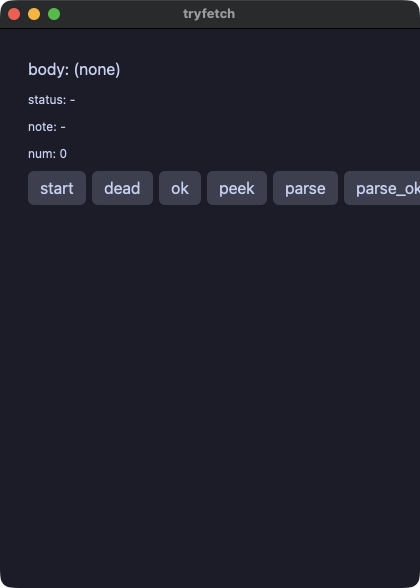
tryfetch — try/except の全形。失敗する http 呼び出しを捕まえ、f"{e}" の文言まで両実行で一致する
tryfetch.py
# /// script
# requires-python = ">=3.14"
# ///
"""try/except over the standard library: a failing http.get_text
raises, a Python `try` around it catches, and `f"{e}"` renders the
same message whether the app runs interpreted or compiled. An
uncaught failure aborts just the handler that raised — the app
keeps running.
"""
import os
import sys

sys.path.insert(0, os.path.join(os.path.dirname(os.path.abspath(__file__)), ".."))

from yokan import button, column, py, row, run, State, text  # noqa: E402
from yokan import fs, http  # noqa: E402


@py
def serve() -> int:
    import http.server
    import threading

    body = b"hello from fixture"

    class H(http.server.BaseHTTPRequestHandler):
        def do_GET(self):
            self.send_response(200)
            self.send_header("Content-Length", str(len(body)))
            self.end_headers()
            self.wfile.write(body)

        def log_message(self, format: str, *args: object) -> None:
            pass

    srv = http.server.HTTPServer(("127.0.0.1", 0), H)
    threading.Thread(target=srv.serve_forever, daemon=True).start()
    return srv.server_address[1]


@py
def parse_num(s: str) -> int:
    return int(s)


@py
def risky(mode: str) -> int:
    if mode == "value":
        raise ValueError("bad value here")
    if mode == "key":
        raise KeyError("missing-key")
    return 7


port: State[int] = State(0)
num: State[int] = State(0)
body: State[str] = State("(none)")
status: State[str] = State("-")
note: State[str] = State("-")


def start():
    port.set(serve())


def fetch_dead():
    try:
        body.set(http.get_text("http://127.0.0.1:9/nothing"))
    except Exception as e:
        status.set(f"offline: {e}")


def fetch_ok():
    try:
        body.set(http.get_text(f"http://127.0.0.1:{port()}/"))
    except Exception:
        status.set("unreachable")


def peek():
    try:
        note.set(fs.read_text("demo/.gate/absent.txt"))
    except Exception as e:
        note.set(f"no file: {e}")


def parse():
    try:
        num.set(parse_num("41x"))
    except Exception as e:
        note.set(f"bad: {e}")


def parse_ok():
    try:
        num.set(parse_num("41"))
    except Exception:
        note.set("unexpected")


def multi_v():
    try:
        num.set(risky("value"))
    except ValueError as e:
        note.set(f"VE: {e}")
    except KeyError as e:
        note.set(f"KE: {e}")
    except Exception:
        note.set("other")


def multi_k():
    try:
        num.set(risky("key"))
    except ValueError as e:
        note.set(f"VE: {e}")
    except KeyError as e:
        note.set(f"KE: {e}")
    except Exception:
        note.set("other")


def full():
    try:
        a = risky("fine")
        note.set(f"got {a}")
        b = risky("value")
        num.set(a + b)
    except (ValueError, KeyError) as e:
        status.set(f"caught: {e}")
    except Exception:
        status.set("other")
    else:
        status.set("clean run")
    finally:
        body.set("finally ran")


def full_ok():
    try:
        a = risky("fine")
        b = risky("fine")
        num.set(a + b)
    except Exception as e:
        status.set(f"caught: {e}")
    else:
        status.set("clean run")
    finally:
        body.set("finally ran")


def mixed():
    try:
        note.set(fs.read_text("demo/.gate/absent.txt"))
    except (KeyError, RuntimeError) as e:
        status.set(f"io: {e}")
    except Exception:
        status.set("other")


def multi_ok():
    try:
        num.set(risky("fine"))
    except ValueError:
        note.set("VE")
    except Exception:
        note.set("other")


def view():
    with column(spacing=8, padding=12):
        text(f"body: {body()}")
        text(f"status: {status()}", size=12)
        text(f"note: {note()}", size=12)
        text(f"num: {num()}", size=12)
        with row(spacing=6):
            button("start", on_click=start)
            button("dead", on_click=fetch_dead)
            button("ok", on_click=fetch_ok)
            button("peek", on_click=peek)
            button("parse", on_click=parse)
            button("parse_ok", on_click=parse_ok)
            button("mv", on_click=multi_v)
            button("mk", on_click=multi_k)
            button("mo", on_click=multi_ok)
            button("full", on_click=full)
            button("full_ok", on_click=full_ok)
            button("mixed", on_click=mixed)


if __name__ == "__main__":
    run(view, title="tryfetch")
画面の要素
widgets — すべての要素を 1 つのアプリで。リストで選ぶ 9 ページに、並べる要素からキャンバスまでを並べ、どの要素も取る共通プロパティも 1 ページ取ってある
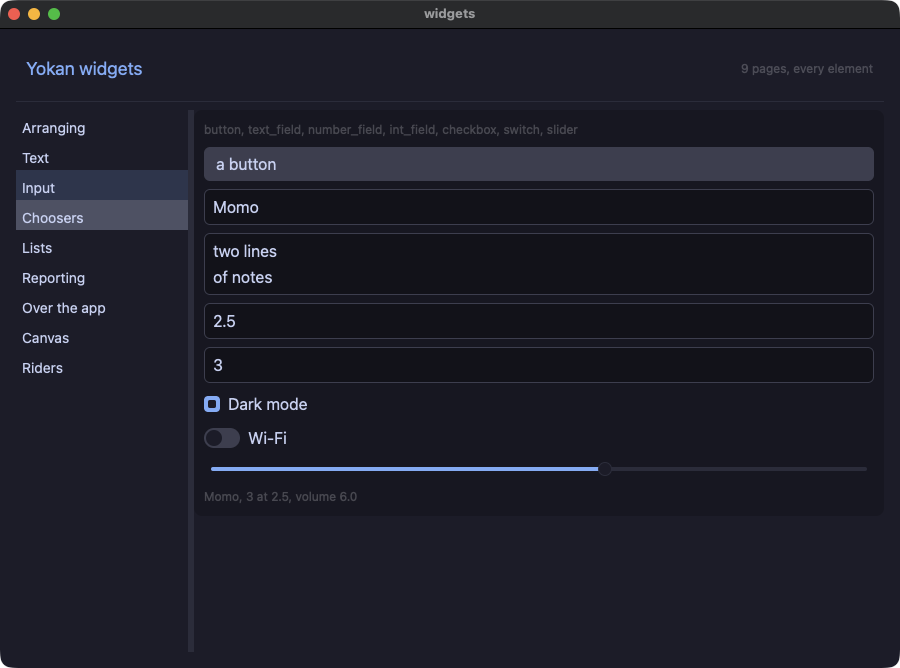
widgets.py
# /// script
# requires-python = ">=3.14"
# ///
"""Every element in the catalog, in one app.

The chrome is three of them. A `split` holds the pages beside the
page, its left pane is a `list_view` you pick from, and the right one
is a `scroll_view`. So the first three widgets are the ones you use
to look at the rest.

A verification script walks the pages by name — `select:Input` picks
from the app's FIRST chooser, which is that list — and everything a
page puts on the screen is numbered after it (`select@1:` and up).
"""
import os
import sys

sys.path.insert(0, os.path.join(os.path.dirname(os.path.abspath(__file__)), ".."))

from yokan import (  # noqa: E402
    bar_chart,
    component,
    button,
    canvas,
    checkbox,
    circle,
    column,
    context_menu,
    data_table,
    divider,
    grid,
    h_scroll_view,
    image,
    int_field,
    line,
    line_chart,
    link,
    list_view,
    menu_button,
    modal,
    number_field,
    pixel,
    pixel_text,
    progress,
    radio_group,
    rect,
    row,
    run,
    scroll_view,
    segmented,
    select,
    slider,
    spacer,
    spinner,
    split,
    stack,
    store,
    style,
    svg,
    switch,
    tab_bar,
    table,
    text,
    text_field,
    toast,
)

heading = style(size=18, color="accent")
faint = style(size=12, color="#8a8f98")
panel = style(padding=10, background="#1f2027", border_radius=8.0)
cell = style(size=12, background="#313244", padding=6, border_radius=6.0, align="center")


@store
class Gallery:
    pages: list[str] = [
        "Arranging",
        "Text",
        "Input",
        "Choosers",
        "Lists",
        "Reporting",
        "Over the app",
        "Canvas",
        "Riders",
    ]
    page: int = 0
    ratio: float = 0.28

    # What the input page binds. Every control shows a value the app
    # holds and hands the new one back — the same contract nine times.
    name: str = "Momo"
    note: str = "two lines\nof notes"
    price: float = 2.5
    qty: int = 3
    dark: bool = True
    wifi: bool = False
    volume: float = 6.0

    # The choosers: one list of options, four spellings, one index.
    fruits: list[str] = ["apple", "banana", "cherry"]
    fruit: int = 1
    tab: int = 0
    size: int = 2
    chosen: str = "nothing yet"

    # Lists and tables.
    rows: list[str] = ["ada", "bo", "cy", "dee", "eve", "fay"]
    kbs: list[int] = [12, 7, 31, 4, 19, 55]
    picked: int = -1
    sort_col: int = -1
    desc: bool = False

    # Reporting.
    pct: float = 0.62
    bars: list[float] = [3.0, 7.0, 5.0, 9.0, 4.0]
    trend: list[float] = [2.0, 4.0, 3.5, 6.0, 5.5, 8.0]

    # What is open over the app.
    asking: bool = False
    saved: bool = False

    # The canvas palette; a command's color is an index into it.
    palette: list[str] = ["#11111b", "#89b4fa", "#f38ba8", "#eeeeee"]

    def go(self, i: int) -> None:
        self.page = i

    def widen(self, r: float) -> None:
        self.ratio = min(0.5, max(0.15, r))

    def set_name(self, s: str) -> None:
        self.name = s

    def set_note(self, s: str) -> None:
        self.note = s

    def set_price(self, v: float) -> None:
        self.price = v

    def set_qty(self, n: int) -> None:
        self.qty = n

    def set_dark(self, on: bool) -> None:
        self.dark = on

    def set_wifi(self, on: bool) -> None:
        self.wifi = on

    def set_volume(self, v: float) -> None:
        self.volume = v

    def pick_fruit(self, i: int) -> None:
        self.fruit = i

    def pick_tab(self, i: int) -> None:
        self.tab = i

    def pick_size(self, i: int) -> None:
        self.size = i

    def act(self, i: int) -> None:
        self.chosen = self.fruits[i]

    def pick_row(self, i: int) -> None:
        self.picked = i

    def sort_by(self, i: int) -> None:
        self.sort_col = i
        self.desc = not self.desc

    def ask(self) -> None:
        self.asking = True

    def close(self) -> None:
        self.asking = False

    def save(self) -> None:
        self.saved = True

    def saved_shown(self) -> None:
        self.saved = False
        self.chosen = "the toast closed itself"


def page_row(i: int):
    """A row of the page list: the text a script picks it by."""
    with row(spacing=6, padding=6):
        text(Gallery.pages[i], size=14)


def file_row(i: int):
    # The padding keeps the right-hand number clear of the scrollbar
    # the viewport paints over its edge.
    with row(spacing=8, padding=6):
        text(Gallery.rows[i], size=14, grow=1.0)
        text(f"{Gallery.kbs[i]} kb", size=12, color="#7aa2f7")


def file_cells(i: int):
    return row(
        text(Gallery.rows[i]),
        text(f"{Gallery.kbs[i]}"),
    )


@component
def arranging():
    with column(spacing=10, **panel):
        text("column, row, grid, stack, spacer, divider, split, h_scroll_view", **faint)
        with row(spacing=8):
            text("a row")
            spacer()
            text("pushed to the edge", **faint)
        divider()
        # A grid lays equal tracks; `col_span=` is a rider, so it works
        # on any element rather than on a special cell.
        with grid(columns=3, spacing=6):
            text("one", **cell)
            text("two", **cell)
            text("three", **cell)
            text("spans two tracks", col_span=2, **cell)
            text("four", **cell)
        divider(color="accent", thickness=2.0)
        with stack():
            text("stacked under", size=28, color="#3b3f4a")
            text("and over", size=14)
        split(
            column(text("a pane"), padding=10, background="#313244", grow=1.0),
            column(text("and the other"), padding=10, background="#45475a", grow=1.0),
            ratio=Gallery.ratio,
            on_change=Gallery.widen,
            height=70.0,
        )
        with h_scroll_view():
            with row(spacing=8):
                text("one")
                text("two")
                text("three")
                text("four")
                text("five")
                text("and it scrolls sideways", **faint)


@component
def texts():
    with column(spacing=8, **panel):
        text("text, link, image, svg", **faint)
        text("bold", bold=True)
        text("italic", italic=True)
        text("mono 0x1f", mono=True)
        text("underlined", underline=True)
        text("a pill", size=12, background="#313244", padding=4, border_radius=6.0)
        text("one line, clipped with an ellipsis when it does not fit", wrap="ellipsis", width=180.0)
        link("yokan on GitHub", "https://github.com/i2y/yokan")
        with row(spacing=12):
            image("demo/assets/postcard.png", width=120.0, height=75.0)
            svg("demo/assets/yokan.svg", width=48.0, height=48.0)


@component
def inputs():
    with column(spacing=8, **panel):
        text("button, text_field, number_field, int_field, checkbox, switch, slider", **faint)
        button("a button", on_click=Gallery.save)
        text_field(Gallery.name, placeholder="name", on_change=Gallery.set_name)
        text_field(Gallery.note, multiline=True, rows=2, on_change=Gallery.set_note)
        number_field(Gallery.price, min=0.0, max=100.0, step=0.5, placeholder="price",
                     on_change=Gallery.set_price)
        int_field(Gallery.qty, min=1, max=99, placeholder="qty", on_change=Gallery.set_qty)
        checkbox("Dark mode", checked=Gallery.dark, on_change=Gallery.set_dark)
        switch("Wi-Fi", checked=Gallery.wifi, on_change=Gallery.set_wifi)
        slider(value=Gallery.volume, min=0.0, max=10.0, step=1.0, on_change=Gallery.set_volume)
        text(f"{Gallery.name}, {Gallery.qty} at {Gallery.price}, volume {Gallery.volume}", **faint)


@component
def choosers():
    with column(spacing=8, **panel):
        text("select, radio_group, tab_bar, segmented, menu_button", **faint)
        # A column stretches its children across it, so the two that
        # look wrong at full width sit in a row instead.
        with row(spacing=8):
            select(options=Gallery.fruits, selected=Gallery.fruit, on_change=Gallery.pick_fruit)
            menu_button("Actions", Gallery.fruits, on_select=Gallery.act)
        radio_group(options=Gallery.fruits, selected=Gallery.fruit, on_change=Gallery.pick_fruit)
        tab_bar(labels=Gallery.fruits, active=Gallery.tab, on_change=Gallery.pick_tab)
        with row(spacing=8):
            segmented(options=["S", "M", "L"], selected=Gallery.size, on_change=Gallery.pick_size)
        text(f"fruit {Gallery.fruit}, tab {Gallery.tab}, size {Gallery.size}", **faint)


@component
def lists():
    with column(spacing=8, **panel):
        text("list_view, table, data_table", **faint)
        list_view(
            len(Gallery.rows),
            file_row,
            item_height=26.0,
            height=78.0,
            selected=Gallery.picked,
            on_select=Gallery.pick_row,
            scroll_to=Gallery.picked,
        )
        table(
            ["name", "kb"],
            len(Gallery.rows),
            file_cells,
            widths=[2.0, 1.0],
            height=104.0,
            selected=Gallery.picked,
            on_select=Gallery.pick_row,
            sort=Gallery.sort_col,
            descending=Gallery.desc,
            on_sort=Gallery.sort_by,
        )
        with data_table():
            with row(spacing=8):
                text("kind", grow=1.0)
                text("what it is for", grow=2.0)
            with row(spacing=8):
                text("list_view", grow=1.0)
                text("rows of any shape, virtualized", grow=2.0)
            with row(spacing=8):
                text("table", grow=1.0)
                text("rows on column tracks, with a header", grow=2.0)


@component
def reporting():
    with column(spacing=8, **panel):
        text("progress, spinner, bar_chart, line_chart", **faint)
        progress(Gallery.pct, label="downloading", height=8.0)
        progress(0.0, indeterminate=True, height=8.0)
        with row(spacing=8):
            spinner()
            text("working", **faint)
        bar_chart(Gallery.bars, labels=["mon", "tue", "wed", "thu", "fri"], height=90.0, axis=True)
        line_chart(Gallery.trend, height=90.0, axis=True, color="#a6e3a1")


@component
def over_the_app():
    with column(spacing=8, **panel):
        text("modal, toast, context_menu", **faint)
        with row(spacing=8):
            button("show modal", on_click=Gallery.ask)
            button("show toast", on_click=Gallery.save)
        with context_menu(options=Gallery.fruits, on_select=Gallery.act):
            with column(padding=14, background="#313244", border_radius=8.0):
                text("right-click this card", size=14)
        text(f"chosen: {Gallery.chosen}", **faint)


@component
def riders():
    with column(spacing=8, **panel):
        text("the properties every element takes, whatever it is", **faint)
        text("a tooltip is in the dump either way", tooltip="so a script sees it")
        button("disabled", on_click=Gallery.save, disabled=True)
        text_field(Gallery.name, placeholder="also disabled", on_change=Gallery.set_name,
                   disabled=True)
        with column(spacing=6, theme="light", padding=8, background="surface",
                    border_radius=8.0):
            text("a scope with the other palette", size=13)
            button("in the light", on_click=Gallery.save)
        text("wider than it needs", width=220.0, background="#313244", padding=6)
        text("read as a heading", role="heading", size=15)
        image("demo/assets/yokan.svg", width=40.0, height=40.0,
              a11y_label="the Yokan mark")
        text("fades in when it appears", animate=200.0, enter=True, **faint)


@component
def painting():
    with column(spacing=8, **panel):
        text("canvas: virtual pixels, and every color an index", **faint)
        with canvas(64, 32, scale=4, background=0, palette=Gallery.palette):
            rect(2, 2, 14, 8, 1)
            circle(30, 10, 5, 2)
            line(2, 20, 61, 20, 3)
            pixel(40, 6, 3)
            pixel_text(2, 24, "PIXELS", 1)


def view() -> None:
    with column(grow=1.0):
        with row(spacing=8, padding=10):
            text("Yokan widgets", **heading)
            spacer()
            text(f"{len(Gallery.pages)} pages, every element", **faint)
        divider()
        with row(grow=1.0):
            list_view(
                len(Gallery.pages),
                page_row,
                item_height=30.0,
                height=430.0,
                width=150.0,
                selected=Gallery.page,
                on_select=Gallery.go,
            )
            divider()
            # A scroll_view takes a height rather than a share of the
            # row, so the column around it takes the width that is left
            # and the two panes are given the same height.
            # A row centres what it holds, so the pane is given the same
            # height as the list beside it and its page stacks from the
            # top of it.
            with column(grow=1.0, padding=10, height=450.0):
                with scroll_view(height=430.0):
                    if Gallery.page == 0:
                        arranging()
                    elif Gallery.page == 1:
                        texts()
                    elif Gallery.page == 2:
                        inputs()
                    elif Gallery.page == 3:
                        choosers()
                    elif Gallery.page == 4:
                        lists()
                    elif Gallery.page == 5:
                        reporting()
                    elif Gallery.page == 6:
                        over_the_app()
                    elif Gallery.page == 7:
                        painting()
                    else:
                        riders()
        if Gallery.asking:
            with modal():
                text("a modal takes the clicks behind it", size=14)
                button("close", on_click=Gallery.close)
        if Gallery.saved:
            toast("Saved", duration_ms=1500.0, on_close=Gallery.saved_shown)


if __name__ == "__main__":
    # A catalog wants room: the window asks for a size, and the
    # two panes take the height they were given.
    run(view, title="widgets", width=900.0, height=640.0)
todo — 定番の TODO リスト
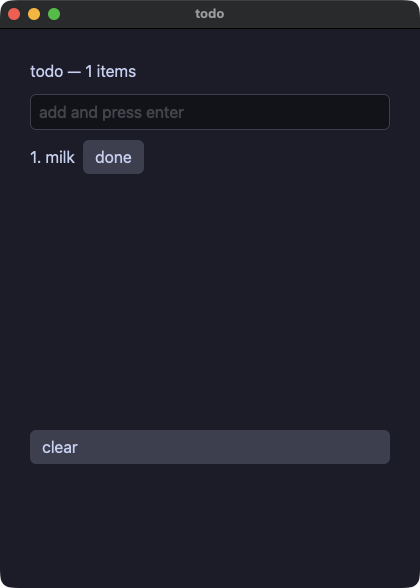
todo.py
# /// script
# requires-python = ">=3.14"
# ///
"""List state: a todo app with a virtualized list, fully in the dialect.

items: State[list[str]] — the annotation is what makes `[]`-style
list state translatable at all. The row builder becomes a `.pix`
`for` repeater, and the row index is an ordinary int inside it: the
number, the marker on the row that is done, and that row's own
button all read the same `i`.
"""
import os
import sys

sys.path.insert(0, os.path.join(os.path.dirname(os.path.abspath(__file__)), ".."))

from yokan import button, column, list_view, row, run, State, text, text_field  # noqa: E402

items: State[list[str]] = State(["milk"])
draft: State[str] = State("")
done: State[int] = State(-1)


def add(t: str):
    items.set(items() + [t])
    draft.set("")


def line(i: int):
    with row(spacing=8):
        text(f"{i + 1}. {items()[i]}")
        if i == done():
            text("done", color="accent")
        button("done", on_click=lambda: done.set(i))


def view():
    with column(spacing=10, padding=14):
        text(f"todo — {len(items())} items", size=16)
        text_field(
            draft(),
            placeholder="add and press enter",
            on_change=draft.set,
            on_submit=add,
        )
        list_view(len(items()), line, item_height=26.0, height=280.0)
        button("clear", on_click=lambda: items.set([]))


if __name__ == "__main__":
    run(view, title="todo")
table — data_table:最初の row がヘッダー行、以降の row は交互に色の付くデータ行になり、枠線は要素に付いてくる
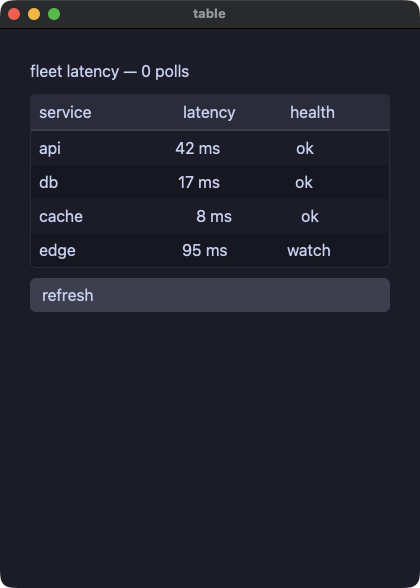
table.py
# /// script
# requires-python = ">=3.14"
# ///
"""data_table draws the table itself: the first `row` inside it is
the header, every later `row` is a data row shaded in alternation,
and the frame around them comes with the element. Columns line up
because the cells of one column carry the same `grow` share.
"""
import os
import sys

sys.path.insert(0, os.path.join(os.path.dirname(os.path.abspath(__file__)), ".."))

from yokan import button, column, data_table, row, run, store, text  # noqa: E402


@store
class Fleet:
    api: int = 42
    db: int = 17
    cache: int = 8
    edge: int = 95
    polls: int = 0

    def refresh(self) -> None:
        self.polls += 1
        self.api = (self.api * 3 + 29) % 140
        self.db = (self.db * 5 + 11) % 140
        self.cache = (self.cache * 7 + 3) % 140
        self.edge = (self.edge * 2 + 47) % 140


def health(ms: int) -> str:
    label = "ok"
    if ms > 60:
        label = "watch"
    if ms > 100:
        label = "slow"
    return label


def view():
    with column(spacing=10, padding=14):
        text(f"fleet latency — {Fleet.polls} polls", size=16)
        with data_table():
            with row(spacing=8):
                text("service", grow=2.0)
                text("latency", grow=1.0, align="right")
                text("health", grow=1.0, align="center")
            with row(spacing=8):
                text("api", grow=2.0)
                text(f"{Fleet.api} ms", grow=1.0, align="right")
                text(f"{health(Fleet.api)}", grow=1.0, align="center")
            with row(spacing=8):
                text("db", grow=2.0)
                text(f"{Fleet.db} ms", grow=1.0, align="right")
                text(f"{health(Fleet.db)}", grow=1.0, align="center")
            with row(spacing=8):
                text("cache", grow=2.0)
                text(f"{Fleet.cache} ms", grow=1.0, align="right")
                text(f"{health(Fleet.cache)}", grow=1.0, align="center")
            with row(spacing=8):
                text("edge", grow=2.0)
                text(f"{Fleet.edge} ms", grow=1.0, align="right")
                text(f"{health(Fleet.edge)}", grow=1.0, align="center")
        button("refresh", on_click=Fleet.refresh)


if __name__ == "__main__":
    run(view, title="table")
transcript — コーディングエージェントとの対話を上から読む。高さの揃わない行(吹き出し、折り返す文章、パネルに載せた mono のコード、薄いツール行)を scroll_view の中の column に並べる。高さが揃わない行はこの形で描く。copy code はコードをクリップボードへ
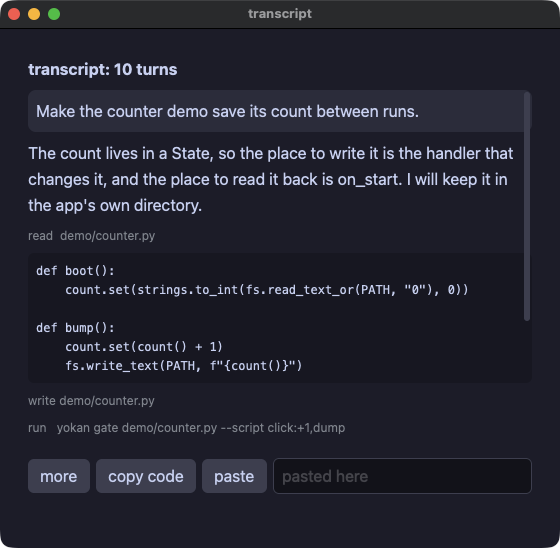
transcript.py
# /// script
# requires-python = ">=3.14"
# ///
"""A transcript, read top to bottom: the turns of a conversation with
a coding agent, prose and code, in a `scroll_view` over a `column`.
The rows are not one height — a turn is a paragraph or a block of
code — so this is the shape for them, not the virtualized
`list_view`, whose rows share one `item_height`. A session is
hundreds of turns, and a column of hundreds of texts scrolls fine.

Each turn is a value class; the view walks the list and picks the
shape by its kind: a person's turn as a pill, the agent's prose
wrapped, a code block in `mono` on a panel, and a tool call as one
dim line. `copy` puts a block on the clipboard, which a script
checks with a paste into the field.
"""
import os
import sys

sys.path.insert(0, os.path.join(os.path.dirname(os.path.abspath(__file__)), ".."))

from yokan import (  # noqa: E402
    State,
    button,
    clipboard,
    column,
    row,
    run,
    scroll_view,
    store,
    style,
    text,
    text_field,
    value,
)

dim = style(size=12, color="#8a8f98")


@value
class Turn:
    kind: str  # "user", "agent", "code" or "tool"
    body: str


@store
class Session:
    turns: list[Turn] = [
        Turn("user", "Make the counter demo save its count between runs."),
        Turn(
            "agent",
            "The count lives in a State, so the place to write it is the "
            "handler that changes it, and the place to read it back is "
            "on_start. I will keep it in the app's own directory.",
        ),
        Turn("tool", "read  demo/counter.py"),
        Turn(
            "code",
            "def boot():\n"
            "    count.set(strings.to_int(fs.read_text_or(PATH, \"0\"), 0))\n"
            "\n"
            "def bump():\n"
            "    count.set(count() + 1)\n"
            "    fs.write_text(PATH, f\"{count()}\")",
        ),
        Turn("tool", "write demo/counter.py"),
        Turn("tool", "run   yokan gate demo/counter.py --script click:+1,dump"),
        Turn("agent", "The gate is green: the count is written on every click and read back at start."),
        Turn("user", "Where does the file go?"),
        Turn(
            "agent",
            "fs.app_dir names the directory the platform keeps for an app, "
            "so it is Application Support on macOS and XDG_DATA_HOME on Linux.",
        ),
        Turn("code", "PATH = fs.app_dir(\"counter\") + \"/count.txt\""),
    ]
    extra: int = 0

    def more(self) -> None:
        # A longer session: the same turns again, numbered, so a
        # script can scroll a screen that is taller than the window.
        self.extra = self.extra + 1
        self.turns = self.turns + [
            Turn("user", f"And one more thing ({self.extra})."),
            Turn("agent", f"Done, as turn {self.extra}: the change is in, and the gate still passes."),
        ]


pasted: State[str] = State("")


def copy_code():
    for t in Session.turns:
        if t.kind == "code":
            clipboard.set_text(t.body)


def paste():
    pasted.set(clipboard.get_text())


def view():
    with column(spacing=8, padding=12):
        text(f"transcript: {len(Session.turns)} turns", size=16, bold=True)
        with scroll_view(height=360.0):
            with column(spacing=8):
                for t in Session.turns:
                    if t.kind == "user":
                        text(t.body, background="#313244", padding=8.0, border_radius=8.0)
                    if t.kind == "agent":
                        text(t.body)
                    if t.kind == "code":
                        text(t.body, mono=True, size=12, background="#181825", padding=8.0, border_radius=6.0)
                    if t.kind == "tool":
                        text(t.body, **dim)
        with row(spacing=6):
            button("more", on_click=Session.more)
            button("copy code", on_click=copy_code)
            button("paste", on_click=paste)
            text_field(pasted(), placeholder="pasted here", on_change=pasted.set)


if __name__ == "__main__":
    run(view, title="transcript", width=560, height=520)
dialog — モーダル。「存在すること」が「開いていること」なので、if で包む
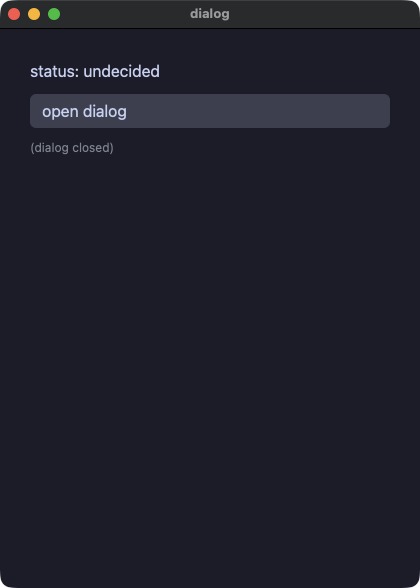
dialog.py
# /// script
# requires-python = ">=3.14"
# ///
"""Conditional rendering: a modal behind `if show():`.

bool cells follow the same split as floats: bool TEXT is out of the
dialect, bool CONDITIONS are in. The Python `if` becomes .pix's view
`if/else`; the modal needs no open= — presence IS openness.
"""
import os
import sys

sys.path.insert(0, os.path.join(os.path.dirname(os.path.abspath(__file__)), ".."))

from yokan import button, column, modal, row, run, State, text  # noqa: E402

show: State[bool] = State(False)
status: State[str] = State("undecided")


def accept():
    status.set("accepted")
    show.set(False)


def decline():
    status.set("declined")
    show.set(False)


def view():
    with column(spacing=10, padding=14):
        text(f"status: {status()}", size=16)
        button("open dialog", on_click=lambda: show.set(True))
        if show():
            with modal():
                text("accept the terms?", size=18)
                with row(spacing=8):
                    button("accept", on_click=accept)
                    button("decline", on_click=decline)
        else:
            text("(dialog closed)", size=12, color="#8a8f98")


if __name__ == "__main__":
    run(view, title="dialog")
toast — アプリの上に出て、自分で閉じるメッセージ。duration_ms はフレームワーク自身の時計で数え(スクリプトは advance: で進める)、on_close が if の読む値を消す
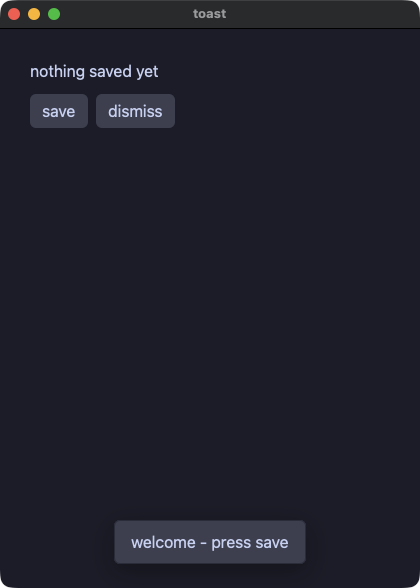
toast.py
# /// script
# requires-python = ">=3.14"
# ///
"""A message that appears over the app and goes away on its own.

A toast is open by existing, the way a modal is: put it behind
`if showing():` rather than passing a flag. Give it `duration_ms` and
it closes itself that many milliseconds later by calling `on_close` —
which is where the app clears what the `if` reads. The countdown runs
on the framework's own clock, so a headless script says `advance:1500`
and sees the same thing a person waiting would.
"""
import os
import sys

sys.path.insert(0, os.path.join(os.path.dirname(os.path.abspath(__file__)), ".."))

from yokan import button, column, row, run, State, text, toast  # noqa: E402

note: State[str] = State("nothing saved yet")
saved: State[bool] = State(False)
hint: State[bool] = State(True)


def save():
    note.set("saved")
    saved.set(True)


def done():
    saved.set(False)
    note.set("the toast closed itself")


def dismiss():
    hint.set(False)


def view():
    with column(spacing=10, padding=14):
        text(f"{note()}", size=16)
        with row(spacing=8):
            button("save", on_click=save)
            button("dismiss", on_click=dismiss)
        if hint():
            toast("welcome - press save")
        if saved():
            toast("Saved", duration_ms=1500, on_close=done)


if __name__ == "__main__":
    run(view, title="toast")
trend — ライン / バーチャート
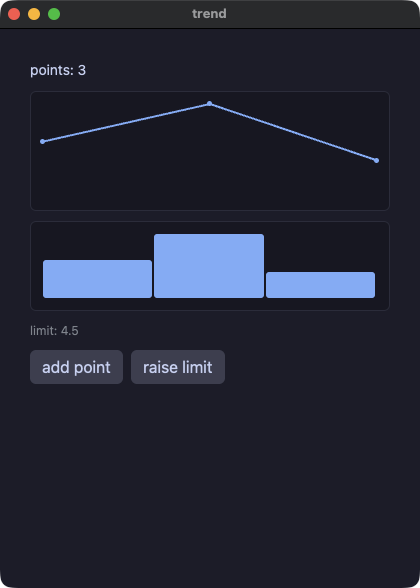
trend.py
# /// script
# requires-python = ">=3.14"
# ///
"""Chart data from a list[float] cell — the float rule in action:

float TEXT is out of the dialect (str(2.0) diverges across tiers),
but float DATA is fine: both tiers dump chart values through the
same kernel renderer, and the gate proves it.
"""
import os
import sys

sys.path.insert(0, os.path.join(os.path.dirname(os.path.abspath(__file__)), ".."))

from yokan import (
    bar_chart,
    button,
    column,
    line_chart,
    row,
    run,
    State,
    text,
)

values: State[list[float]] = State([3.0, 5.0, 2.0])
limit: State[float] = State(4.5)


def bump():
    values.set(values() + [8.0])


def raise_limit():
    limit.set(limit() + 0.5)


def view():
    with column(spacing=10, padding=14):
        text(f"points: {len(values())}", size=14)
        line_chart(values(), height=120.0)
        bar_chart(values(), height=90.0)
        text(f"limit: {limit():.1f}", size=12, color="#8a8f98")
        with row(spacing=8):
            button("add point", on_click=bump)
            button("raise limit", on_click=raise_limit)


if __name__ == "__main__":
    run(view, title="trend")
styled — 名前付きスタイル(style + ** 展開 + | 合成)とテーマスコープ
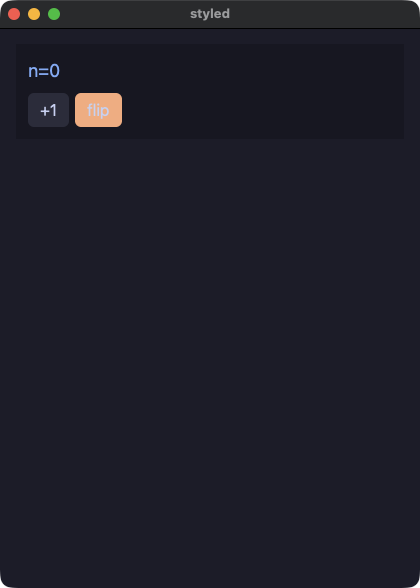
styled.py
# /// script
# requires-python = ">=3.14"
# ///
"""Named styles and the theme scope. A style is a plain dict of
element kwargs (`style`), applied with `**` — plain Python when
interpreted, a native style block when compiled; `|` merges styles
and `theme=` scopes a palette over a subtree. Tokens like "accent"
resolve in one shared place, so a palette flip re-colors the
interpreted and the compiled app identically.
"""
import os
import sys

sys.path.insert(0, os.path.join(os.path.dirname(os.path.abspath(__file__)), ".."))

from yokan import button, column, row, run, State, style, text  # noqa: E402

chip = style(size=18, color="accent")
key = style(background="#313244", hover_background="#45475a")
hot = style(background="#fab387")
key_hot = key | hot

mode: State[str] = State("dark")
n: State[int] = State(0)


def flip():
    if mode() == "dark":
        mode.set("light")
    else:
        mode.set("dark")


def view():
    with column(spacing=8, padding=12, background="panel", theme=mode()):
        text(f"n={n()}", **chip)
        with row(spacing=6):
            button("+1", on_click=lambda: n.set(n() + 1), **key)
            button("flip", on_click=flip, **key_hot)


if __name__ == "__main__":
    run(view, title="styled")
cards — スロット付きコンポーネント(子要素を受け取る)
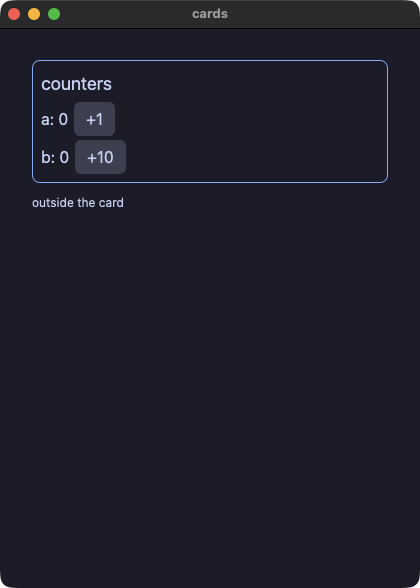
cards.py
# /// script
# requires-python = ">=3.14"
# ///
"""Slots: a component that takes CHILDREN. Declare it
@component(slots=True), place them with slot(), pass them by
`with card(...):` — the native twin is pixie's `Slot { }` splice,
and the children keep use-site identity, so stateful components
inside a slot hold independent per-instance state.
"""
import os
import sys

sys.path.insert(0, os.path.join(os.path.dirname(os.path.abspath(__file__)), ".."))

from yokan import (
    button,
    column,
    component,
    local,
    row,
    run,
    slot,
    State,
    text,
)


@component(slots=True)
def card(title: str):
    with column(spacing=4, padding=8, border_width=1.0, border_color="accent", border_radius=8):
        text(title, size=18)
        slot()


@component
def counter(label: str, step: int):
    n: State[int] = local(0)
    with row(spacing=6):
        text(f"{label}: {n()}")
        button(f"+{step}", on_click=lambda: n.set(n() + step))


def view():
    with column(spacing=10, padding=16):
        with card("counters"):
            counter("a", 1)
            counter("b", 10)
        text("outside the card", size=12)


if __name__ == "__main__":
    run(view, title="cards")
layout — spacer と divider。spacer がボタンを行の端に押しやり、divider が罫線を引く(節の間は太い accent 色の線)
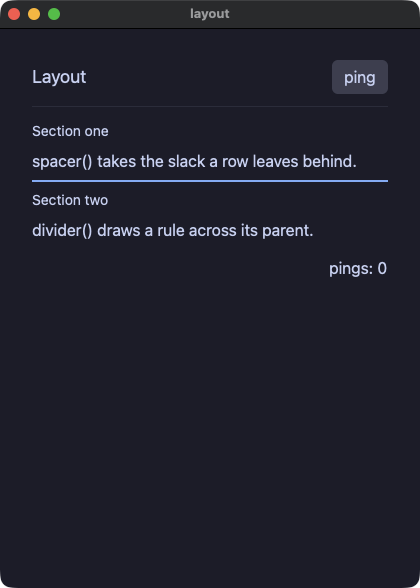
layout.py
# /// script
# requires-python = ">=3.14"
# ///
"""spacer and divider: a flex filler and a rule. The header row's
spacer pushes "ping" to the row's far edge; the footer row's spacer
does the same for the ping count. divider() draws the rules —
default weight between the header and the body, a heavier
theme-colored one between the body's two sections.

Develop:  uv run demo/layout.py
Ship:     python3 yokan_gate.py gate demo/layout.py --script "click:ping"
"""
import os
import sys

sys.path.insert(0, os.path.join(os.path.dirname(os.path.abspath(__file__)), ".."))

from yokan import button, column, divider, row, run, spacer, State, text  # noqa: E402


pings: State[int] = State(0)


def view():
    return column(
        row(
            text("Layout", size=18),
            spacer(),
            button("ping", on_click=lambda: pings.set(pings() + 1)),
        ),
        divider(),
        column(
            text("Section one", size=14),
            text("spacer() takes the slack a row leaves behind."),
            divider(thickness=2.0, color="accent"),
            text("Section two", size=14),
            text("divider() draws a rule across its parent."),
            spacing=6,
        ),
        row(
            spacer(),
            text(f"pings: {pings()}"),
        ),
        spacing=12,
        padding=16,
    )


if __name__ == "__main__":
    run(view, title="layout")
split — 二つの区画と、ドラッグできる仕切り。割合はアプリ自身が持つ数値なので、ハンドラが書き戻し、下限もそこで押さえる(要素に min / max は無い)
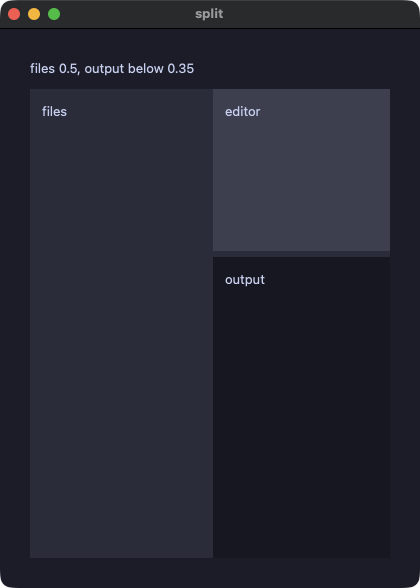
split.py
# /// script
# requires-python = ">=3.14"
# ///
"""A split is two panes and a divider you drag.

`ratio` is the share the first pane takes, and it is the app's own
number: the handler receives the new one and writes it back, which is
what moves the divider. That is the slider's contract with a different
gesture, so `slide:` drives it headless with no verb of its own — and
because a ratio is a fraction, the widget has no min= / max=: a pane
that may not vanish says so once, in the handler.
"""
import os
import sys

sys.path.insert(0, os.path.join(os.path.dirname(os.path.abspath(__file__)), ".."))

from yokan import column, run, split, store, text  # noqa: E402


@store
class Panes:
    ratio: float = 0.5
    rows: float = 0.35

    def widen(self, r: float) -> None:
        # The floor under each pane, kept where the app keeps the
        # number rather than on the widget: one owner, not two.
        self.ratio = min(0.8, max(0.2, r))

    def lower(self, r: float) -> None:
        self.rows = min(0.85, max(0.15, r))


def view():
    with column(spacing=10, padding=14, grow=1.0):
        text(f"files {Panes.ratio}, output below {Panes.rows}", size=13)
        split(
            column(
                text("files", size=13),
                padding=12,
                background="#313244",
                grow=1.0,
            ),
            split(
                column(
                    text("editor", size=13),
                    padding=12,
                    background="#45475a",
                    grow=1.0,
                ),
                column(
                    text("output", size=13),
                    padding=12,
                    background="#181825",
                    grow=1.0,
                ),
                ratio=Panes.rows,
                vertical=True,
                on_change=Panes.lower,
            ),
            ratio=Panes.ratio,
            on_change=Panes.widen,
        )


if __name__ == "__main__":
    run(view, title="split")
about — link。URL を開くテキストと、その URL をクリップボードにコピーするボタン
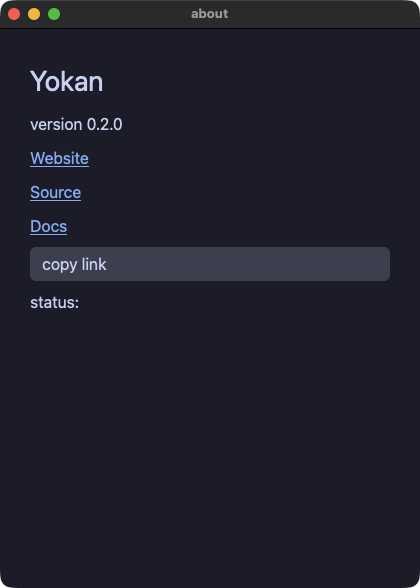
about.py
# /// script
# requires-python = ">=3.14"
# ///
"""The About panel: the app's identity, and three Links out to the
project. A Link is a line of text that opens its `url` in the
browser when clicked (accent-colored, underlined, a pointer cursor);
a headless run accepts the click and does nothing, since opening a
browser is not app state — `dump` never moves because of one. The
button copies the source URL to the clipboard with `clipboard.set_text`
and flips the status line to confirm it.
"""
import os
import sys

sys.path.insert(0, os.path.join(os.path.dirname(os.path.abspath(__file__)), ".."))

from yokan import button, column, link, run, store, text  # noqa: E402
from yokan import clipboard  # noqa: E402


@store
class About:
    status: str = ""

    def copy_link(self) -> None:
        clipboard.set_text("https://github.com/i2y/yokan")
        self.status = "copied"


def view():
    with column(spacing=8, padding=14):
        text("Yokan", size=28)
        text("version 0.2.0")
        link("Website", "https://i2y.github.io/yokan/")
        link("Source", "https://github.com/i2y/yokan")
        link("Docs", "https://i2y.github.io/yokan/tour/")
        button("copy link", on_click=About.copy_link)
        text(f"status: {About.status}")


if __name__ == "__main__":
    run(view, title="about")
badges — 自前の箱を持つ text。状態のピル、等幅のハッシュ、下線付きの注記、省略記号、二行での打ち切り
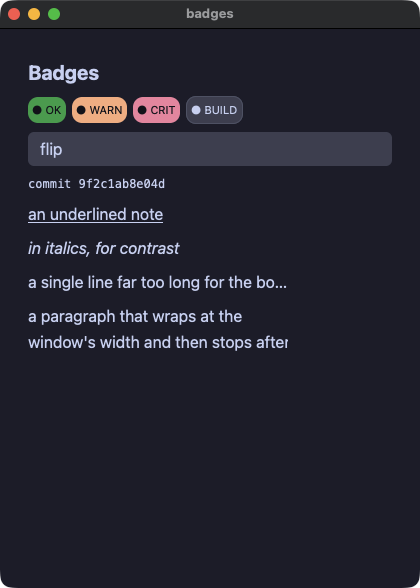
badges.py
# /// script
# requires-python = ">=3.14"
# ///
"""Typography, wrapping and the box a label draws behind itself.
A text can be bold, italic, monospaced or underlined; it can stop
wrapping (`wrap="nowrap"`), clip with an ellipsis (`wrap="ellipsis"`
plus a `width`), or clamp to `max_lines`; and `background`,
`padding` and the border props turn it into a status pill. The pill
colors are named once as styles and composed with `|`, and the last
one follows state — a style value is a value, so `flip` re-colors it
without a second element.
"""
import os
import sys

sys.path.insert(0, os.path.join(os.path.dirname(os.path.abspath(__file__)), ".."))

from yokan import button, column, row, run, State, style, text  # noqa: E402

pill = style(size=11, color="#11111b", padding=4, border_radius=10)
ok = style(background="#2fa84f")
warn = style(background="#fab387")
crit = style(background="#f38ba8")

pill_ok = pill | ok
pill_warn = pill | warn
pill_crit = pill | crit

tint: State[str] = State("#45475a")
hot: State[bool] = State(False)


def flip():
    hot.set(not hot())
    if hot():
        tint.set("#f38ba8")
    else:
        tint.set("#45475a")


def view():
    with column(spacing=8, padding=12):
        text("Badges", size=20, bold=True)
        with row(spacing=6):
            text("● OK", **pill_ok)
            text("● WARN", **pill_warn)
            text("● CRIT", **pill_crit)
            text(
                "● BUILD",
                size=11,
                color="#cdd6f4",
                background=tint(),
                padding=4,
                border_radius=10,
                border_width=1,
                border_color="#585b70",
            )
        button("flip", on_click=flip)
        text("commit 9f2c1ab8e04d", mono=True, size=12)
        text("an underlined note", underline=True)
        text("in italics, for contrast", italic=True)
        # An ellipsis needs a bounded box to clip against.
        text(
            "a single line far too long for the box it was given, so it ends in an ellipsis",
            wrap="ellipsis",
            width=260,
        )
        # The clamp is the other half: this one wraps, then stops.
        text(
            "a paragraph that wraps at the window's width and then stops after two lines, "
            "because a clamped label is what a card summary wants",
            max_lines=2,
            width=260,
        )


if __name__ == "__main__":
    run(view, title="badges")
filter — segmented。トグルボタン群で絞り込むリスト
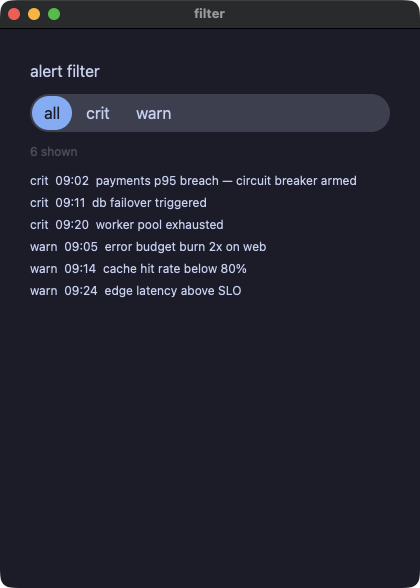
filter.py
# /// script
# requires-python = ">=3.14"
# ///
"""segmented replaces a row of if/else-styled buttons with one bound
chooser: the accent-filled segment IS the current filter, and
picking another segment reruns `on_change` with its 0-based index.
Compare `demo/opsboard/app.py`'s `Alerts.filter` row, which needs
three buttons and an if/else per button to do the same job.

Develop:  uv run demo/filter.py
Ship:     python3 yokan_gate.py gate demo/filter.py --script "select:crit,dump,select:all"
"""
import os
import sys

sys.path.insert(0, os.path.join(os.path.dirname(os.path.abspath(__file__)), ".."))

from yokan import column, list_view, run, segmented, store, text  # noqa: E402


@store
class Alerts:
    # `self.levels[i]` (a list indexed by an arbitrary Int) is not in
    # the dialect yet — only a row builder's OWN driving list may be
    # indexed by its row number — and a plain method call (like
    # `.startswith()`) is not a valid `if` condition either, only a
    # bool cell/field or a comparison is. So the split mirrors
    # opsboard's `Alerts.rebuild()`: one list per severity, `pick`
    # branches on the INDEX (an Int comparison) instead of a String
    # field, and appends whichever lists the chosen segment covers.
    levels: list[str] = ["all", "crit", "warn"]
    level: int = 0
    crit_rows: list[str] = [
        "crit  09:02  payments p95 breach — circuit breaker armed",
        "crit  09:11  db failover triggered",
        "crit  09:20  worker pool exhausted",
    ]
    warn_rows: list[str] = [
        "warn  09:05  error budget burn 2x on web",
        "warn  09:14  cache hit rate below 80%",
        "warn  09:24  edge latency above SLO",
    ]
    visible: list[str] = [
        "crit  09:02  payments p95 breach — circuit breaker armed",
        "crit  09:11  db failover triggered",
        "crit  09:20  worker pool exhausted",
        "warn  09:05  error budget burn 2x on web",
        "warn  09:14  cache hit rate below 80%",
        "warn  09:24  edge latency above SLO",
    ]

    def pick(self, i: int) -> None:
        self.level = i
        self.visible = []
        if i == 0:
            for r in self.crit_rows:
                self.visible = self.visible + [r]
            for r in self.warn_rows:
                self.visible = self.visible + [r]
        elif i == 1:
            for r in self.crit_rows:
                self.visible = self.visible + [r]
        else:
            for r in self.warn_rows:
                self.visible = self.visible + [r]


def alert_row(i):
    return text(Alerts.visible[i], size=12)


def view():
    with column(spacing=10, padding=14):
        text("alert filter", size=16)
        segmented(options=Alerts.levels, selected=Alerts.level, on_change=Alerts.pick)
        text(f"{len(Alerts.visible)} shown", size=12, color="textDim")
        list_view(len(Alerts.visible), alert_row, item_height=22.0, height=150.0)


if __name__ == "__main__":
    run(view, title="filter")
contextmenu — 包んだ要素を右クリックすると開くメニュー。項目はアプリのデータなので、開いているかどうかに関わらずダンプに出て、スクリプトは select: で選ぶ
contextmenu.py
# /// script
# requires-python = ">=3.14"
# ///
"""A menu the right button opens.

`context_menu` wraps one element with the items it offers. The items
are the app's own data, so they are in a dump whether the menu is
open or not, and a verification script picks from them with the step
every chooser takes — `select:<item>` — without the click that opens
the panel. Where that panel goes is the window's business, the way a
`select`'s open list is.
"""
import os
import sys

sys.path.insert(0, os.path.join(os.path.dirname(os.path.abspath(__file__)), ".."))

from yokan import column, context_menu, run, store, text  # noqa: E402


@store
class Board:
    items: list[str] = ["Rename", "Duplicate", "Delete"]
    note: str = "right-click the card"

    def pick(self, i: int) -> None:
        self.note = f"chose {self.items[i]}"


def view() -> None:
    with column(spacing=10, padding=14):
        text("a menu the right button opens", size=20)
        with context_menu(options=Board.items, on_select=Board.pick):
            with column(padding=16, background="#313244", border_radius=8.0):
                text("a card", size=14)
        text(f"{Board.note}")


if __name__ == "__main__":
    run(view, title="contextmenu")
menubutton — 押すと短いメニューが開くボタン。現在値が無いのでラベルは変わらず、ハンドラは選ばれた番号を受け取る。スクリプトは select: で選ぶ
menubutton.py
# /// script
# requires-python = ">=3.14"
# ///
"""A button that opens a short menu.

`menu_button` is a `select` with no current value: the label stays
put, the options are data, and choosing one calls the handler with
its index. Nothing new is needed to verify it — `select:<option>`
picks from a menu the way it picks from a select, and the options
are in the dump whether the menu is open or not, because what the
app offers is not engine state.
"""
import os
import sys

sys.path.insert(0, os.path.join(os.path.dirname(os.path.abspath(__file__)), ".."))

from yokan import column, menu_button, row, run, store, text  # noqa: E402


@store
class Doc:
    actions: list[str] = ["Rename", "Duplicate", "Delete"]
    exports: list[str] = ["CSV", "JSON"]
    note: str = "nothing chosen"

    def act(self, i: int) -> None:
        self.note = f"chose {self.actions[i]}"

    def export(self, i: int) -> None:
        self.note = f"exported as {self.exports[i]}"


def view() -> None:
    with column(spacing=10, padding=14):
        text("a button that opens a menu", size=20)
        with row(spacing=8):
            menu_button("Actions", Doc.actions, on_select=Doc.act)
            menu_button("Export", Doc.exports, on_select=Doc.export)
        text(f"{Doc.note}")


if __name__ == "__main__":
    run(view, title="menubutton")
quantities — number_field と int_field。型付きの数値入力で、enter で確定し、値を範囲に収め、step に吸着する
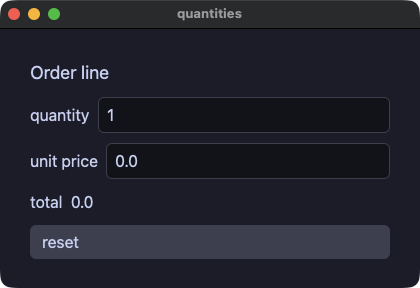
quantities.py
# /// script
# requires-python = ">=3.14"
# ///
"""An order line with typed numeric inputs: int_field for the
quantity (1..99) and number_field for the unit price (0..1000, in
half-yen steps). Both commit on `enter` or when the field loses
focus — in a script, `input:` commits — so text that is not a number
never reaches the store, and the total is computed in the view.
"""
import os
import sys

sys.path.insert(0, os.path.join(os.path.dirname(os.path.abspath(__file__)), ".."))

from yokan import button, column, int_field, number_field, row, run, store, text


@store
class Order:
    qty: int = 1
    price: float = 0.0

    def set_qty(self, n: int) -> None:
        self.qty = n

    def set_price(self, p: float) -> None:
        self.price = p

    def reset(self) -> None:
        self.qty = 1
        self.price = 0.0


def view():
    with column(spacing=10, padding=14):
        text("Order line", size=18)
        with row(spacing=8):
            text("quantity")
            int_field(Order.qty, min=1, max=99, placeholder="qty", on_change=Order.set_qty)
        with row(spacing=8):
            text("unit price")
            number_field(
                Order.price,
                min=0.0,
                max=1000.0,
                step=0.5,
                placeholder="price",
                on_change=Order.set_price,
            )
        text(f"total  {Order.qty * Order.price}")
        button("reset", on_click=Order.reset)


if __name__ == "__main__":
    run(view, title="quantities", width=420, height=260)
loading — progress の見出しと大きさ。どれだけかかるか分からない作業には、往復し続ける不確定表示を使う
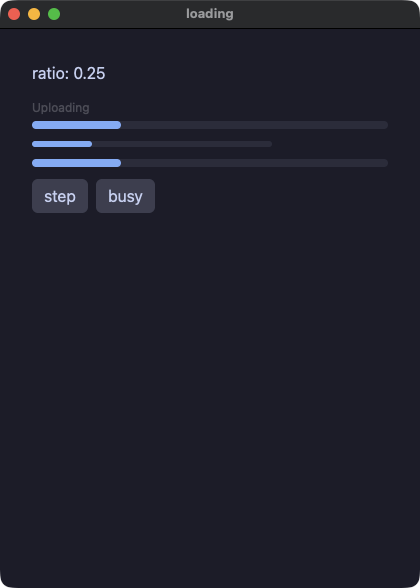
loading.py
# /// script
# requires-python = ">=3.14"
# ///
"""progress: `value` stays the only required prop — `width`/`height`
size the track, `label` draws a dim line above it, and
`indeterminate` ignores `value` and sweeps a segment instead, for
work with no known length.

Develop:  uv run demo/loading.py
Ship:     python3 yokan_gate.py gate demo/loading.py --script "click:step,click:step,dump,click:busy"
"""
import os
import sys

sys.path.insert(0, os.path.join(os.path.dirname(os.path.abspath(__file__)), ".."))

from yokan import button, column, progress, row, run, State, text  # noqa: E402


ratio: State[float] = State(0.25)
busy: State[bool] = State(False)


def step():
    if ratio() >= 1.0:
        ratio.set(0.0)
    else:
        ratio.set(ratio() + 0.25)


def toggle_busy():
    busy.set(not busy())


def view():
    return column(
        text(f"ratio: {ratio()}"),
        progress(ratio(), label="Uploading"),
        progress(ratio(), width=240, height=6),
        progress(ratio(), indeterminate=busy()),
        row(
            button("step", on_click=step),
            button("busy", on_click=toggle_busy),
            spacing=8,
        ),
        spacing=12,
        padding=16,
    )


if __name__ == "__main__":
    run(view, title="loading")
canvas — 描画面:仮想的なピクセルの格子に 1 命令ずつ描き、色はパレットの番号で指定し、キャンバスの中で for を回して、ティックの中でキーの状態を読む
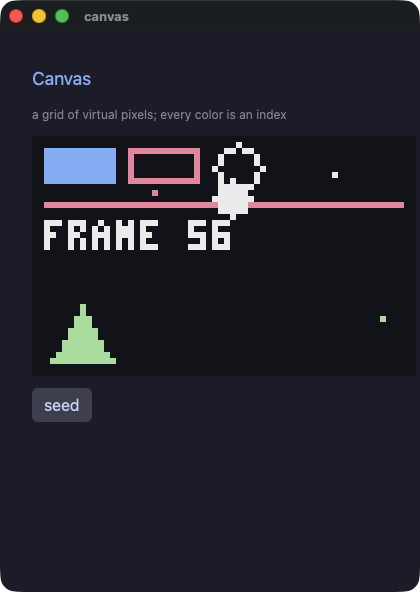
canvas.py
# /// script
# requires-python = ">=3.14"
# ///
"""A canvas: a grid of virtual pixels you paint command by command.

`canvas(width, height, scale=…, background=…, palette=…)` opens the
grid, and inside it the commands paint — `pixel`, `line`, `rect`,
`rect_outline`, `circle`, `circle_outline`, `triangle`,
`triangle_outline`, `sprite` and `pixel_text`. `scale` says how many
logical pixels each virtual one takes, so a 64x40 canvas at six is
384x240 on screen.

Every color is a NUMBER: the index of a color in `palette`. That is
how tools for pixel art work, so drawing code written for one moves
here with its numbers unchanged.

The commands are not elements. Nothing here can be clicked, themed,
sized or animated, and a `for` inside the canvas is the ordinary
loop — what its body paints joins the frame where it stands.
"""
import os
import sys

sys.path.insert(0, os.path.join(os.path.dirname(os.path.abspath(__file__)), ".."))

from yokan import (  # noqa: E402
    button,
    canvas,
    circle,
    circle_outline,
    column,
    every,
    keys,
    line,
    pixel,
    pixel_text,
    rect,
    rect_outline,
    row,
    run,
    store,
    style,
    text,
    triangle,
    value,
)

heading = style(size=18, color="accent")
faint = style(size=12, color="#8a8f98")


@value
class Blip:
    x: int
    y: int
    c: int


@store
class Sky:
    frame: int = 0
    ball_x: int = 30
    ball_y: int = 18
    dx: int = 1
    dy: int = 1
    blips: list[Blip] = []
    # Five colors are enough to show that the index IS the color.
    palette: list[str] = ["#11111b", "#89b4fa", "#f38ba8", "#eeeeee", "#a6e3a1"]

    def seed(self) -> None:
        self.blips = [Blip(6, 4, 1), Blip(20, 9, 2), Blip(50, 6, 3), Blip(58, 30, 4)]

    def tick(self) -> None:
        self.frame = self.frame + 1
        # The keyboard is read here, in the tick — never in a view.
        # `down` is "held right now", so holding an arrow steers.
        if keys.down("left"):
            self.dx = -1
        if keys.down("right"):
            self.dx = 1
        if keys.pressed("space"):
            self.dy = -self.dy
        x = self.ball_x + self.dx
        y = self.ball_y + self.dy
        if x < 4:
            x = 4
            self.dx = 1
        if x > 59:
            x = 59
            self.dx = -1
        if y < 4:
            y = 4
            self.dy = 1
        if y > 35:
            y = 35
            self.dy = -1
        self.ball_x = x
        self.ball_y = y


every(0.05, Sky.tick)


def seed():
    Sky.seed()


def view():
    with column(spacing=12, padding=16):
        text("Canvas", **heading)
        text("a grid of virtual pixels; every color is an index", **faint)
        with canvas(64, 40, scale=6, background=0, palette=Sky.palette):
            rect(2, 2, 12, 6, 1)
            rect_outline(16, 2, 12, 6, 2)
            circle_outline(34, 5, 4, 3)
            line(2, 11, 61, 11, 2)
            triangle(3, 37, 8, 28, 13, 37, 4)
            for b in Sky.blips:
                pixel(b.x, b.y, b.c)
            circle(Sky.ball_x, Sky.ball_y, 3, 3)
            pixel_text(2, 14, f"FRAME {Sky.frame}", 3)
        with row(spacing=8):
            button("seed", on_click=seed)


if __name__ == "__main__":
    run(view, title="canvas", on_start=seed)
shooter — Pyxel のシューティングの例を移植。三つの場面、視差で流れる 100 個の星、揺れながら落ちてくる敵、矩形の当たり判定、広がる爆発が、すべてキャンバスの上で動く
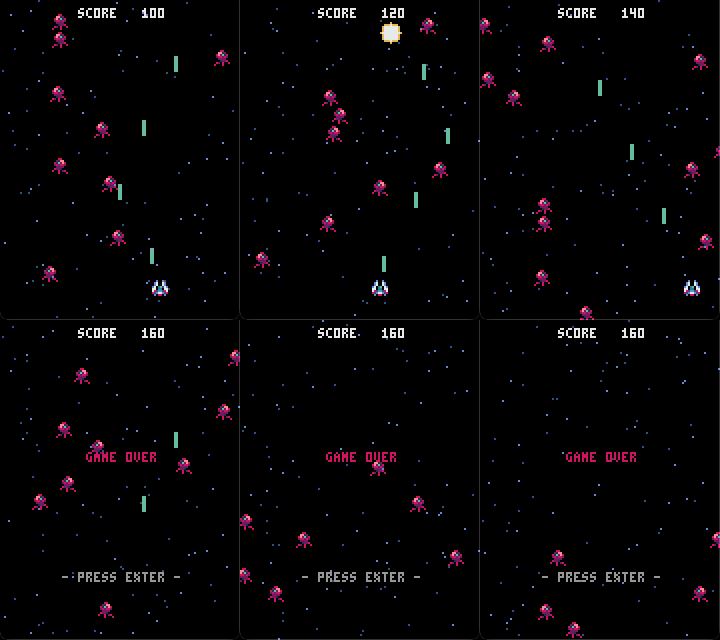
shooter.py
# /// script
# requires-python = ">=3.14"
# ///
"""Pyxel Shooter, ported to Yokan.

The original is `09_shooter.py` from Pyxel's examples (Takashi Kitao,
MIT, https://github.com/kitao/pyxel), and the sprite sheet in
`assets/shooter.png` is that example's own two 8x8 sprites, written out
with Pyxel's palette. The port follows it line by line: `pyxel.rect`
becomes `rect`, `pyxel.btn` becomes `keys.down`, `pyxel.blt` becomes
`sprite`, and the color numbers are the same numbers, because inside a
canvas a color is an index into the palette this file declares.

What is different, and why. Speeds that were fractional (1.5 px a
frame) are carried in tenths of a pixel and drawn whole, because a
pixel grid has no half pixels. The music is gone, and the two sound
effects are ours rather than Pyxel's: its sounds are written as MML
for a chip it emulates, and `audio.play` takes a file, so
`assets/shot.wav` and `assets/blast.wav` were made for this port. So
is the gamepad.
Everything else — three scenes, a hundred parallax stars, the enemy
that sways as it falls, rectangle collisions, expanding blasts — is
the game.

Arrow keys move, space fires, enter starts and restarts, q quits.
"""
import os
import random
import sys

sys.path.insert(0, os.path.join(os.path.dirname(os.path.abspath(__file__)), ".."))

from yokan import (  # noqa: E402
    audio,
    canvas,
    circle,
    circle_outline,
    column,
    every,
    keys,
    pixel,
    pixel_text,
    quit,
    rect,
    run,
    sprite,
    store,
    value,
)

WIDTH = 120
HEIGHT = 160

SCENE_TITLE = 0
SCENE_PLAY = 1
SCENE_GAMEOVER = 2

NUM_STARS = 100
STAR_COLOR_HIGH = 12
STAR_COLOR_LOW = 5

PLAYER_WIDTH = 8
PLAYER_HEIGHT = 8
PLAYER_SPEED = 2

BULLET_WIDTH = 2
BULLET_HEIGHT = 8
BULLET_COLOR = 11
BULLET_SPEED = 4

ENEMY_WIDTH = 8
ENEMY_HEIGHT = 8
# Pyxel's 1.5 px a frame, in tenths.
ENEMY_SPEED = 15

BLAST_START_RADIUS = 1
BLAST_END_RADIUS = 8
BLAST_COLOR_IN = 7
BLAST_COLOR_OUT = 10

SHEET = "demo/assets/shooter.png"
SHOT = "demo/assets/shot.wav"
BLAST = "demo/assets/blast.wav"


@value
class Star:
    x: int
    # `y` is what the canvas draws; `y10` is where the star really is.
    y: int
    y10: int
    speed10: int
    col: int


@value
class Bullet:
    x: int
    y: int


@value
class Enemy:
    x: int
    y: int
    x10: int
    y10: int
    flip: bool
    offset: int


@value
class Blast:
    x: int
    y: int
    radius: int


@store
class Game:
    scene: int = 0
    score: int = 0
    frame: int = 0
    title_col: int = 0
    px: int = 56
    py: int = 140
    stars: list[Star] = []
    bullets: list[Bullet] = []
    enemies: list[Enemy] = []
    blasts: list[Blast] = []
    # Pyxel's own sixteen colors, which is what makes the numbers in
    # this file mean what they mean in the original.
    palette: list[str] = [
        "#000000", "#2b335f", "#7e2072", "#19959c",
        "#8b4852", "#395c98", "#a9c1ff", "#eeeeee",
        "#d4186c", "#d38441", "#e9c35b", "#70c6a9",
        "#7696de", "#a3a3a3", "#ff9798", "#edc7b0",
    ]

    def boot(self) -> None:
        random.seed(7)
        out: list[Star] = []
        for i in range(NUM_STARS):
            x = random.randint(0, WIDTH - 1)
            y = random.randint(0, HEIGHT - 1)
            speed10 = random.randint(10, 25)
            col = STAR_COLOR_LOW
            if speed10 > 18:
                col = STAR_COLOR_HIGH
            out = out + [Star(x, y, y * 10, speed10, col)]
        self.stars = out

    def tick(self) -> None:
        if keys.pressed("q"):
            quit()
        self.frame = self.frame + 1
        self.title_col = self.frame % 16
        Game.move_stars()
        if self.scene == SCENE_TITLE:
            if keys.pressed("enter"):
                self.scene = SCENE_PLAY
        elif self.scene == SCENE_PLAY:
            Game.play()
        else:
            Game.over()

    def move_stars(self) -> None:
        out: list[Star] = []
        for s in self.stars:
            y10 = s.y10 + s.speed10
            if y10 >= HEIGHT * 10:
                y10 = y10 - HEIGHT * 10
            out = out + [Star(s.x, y10 // 10, y10, s.speed10, s.col)]
        self.stars = out

    def play(self) -> None:
        if self.frame % 6 == 0:
            x = random.randint(0, WIDTH - ENEMY_WIDTH)
            self.enemies = self.enemies + [
                Enemy(x, 0, x * 10, 0, False, random.randint(0, 59))
            ]
        Game.collide()
        Game.move_player()
        Game.move_bullets()
        Game.move_enemies()
        Game.move_blasts()

    def over(self) -> None:
        Game.move_bullets()
        Game.move_enemies()
        Game.move_blasts()
        if keys.pressed("enter"):
            self.scene = SCENE_PLAY
            self.px = 56
            self.py = 140
            self.score = 0
            self.enemies = []
            self.bullets = []
            self.blasts = []

    def move_player(self) -> None:
        x = self.px
        y = self.py
        if keys.down("left"):
            x = x - PLAYER_SPEED
        if keys.down("right"):
            x = x + PLAYER_SPEED
        if keys.down("up"):
            y = y - PLAYER_SPEED
        if keys.down("down"):
            y = y + PLAYER_SPEED
        self.px = min(max(x, 0), WIDTH - PLAYER_WIDTH)
        self.py = min(max(y, 0), HEIGHT - PLAYER_HEIGHT)
        if keys.pressed("space"):
            self.bullets = self.bullets + [
                Bullet(self.px + 3, self.py - 4)
            ]
            audio.play(SHOT, 0.5)

    def move_bullets(self) -> None:
        out: list[Bullet] = []
        for b in self.bullets:
            y = b.y - BULLET_SPEED
            if y + BULLET_HEIGHT - 1 >= 0:
                out = out + [Bullet(b.x, y)]
        self.bullets = out

    def move_enemies(self) -> None:
        out: list[Enemy] = []
        for e in self.enemies:
            x10 = e.x10
            flip = True
            if (self.frame + e.offset) % 60 < 30:
                x10 = x10 + ENEMY_SPEED
                flip = False
            else:
                x10 = x10 - ENEMY_SPEED
            y10 = e.y10 + ENEMY_SPEED
            if y10 <= (HEIGHT - 1) * 10:
                out = out + [
                    Enemy(x10 // 10, y10 // 10, x10, y10, flip, e.offset)
                ]
        self.enemies = out

    def move_blasts(self) -> None:
        out: list[Blast] = []
        for b in self.blasts:
            r = b.radius + 1
            if r <= BLAST_END_RADIUS:
                out = out + [Blast(b.x, b.y, r)]
        self.blasts = out

    def collide(self) -> None:
        """The two rectangle tests, resolved into new lists.

        A value is not edited in place, so where the original sets
        `is_alive = False` and filters afterwards, this keeps the ones
        that live."""
        live_enemies: list[Enemy] = []
        hit: list[int] = []
        blasts_ = self.blasts
        score_ = self.score
        struck_player = False
        for e in self.enemies:
            struck = False
            for i in range(len(self.bullets)):
                b = self.bullets[i]
                if (
                    e.x + ENEMY_WIDTH > b.x
                    and b.x + BULLET_WIDTH > e.x
                    and e.y + ENEMY_HEIGHT > b.y
                    and b.y + BULLET_HEIGHT > e.y
                ):
                    struck = True
                    hit = hit + [i]
            if struck:
                blasts_ = blasts_ + [
                    Blast(e.x + 4, e.y + 4, BLAST_START_RADIUS)
                ]
                score_ = score_ + 10
                audio.play(BLAST, 0.7)
            elif (
                self.px + PLAYER_WIDTH > e.x
                and e.x + ENEMY_WIDTH > self.px
                and self.py + PLAYER_HEIGHT > e.y
                and e.y + ENEMY_HEIGHT > self.py
            ):
                blasts_ = blasts_ + [
                    Blast(self.px + 4, self.py + 4, BLAST_START_RADIUS)
                ]
                struck_player = True
                audio.play(BLAST, 0.7)
            else:
                live_enemies = live_enemies + [e]
        live_bullets: list[Bullet] = []
        for i in range(len(self.bullets)):
            if i in hit:
                continue
            live_bullets = live_bullets + [self.bullets[i]]
        self.enemies = live_enemies
        self.bullets = live_bullets
        self.blasts = blasts_
        self.score = score_
        if struck_player:
            self.scene = SCENE_GAMEOVER


every(0.033, Game.tick)


def view():
    with column(spacing=0, padding=0):
        with canvas(WIDTH, HEIGHT, scale=4, background=0, palette=Game.palette):
            for s in Game.stars:
                pixel(s.x, s.y, s.col)
            if Game.scene == SCENE_TITLE:
                pixel_text(35, 66, "Pyxel Shooter", Game.title_col)
                pixel_text(31, 126, "- PRESS ENTER -", 13)
            elif Game.scene == SCENE_PLAY:
                sprite(Game.px, Game.py, SHEET, 0, 0, PLAYER_WIDTH, PLAYER_HEIGHT, colkey=0)
            else:
                pixel_text(43, 66, "GAME OVER", 8)
                pixel_text(31, 126, "- PRESS ENTER -", 13)
            for b in Game.bullets:
                rect(b.x, b.y, BULLET_WIDTH, BULLET_HEIGHT, BULLET_COLOR)
            for e in Game.enemies:
                sprite(e.x, e.y, SHEET, 8, 0, ENEMY_WIDTH, ENEMY_HEIGHT, colkey=0, flip_x=e.flip)
            for bl in Game.blasts:
                circle(bl.x, bl.y, bl.radius, BLAST_COLOR_IN)
                circle_outline(bl.x, bl.y, bl.radius, BLAST_COLOR_OUT)
            pixel_text(39, 4, f"SCORE {Game.score:5}", 7)


if __name__ == "__main__":
    # `padding=0.0`: the canvas IS the app, so it paints to the
    # window's edge rather than sitting inside the engine's ring.
    run(
        view,
        title="Pyxel Shooter",
        width=480.0,
        height=640.0,
        padding=0.0,
        on_start=Game.boot,
    )
jump — Pyxel のジャンプゲームを移植。重力、乗ると落ちていく床、果物、そしてそれぞれの速さで流れる山と木と二層の雲
jump.py
# /// script
# requires-python = ">=3.14"
# ///
"""Pyxel Jump, ported to Yokan.

The original is `02_jump_game.py` from Pyxel's examples (Takashi
Kitao, MIT, https://github.com/kitao/pyxel), and `assets/jump.png` is
that example's own image bank (`jump_game.pyxres`) written out with
Pyxel's palette. The port follows it line by line: `pyxel.blt` becomes
`sprite`, `pyxel.btn` becomes `keys.down`, `pyxel.cls(12)` becomes the
canvas background, and 12 still means the same color, because inside a
canvas a color is an index into the palette this file declares.

What is different, and why. The music is gone, and the three sound
effects are ours rather than Pyxel's: its sounds are written as MML
for a chip it emulates, and `audio.play` takes a file, so the three
WAVs in `assets/` were made for this port. So is the gamepad. Everything else — the falling player, the floors
that drop away when you land on them, the fruit, the scrolling
mountain, trees and two layers of cloud — is the game.

Left and right move; the rest is gravity.
"""
import os
import random
import sys

sys.path.insert(0, os.path.join(os.path.dirname(os.path.abspath(__file__)), ".."))

from yokan import (  # noqa: E402
    audio,
    canvas,
    column,
    every,
    keys,
    pixel_text,
    run,
    sprite,
    store,
    value,
)

WIDTH = 160
HEIGHT = 120
SKY = 12
SHEET = "demo/assets/jump.png"
LAND = "demo/assets/land.wav"
FRUIT = "demo/assets/fruit.wav"
FALL = "demo/assets/fall.wav"


@value
class Cloud:
    x: int
    y: int


@value
class Floor:
    x: int
    y: int
    alive: bool


@value
class Fruit:
    x: int
    y: int
    kind: int
    alive: bool


@store
class Game:
    score: int = 0
    px: int = 72
    py: int = -16
    dy: int = 0
    alive: bool = True
    frame: int = 0
    far: list[Cloud] = []
    near: list[Cloud] = []
    floors: list[Floor] = []
    fruits: list[Fruit] = []
    # What the view needs whole: the parallax offsets and which of the
    # two player sprites to cut out.
    tree_off: int = 0
    far_off: int = 0
    near_off: int = 0
    player_u: int = 0
    palette: list[str] = [
        "#000000", "#2b335f", "#7e2072", "#19959c",
        "#8b4852", "#395c98", "#a9c1ff", "#eeeeee",
        "#d4186c", "#d38441", "#e9c35b", "#70c6a9",
        "#7696de", "#a3a3a3", "#ff9798", "#edc7b0",
    ]

    def boot(self) -> None:
        random.seed(11)
        self.far = [Cloud(-10, 75), Cloud(40, 65), Cloud(90, 60)]
        self.near = [Cloud(10, 25), Cloud(70, 35), Cloud(120, 15)]
        floors_: list[Floor] = []
        fruits_: list[Fruit] = []
        for i in range(4):
            floors_ = floors_ + [Floor(i * 60, random.randint(8, 104), True)]
            fruits_ = fruits_ + [
                Fruit(i * 60, random.randint(0, 104), random.randint(0, 2), True)
            ]
        self.floors = floors_
        self.fruits = fruits_

    def tick(self) -> None:
        self.frame = self.frame + 1
        self.tree_off = self.frame % 160
        self.far_off = (self.frame // 16) % 160
        self.near_off = (self.frame // 8) % 160
        Game.update_player()
        Game.update_floors()
        Game.update_fruits()

    def update_player(self) -> None:
        if keys.down("left"):
            self.px = max(self.px - 2, 0)
        if keys.down("right"):
            self.px = min(self.px + 2, WIDTH - 16)
        self.py = self.py + self.dy
        self.dy = min(self.dy + 1, 8)
        self.player_u = 0
        if self.dy > 0:
            self.player_u = 16
        if self.py > HEIGHT:
            if self.alive:
                audio.play(FALL)
            self.alive = False
            if self.py > 600:
                self.score = 0
                self.px = 72
                self.py = -16
                self.dy = 0
                self.alive = True

    def update_floors(self) -> None:
        """A floor the player lands on drops away and bounces them.

        The original edits the tuple in the list; a value is not edited
        in place, so this builds the next list — and `dy` is carried in
        a local because the bounce it writes is what the floors after
        this one see."""
        out: list[Floor] = []
        score_ = self.score
        dy_ = self.dy
        for f in self.floors:
            x = f.x
            y = f.y
            alive_ = f.alive
            if alive_:
                if (
                    self.px + 16 >= x
                    and self.px <= x + 40
                    and self.py + 16 >= y
                    and self.py <= y + 8
                    and dy_ > 0
                ):
                    alive_ = False
                    score_ = score_ + 10
                    dy_ = -12
                    audio.play(LAND)
            else:
                y = y + 6
            x = x - 4
            if x < -40:
                x = x + 240
                y = random.randint(8, 104)
                alive_ = True
            out = out + [Floor(x, y, alive_)]
        self.floors = out
        self.score = score_
        self.dy = dy_

    def update_fruits(self) -> None:
        out: list[Fruit] = []
        score_ = self.score
        dy_ = self.dy
        for f in self.fruits:
            x = f.x
            y = f.y
            kind = f.kind
            alive_ = f.alive
            if alive_ and abs(x - self.px) < 12 and abs(y - self.py) < 12:
                alive_ = False
                score_ = score_ + (kind + 1) * 100
                dy_ = min(dy_, -8)
                audio.play(FRUIT)
            x = x - 2
            if x < -40:
                x = x + 240
                y = random.randint(0, 104)
                kind = random.randint(0, 2)
                alive_ = True
            out = out + [Fruit(x, y, kind, alive_)]
        self.fruits = out
        self.score = score_
        self.dy = dy_


every(0.033, Game.tick)


def view():
    with column(spacing=0, padding=0):
        with canvas(WIDTH, HEIGHT, scale=4, background=SKY, palette=Game.palette):
            # sky, mountain, and the trees that scroll fastest
            sprite(0, 88, SHEET, 0, 88, 160, 32)
            sprite(0, 88, SHEET, 0, 64, 160, 24, colkey=SKY)
            for i in range(2):
                sprite(i * 160 - Game.tree_off, 104, SHEET, 0, 48, 160, 16, colkey=SKY)
            # two layers of cloud, each strip drawn twice so it wraps
            for i in range(2):
                for c in Game.far:
                    sprite(c.x + i * 160 - Game.far_off, c.y, SHEET, 64, 32, 32, 8, colkey=SKY)
            for i in range(2):
                for c in Game.near:
                    sprite(c.x + i * 160 - Game.near_off, c.y, SHEET, 0, 32, 56, 8, colkey=SKY)
            for f in Game.floors:
                sprite(f.x, f.y, SHEET, 0, 16, 40, 8, colkey=SKY)
            for fr in Game.fruits:
                if fr.alive:
                    sprite(fr.x, fr.y, SHEET, 32 + fr.kind * 16, 0, 16, 16, colkey=SKY)
            sprite(Game.px, Game.py, SHEET, Game.player_u, 0, 16, 16, colkey=SKY)
            pixel_text(5, 4, f"SCORE {Game.score:>4}", 1)
            pixel_text(4, 4, f"SCORE {Game.score:>4}", 7)


if __name__ == "__main__":
    run(
        view,
        title="Pyxel Jump",
        width=640.0,
        height=480.0,
        padding=0.0,
        on_start=Game.boot,
    )
charts — 0 の線の下に垂れる負の値、固定した範囲、グリッド線付きの軸、色の異なる二つの系列
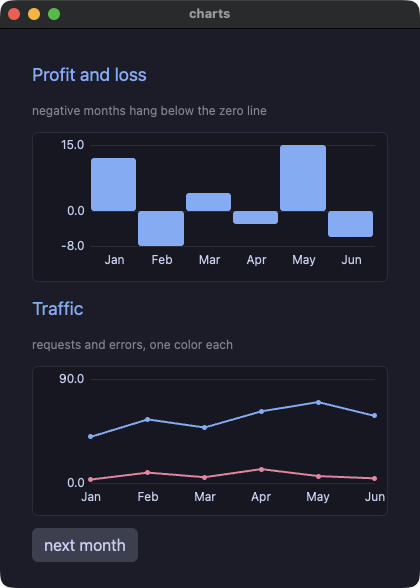
charts.py
# /// script
# requires-python = ">=3.14"
# ///
"""Charts that can say what they mean: a profit-and-loss bar chart
whose losing months hang below the zero line, and a two-series line
chart of requests against errors.

`axis=True` puts the range's ends and the zero line in the margin
with a faint gridline across the plot at each; `series=` takes one
`list[list[float]]` field, one inner list per line, and `colors=`
names them.
"""
import os
import sys

sys.path.insert(0, os.path.join(os.path.dirname(os.path.abspath(__file__)), ".."))

from yokan import (
    bar_chart,
    button,
    column,
    line_chart,
    row,
    run,
    store,
    style,
    text,
)

heading = style(size=18, color="accent")
faint = style(size=12, color="#8a8f98")


@store
class Book:
    months: list[str] = ["Jan", "Feb", "Mar", "Apr", "May", "Jun"]
    profit: list[float] = [12.0, -8.0, 4.0, -3.0, 15.0, -6.0]
    requests: list[float] = [40.0, 55.0, 48.0, 62.0, 70.0, 58.0]
    errors: list[float] = [3.0, 9.0, 5.0, 12.0, 6.0, 4.0]
    traffic: list[list[float]] = [
        [40.0, 55.0, 48.0, 62.0, 70.0, 58.0],
        [3.0, 9.0, 5.0, 12.0, 6.0, 4.0],
    ]
    n: int = 6

    def next_month(self) -> None:
        self.n = self.n + 1
        # A deterministic next month, so both runs read the same
        # numbers and the gate can byte-compare them.
        p = 1.0 * (self.n * 7 % 41) - 18.0
        self.profit = self.profit + [p]
        self.months = self.months + [f"M{self.n}"]
        self.requests = self.requests + [1.0 * (self.n * 13 % 50) + 30.0]
        self.errors = self.errors + [1.0 * (self.n * 5 % 14)]
        # `series=` reads ONE list[list[float]], so the two flat
        # series are collected into it after each shift.
        self.traffic = []
        self.traffic = self.traffic + [self.requests]
        self.traffic = self.traffic + [self.errors]


def advance():
    Book.next_month()


def view():
    with column(spacing=12, padding=16):
        text("Profit and loss", **heading)
        text("negative months hang below the zero line", **faint)
        bar_chart(Book.profit, labels=Book.months, axis=True, height=150.0)
        text("Traffic", **heading)
        text("requests and errors, one color each", **faint)
        line_chart(
            series=Book.traffic,
            labels=Book.months,
            colors=["accent", "#f38ba8"],
            axis=True,
            max=90.0,
            height=150.0,
        )
        with row(spacing=8):
            button("next month", on_click=advance)


if __name__ == "__main__":
    run(view, title="charts")
roster — table。仮想化された表に、列トラック、行の選択、見出しでのソートを付ける(並べ替えはアプリ側)
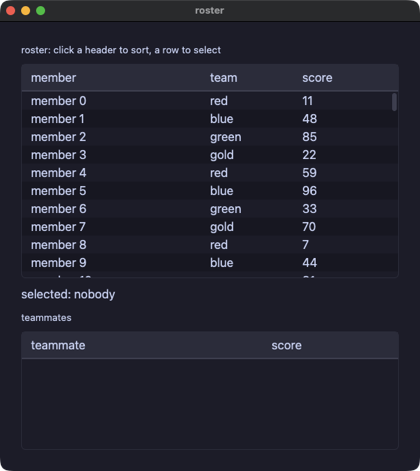
roster.py
# /// script
# requires-python = ">=3.14"
# ///
"""A roster of 200 members in a `table`: the columns are tracks the
cells line up on, a click on a row selects it, and a click on a header
sorts. The widget only reports which column was clicked; the store
owns the order and re-sorts its own parallel lists, so the selection
is tracked by member and follows its row through a sort. A second
table lists the selected member's teammates, with a selection of its
own.
"""
import os
import sys

sys.path.insert(0, os.path.join(os.path.dirname(os.path.abspath(__file__)), ".."))

from yokan import column, row, run, store, table, text  # noqa: E402


@store
class Roster:
    team_names: list[str] = ["red", "blue", "green", "gold"]
    names: list[str] = []
    ids: list[int] = []
    teams: list[str] = []
    team_ix: list[int] = []
    scores: list[int] = []
    keys: list[int] = []
    sel: int = -1
    sel_id: int = -1
    sel_line: str = ""
    sort_col: int = -1
    desc: bool = False
    mates: list[str] = []
    mate_scores: list[int] = []
    mate_sel: int = -1
    mate_name: str = ""

    def seed(self) -> None:
        for i in range(200):
            self.names = self.names + [f"member {i}"]
            self.ids = self.ids + [i]
            self.team_ix = self.team_ix + [i % 4]
            self.teams = self.teams + [self.team_names[i % 4]]
            self.scores = self.scores + [(i * 37 + 11) % 100]

    def pick(self, i: int) -> None:
        self.sel = i
        self.sel_id = self.ids[i]
        self.sel_line = f"{self.names[i]} ({self.teams[i]}, {self.scores[i]})"
        self.mates = []
        self.mate_scores = []
        for k in range(len(self.names)):
            if self.team_ix[k] == self.team_ix[i] and k != i:
                self.mates = self.mates + [self.names[k]]
                self.mate_scores = self.mate_scores + [self.scores[k]]
        self.mate_sel = -1

    def pick_mate(self, i: int) -> None:
        self.mate_sel = i
        self.mate_name = self.mates[i]

    def swap(self, a: int, b: int) -> None:
        n = self.names[a]
        self.names[a] = self.names[b]
        self.names[b] = n
        d = self.ids[a]
        self.ids[a] = self.ids[b]
        self.ids[b] = d
        t = self.teams[a]
        self.teams[a] = self.teams[b]
        self.teams[b] = t
        x = self.team_ix[a]
        self.team_ix[a] = self.team_ix[b]
        self.team_ix[b] = x
        s = self.scores[a]
        self.scores[a] = self.scores[b]
        self.scores[b] = s
        k = self.keys[a]
        self.keys[a] = self.keys[b]
        self.keys[b] = k

    # The sort key is an int per column: the member number for the
    # name column (the names are seeded in order), the team's index,
    # the score. An insertion sort swaps every parallel list in step,
    # then the selection finds its member again.
    def sort_by(self, j: int) -> None:
        if j == self.sort_col:
            self.desc = not self.desc
        else:
            self.sort_col = j
            self.desc = False
        if j == 0:
            self.keys = [k for k in self.ids]
        elif j == 1:
            self.keys = [k for k in self.team_ix]
        else:
            self.keys = [k for k in self.scores]
        i = 1
        while i < len(self.names):
            k = i
            while k > 0:
                a = self.keys[k]
                b = self.keys[k - 1]
                if (self.desc and a > b) or (not self.desc and a < b):
                    Roster.swap(k, k - 1)
                    k = k - 1
                else:
                    break
            i = i + 1
        if self.sel_id >= 0:
            for k in range(len(self.names)):
                if self.ids[k] == self.sel_id:
                    self.sel = k


def cells(i: int):
    return row(text(Roster.names[i]), text(Roster.teams[i]), text(f"{Roster.scores[i]}"))


def mate_cells(i: int):
    return row(text(Roster.mates[i]), text(f"{Roster.mate_scores[i]}"))


def view():
    with column(spacing=8, padding=12, grow=1.0):
        text("roster: click a header to sort, a row to select", size=13)
        table(
            ["member", "team", "score"],
            len(Roster.names),
            cells,
            widths=[2.0, 1.0, 1.0],
            selected=Roster.sel,
            sort=Roster.sort_col,
            descending=Roster.desc,
            on_select=Roster.pick,
            on_sort=Roster.sort_by,
            grow=1.0,
        )
        if Roster.sel >= 0:
            text(f"selected: {Roster.sel_line}")
        else:
            text("selected: nobody")
        text("teammates", size=13)
        table(
            ["teammate", "score"],
            len(Roster.mates),
            mate_cells,
            widths=[2.0, 1.0],
            selected=Roster.mate_sel,
            on_select=Roster.pick_mate,
            height=120.0,
        )
        if Roster.mate_sel >= 0:
            text(f"teammate: {Roster.mate_name}")


if __name__ == "__main__":
    run(view, title="roster", width=560, height=600, on_start=Roster.seed)
picklist — 行を選べる list_view。selected= / on_select は表と同じ組で、スクリプトは行が表示している文字で行を選ぶ。scroll_to は選ばれた行を見えるところに出す
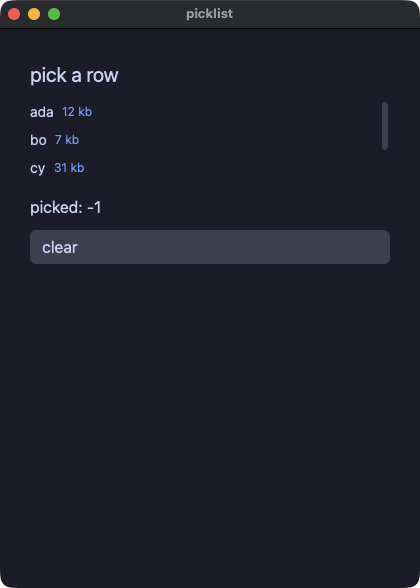
picklist.py
# /// script
# requires-python = ">=3.14"
# ///
"""A list you can pick a row from.

`list_view` takes `selected` and `on_select` the way `table` does:
the marked row is data the app owns, and clicking a row asks the app
to move the mark rather than moving it behind the app's back. The
rows are whatever the builder returns, so a verification script picks
one by what it says — the first text anywhere in the row.

The viewport is three rows tall, so `scroll_to` has something to do:
it is the row the app asks to have in view, and the list obeys it
when the number changes — a scroll position belongs to whoever is
scrolling, and this is the one sentence an app can say about it.
"""
import os
import sys

sys.path.insert(0, os.path.join(os.path.dirname(os.path.abspath(__file__)), ".."))

from yokan import State, button, column, list_view, row, run, text  # noqa: E402

names: State[list[str]] = State(["ada", "bo", "cy", "dee", "eve"])
sizes: State[list[int]] = State([12, 7, 31, 4, 19])
picked: State[int] = State(-1)


def choose(i: int) -> None:
    picked.set(i)


def clear() -> None:
    picked.set(-1)


def line(i: int):
    with row(spacing=8):
        text(names()[i], size=14)
        text(f"{sizes()[i]} kb", size=12, color="#7aa2f7")


def view() -> None:
    with column(spacing=10, padding=14):
        text("pick a row", size=20)
        list_view(
            len(names()),
            line,
            item_height=28.0,
            height=84.0,
            selected=picked(),
            on_select=choose,
            scroll_to=picked(),
        )
        text(f"picked: {picked()}")
        button("clear", on_click=clear)


if __name__ == "__main__":
    run(view, title="picklist")
labels — アクセシビリティのプロパティ role= と a11y_label=。スクリプトの a11y ステップが出力する
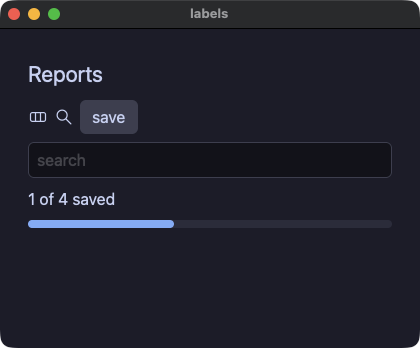
labels.py
# /// script
# requires-python = ">=3.14"
# ///
"""Accessibility riders, gated: `role=` overrides the role an element
derives, `a11y_label=` is the name assistive technology reads instead
of what the element would otherwise derive. Mirrors
examples/labels/labels.pix — the `a11y` headless step prints the
resulting tree, the same one a platform adapter would be handed.

Develop:  uv run demo/labels.py
Ship:     python3 yokan_gate.py gate demo/labels.py --script "a11y,click:save,a11y"
"""
import os
import sys

sys.path.insert(0, os.path.join(os.path.dirname(os.path.abspath(__file__)), ".."))

from yokan import button, column, progress, row, run, State, svg, text, text_field  # noqa: E402


title: State[str] = State("Reports")
query: State[str] = State("")
# `role=` takes a value: the summary line is a heading until there is
# a result under it, and then it is not (mirrors labels.pix).
summary_role: State[str] = State("heading")


def save():
    summary_role.set("label")


def find(q: str):
    query.set(q)


def view():
    with column(spacing=8, padding=12):
        text(title(), size=22, role="heading")
        with row(spacing=6, role="group", a11y_label="toolbar"):
            svg("demo/assets/yokan.svg", width=20, height=20, a11y_label="Yokan")
            svg("demo/assets/search.svg", width=20, height=20, a11y_label="Search")
            # The one element carrying tooltip=, role=, a11y_label=
            # AND animate= together — proving the wrapper nesting
            # (Semantics, then Tooltip, then Anim) matches pixie's
            # own codegen byte for byte.
            button(
                "save",
                on_click=save,
                animate=150,
                easing="out",
                role="button",
                a11y_label="Save the report",
                tooltip="Save this report",
            )
        text_field(query(), placeholder="search", on_change=find, a11y_label="search")
        text("1 of 4 saved", role=summary_role())
        progress(0.4)


if __name__ == "__main__":
    run(view, title="labels", width=420, height=320)
shared — 共通プロパティを要素の種類ごとに一つずつ。theme 付きの spacer、animate 付きの segmented、grid の 2 トラックにまたがるフィールド、role 付きの link、tooltip 付きの divider、disabled のボタンとフィールド、幅を指定した列
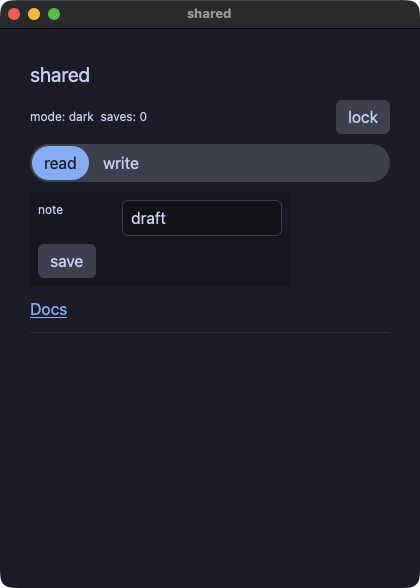
shared.py
# /// script
# requires-python = ">=3.14"
# ///
"""The shared properties: the keyword arguments EVERY element takes,
under the same names and with the same meaning. `width=`/`min_width=`
size an element, `disabled=` dims it and stops taking its clicks,
`theme=` scopes a palette over a subtree, `animate=`/`easing=` tween
what changes, `col_span=` places an element on a grid's tracks,
`role=` names it for assistive technology and `tooltip=` is the line
the window shows under the pointer. None of them belongs to any one
element, so the same spelling works on a spacer, a segmented chooser,
a field, a link or a rule — and both runs build the same tree, which
is what the gate compares. Locking proves it: while `locked` is true
the save button and the field are inert, in the window and in a
script alike.

Develop:  uv run demo/shared.py
Ship:     python3 yokan_gate.py gate demo/shared.py --script "click:lock,click:save,input:typed,dump,click:lock,click:save,dump"
"""
import os
import sys

sys.path.insert(0, os.path.join(os.path.dirname(os.path.abspath(__file__)), ".."))

from yokan import (  # noqa: E402
    button,
    column,
    divider,
    grid,
    link,
    row,
    run,
    segmented,
    spacer,
    store,
    text,
    text_field,
)


@store
class Locks:
    locked: bool = False
    saves: int = 0
    # The palette the spacer's subtree resolves its tokens in — a
    # property takes a read, not just a literal, so the lock switches it.
    mode: str = "dark"
    tab: int = 0
    note: str = "draft"

    def flip(self) -> None:
        self.locked = not self.locked
        if self.locked:
            self.mode = "light"
        else:
            self.mode = "dark"

    def save(self) -> None:
        self.saves = self.saves + 1

    def pick(self, i: int) -> None:
        self.tab = i

    def edit(self, t: str) -> None:
        self.note = t


def view():
    with column(spacing=10, padding=14):
        text("shared", size=20, role="heading")
        with row(spacing=8):
            text(f"mode: {Locks.mode}  saves: {Locks.saves}", size=12)
            # A theme scope on a spacer: the property is the element's,
            # whichever element it is.
            spacer(grow=1.0, theme=Locks.mode)
            button("lock", on_click=Locks.flip, tooltip="flip the lock")
        segmented(
            options=["read", "write"],
            selected=Locks.tab,
            on_change=Locks.pick,
            animate=120,
            easing="out",
        )
        # A box around the section: 260 wide, never under 200.
        with column(width=260.0, min_width=200.0, spacing=8, padding=8, background="panel"):
            # The field takes two of the grid's three tracks, and goes
            # inert with the lock.
            with grid(columns=3, spacing=8):
                text("note", size=12)
                text_field(
                    Locks.note,
                    on_change=Locks.edit,
                    col_span=2,
                    disabled=Locks.locked,
                )
            button("save", on_click=Locks.save, disabled=Locks.locked, tooltip="count a save")
        link("Docs", "https://i2y.github.io/yokan/", role="button")
        divider(tooltip="the end of the shared properties")


if __name__ == "__main__":
    run(view, title="shared")
標準ライブラリ
picker — ファイルダイアログと落とされたファイル:task の中の fs.open_dialog / save_dialog と on_file_drop、スクリプトからは file:<path> で答え、drop:<path> で落とす
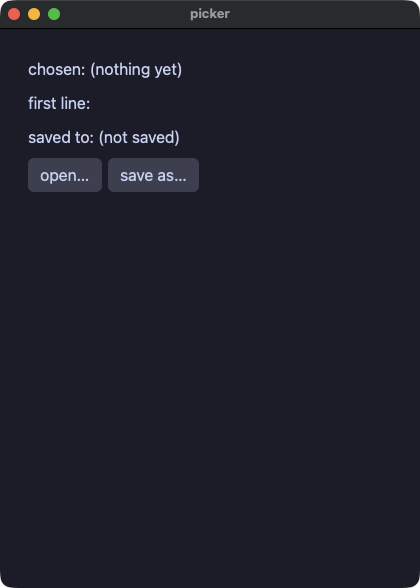
picker.py
# /// script
# requires-python = ">=3.14"
# ///
"""File dialogs. A dialog waits for a person, so it runs inside a
`task`: the call blocks on the worker while the window keeps drawing,
and the answer arrives in `on_done`. A headless run has no person, so
the script is the person — a `file:<path>` step is the answer the
next dialog gets, which is what makes a flow that opens a file
replayable and comparable across both runs.

A file dragged onto the window arrives the same way: `on_file_drop`
declares what happens to the path, and a script drops one with
`drop:<path>`.
"""
import os
import sys

sys.path.insert(0, os.path.join(os.path.dirname(os.path.abspath(__file__)), ".."))

from yokan import (  # noqa: E402
    button,
    column,
    on_file_drop,
    row,
    run,
    State,
    task,
    text,
)
from yokan import fs  # noqa: E402

chosen: State[str] = State("(nothing yet)")
body: State[str] = State("")
saved: State[str] = State("(not saved)")


def pick_file() -> str:
    return fs.open_dialog("Choose a file")


def took(path: str):
    chosen.set(path)
    if path != "":
        body.set(fs.read_text_or(path, "(unreadable)"))


def open_one():
    task(pick_file, on_done=took)


def pick_target() -> str:
    return fs.save_dialog("notes.txt")


def wrote(path: str):
    if path != "":
        fs.write_text(path, body())
        saved.set(path)


def save_as():
    task(pick_target, on_done=wrote)


def dropped(path: str):
    chosen.set(path)
    body.set(fs.read_text_or(path, "(unreadable)"))


on_file_drop(dropped)


def view():
    with column(spacing=8, padding=12):
        text(f"chosen: {chosen()}")
        text(f"first line: {body()[:40]}")
        text(f"saved to: {saved()}")
        with row(spacing=6):
            button("open…", on_click=open_one, tooltip="the platform's own panel")
            button("save as…", on_click=save_as)


if __name__ == "__main__":
    run(view, title="picker")
keys — ショートカット、キー、クリップボード、メニューバー:shortcut("cmd+s", save)、on_key(typed)、clipboard.set_text / get_text、menu_item("Count", "Save", save) を使い、スクリプトからは key:cmd+s と menu:Save で動かす
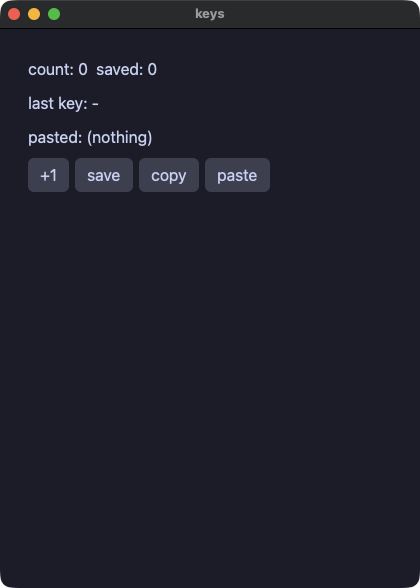
keys.py
# /// script
# requires-python = ">=3.14"
# ///
"""Keys and the clipboard. `shortcut(chord, handler)` declares a chord
the app answers, and `on_key(handler)` sees every key as the chord it
was. The chord is spelled the way the platform spells it (`cmd+s`,
`shift-tab`, `ctrl+alt+k`); a headless script presses one with
`key:cmd+s`, so a shortcut is checked by the gate like any other
interaction. `clipboard.set_text` / `get_text` copy and paste: a
window exchanges the text with every other application, a headless
run keeps it to itself. `menu_item(menu, name, handler)` puts the
same handlers in the application's menu bar, and a script picks one
with `menu:Save`.
"""
import os
import sys

sys.path.insert(0, os.path.join(os.path.dirname(os.path.abspath(__file__)), ".."))

from yokan import (  # noqa: E402
    button,
    column,
    menu_item,
    on_key,
    row,
    run,
    shortcut,
    State,
    text,
)
from yokan import clipboard  # noqa: E402

count: State[int] = State(0)
saved: State[int] = State(0)
last: State[str] = State("-")
pasted: State[str] = State("(nothing)")


def bump():
    count.set(count() + 1)


def save():
    saved.set(count())


def clear():
    count.set(0)
    saved.set(0)


def typed(key: str):
    last.set(key)


def copy_count():
    clipboard.set_text(f"count={count()}")


def paste():
    pasted.set(clipboard.get_text())


menu_item("Count", "Save", save)
menu_item("Count", "Clear", clear)

shortcut("cmd+s", save)
shortcut("cmd+shift+r", clear)
shortcut("cmd+shift+c", copy_count)
shortcut("cmd+shift+v", paste)
on_key(typed)


def view():
    with column(spacing=8, padding=12):
        text(f"count: {count()}  saved: {saved()}")
        text(f"last key: {last()}")
        text(f"pasted: {pasted()}")
        with row(spacing=6):
            button("+1", on_click=bump)
            button("save", on_click=save)
            button("copy", on_click=copy_count)
            button("paste", on_click=paste)


if __name__ == "__main__":
    run(view, title="keys")
files — yokan.fs。書く、足す、ディレクトリを並べる、消す。読まずにファイルの様子を知る(長さ、ディレクトリかどうか、書かれた時刻)と、位置を指して続きを読む(両実行が同じ実装を呼ぶ)
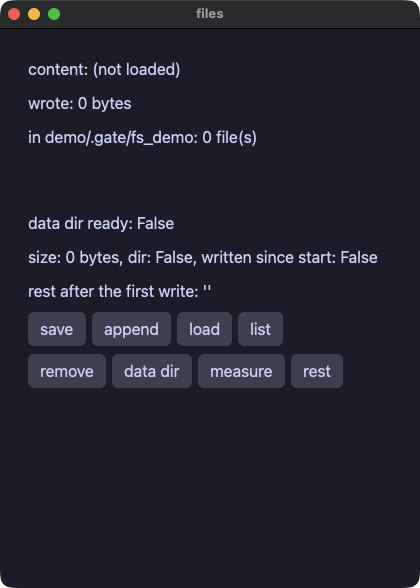
files.py
# /// script
# requires-python = ">=3.14"
# ///
"""`yokan.fs` from the standard library: the interpreted and the
compiled app call the SAME implementation, so the gate arbitrates a
single truth (write 25 bytes, read them back). The rest of a file
app is here too — make a directory, append to a file, list what is
in it, remove one — and `fs.app_dir(name)` answers the directory
this app may keep its own files in, created if it is not there yet.
What a file IS comes without reading it: `fs.size`, `fs.is_dir`,
and `fs.modified_ms`, in the unit `clock.format_ms` reads. And
`fs.read_text_from(path, offset)` answers the rest of a file a read
already reached the end of once, which is how a growing log is
followed without reading it again from the top.
"""
import os
import sys
import time

sys.path.insert(0, os.path.join(os.path.dirname(os.path.abspath(__file__)), ".."))

from yokan import button, column, list_view, row, run, State, text  # noqa: E402
from yokan import fs  # noqa: E402

DIR = "demo/.gate/fs_demo"
NOTE = "demo/.gate/fs_demo/note.txt"

content: State[str] = State("(not loaded)")
wrote: State[int] = State(0)
names: State[list[str]] = State([])
ready: State[bool] = State(False)
size: State[int] = State(0)
in_dir: State[bool] = State(False)
fresh: State[bool] = State(False)
tail: State[str] = State("")
started: State[float] = State(0.0)


def boot():
    started.set(time.time())


def save():
    fs.make_dir(DIR)
    wrote.set(fs.write_text(NOTE, "hello from one rust crate"))


def add_line():
    fs.append_text(NOTE, " (and again)")


def load():
    content.set(fs.read_text(NOTE))


def listing():
    names.set(fs.list_dir(DIR))


def clean():
    fs.remove(NOTE)
    names.set(fs.list_dir(DIR))


def data_dir():
    # the app's own directory, made on the way out
    ready.set(fs.exists(fs.app_dir("yokan-files-demo")))


def measure():
    # what the file is, without reading it: its length, whether the
    # path is a directory, and whether it was written since the app
    # started (a second of slack for a file system that keeps whole
    # seconds)
    size.set(fs.size(NOTE))
    in_dir.set(fs.is_dir(DIR))
    at = fs.modified_ms(NOTE)
    since = int(started() * 1000.0) - 2000
    if at >= since:
        fresh.set(True)
    else:
        fresh.set(False)


def rest():
    # the rest of the file after the first write — the follower's
    # read: from where it stopped, not from the top
    tail.set(fs.read_text_from(NOTE, wrote()))


def entry(i):
    return text(names()[i])


def view():
    with column(spacing=8, padding=12):
        text(f"content: {content()}")
        text(f"wrote: {wrote()} bytes")
        text(f"in {DIR}: {len(names())} file(s)")
        list_view(len(names()), entry, item_height=20.0, height=44.0)
        text(f"data dir ready: {ready()}")
        text(f"size: {size()} bytes, dir: {in_dir()}, written since start: {fresh()}")
        text(f"rest after the first write: '{tail()}'")
        with row(spacing=6):
            button("save", on_click=save)
            button("append", on_click=add_line)
            button("load", on_click=load)
            button("list", on_click=listing)
        with row(spacing=6):
            button("remove", on_click=clean)
            button("data dir", on_click=data_dir)
            button("measure", on_click=measure)
            button("rest", on_click=rest)


if __name__ == "__main__":
    run(view, title="files", on_start=boot)
dbnotes — yokan.sqlite。行の形は SQL で決め、並び順は ORDER BY で決める
dbnotes.py
# /// script
# requires-python = ">=3.14"
# ///
"""sqlite from the standard library: one bundled implementation
serves the interpreted and the compiled app alike. Rows come back
as column-0 text — shape the row with SQL, order with ORDER BY
(determinism is the app's SQL, not the module's guess).
"""
import os
import sys

sys.path.insert(0, os.path.join(os.path.dirname(os.path.abspath(__file__)), ".."))

from yokan import button, column, list_view, row, run, State, text  # noqa: E402
from yokan import sqlite  # noqa: E402

changed: State[int] = State(0)
rows: State[list[str]] = State([])


def setup():
    sqlite.exec("demo/.gate/notes.db", "CREATE TABLE IF NOT EXISTS notes(t TEXT)")
    sqlite.exec("demo/.gate/notes.db", "DELETE FROM notes")
    changed.set(sqlite.exec("demo/.gate/notes.db", "INSERT INTO notes VALUES ('alpha'),('beta'),('gamma')"))


def load():
    rows.set(sqlite.query_text("demo/.gate/notes.db", "SELECT t FROM notes ORDER BY t"))


def note_row(i):
    return text(rows()[i])


def view():
    with column(spacing=8, padding=12):
        text(f"inserted={changed()} rows={len(rows())}")
        with row(spacing=6):
            button("setup", on_click=setup)
            button("load", on_click=load)
        list_view(len(rows()), note_row, item_height=22.0, height=120.0)


if __name__ == "__main__":
    run(view, title="dbnotes")
ledger — 実用アプリの形をした家計簿。sqlite に保存し、値はすべてバインド変数で渡す
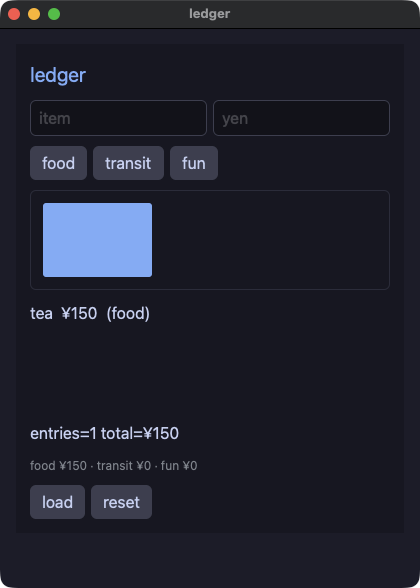
ledger.py
# /// script
# requires-python = ">=3.14"
# ///
"""A practical app: a household ledger. Everything on the stack at
once — a named store with methods over sqlite, dict/list fields, a
chart, styles, typed text input (`strings.to_int` is total: bad
input becomes the default, identically in both tiers) — and it
ships as one file.

Every value reaches the database as a bound parameter: a `?` in the
statement and the value beside it, so an apostrophe in an item name
is an apostrophe and never a piece of SQL.
"""
import os
import sys

sys.path.insert(0, os.path.join(os.path.dirname(os.path.abspath(__file__)), ".."))

from yokan import (
    bar_chart,
    button,
    column,
    list_view,
    row,
    run,
    State,
    store,
    style,
    text,
    text_field,
)
from yokan import sqlite, strings  # noqa: E402

DB = "demo/.gate/ledger.db"

heading = style(size=20, color="accent")
faint = style(size=12, color="#8a8f98")

name: State[str] = State("")
amount: State[str] = State("")


@store
class Ledger:
    count: int = 0
    grand: int = 0
    food: int = 0
    transit: int = 0
    fun: int = 0
    totals: dict[str, int] = {}
    chart: list[float] = []
    rows: list[str] = []
    raw: list[list[str]] = []

    def reset(self) -> None:
        sqlite.exec(DB, "CREATE TABLE IF NOT EXISTS expenses(name TEXT, amount INTEGER, cat TEXT)")
        sqlite.exec(DB, "DELETE FROM expenses")
        self.load()

    def add(self, item: str, yen: int, cat: str) -> None:
        if yen > 0:
            sqlite.exec(DB, "INSERT INTO expenses VALUES (?, ?, ?)", [item, str(yen), cat])
            self.load()

    def load(self) -> None:
        # the *_or family: a missing table reads as clean zeros —
        # return-value defaults are the ergonomic default; try/except
        # is for when the failure REASON matters (see tryfetch).
        self.count = sqlite.query_int_or(DB, "SELECT COUNT(*) FROM expenses", 0)
        self.grand = sqlite.query_int_or(DB, "SELECT COALESCE(SUM(amount),0) FROM expenses", 0)
        by_cat = "SELECT COALESCE(SUM(amount),0) FROM expenses WHERE cat=?"
        f = sqlite.query_int_or(DB, by_cat, 0, ["food"])
        t = sqlite.query_int_or(DB, by_cat, 0, ["transit"])
        n = sqlite.query_int_or(DB, by_cat, 0, ["fun"])
        self.food = f
        self.transit = t
        self.fun = n
        self.totals = {}
        self.totals["food"] = f
        self.totals["transit"] = t
        self.totals["fun"] = n
        self.chart = []
        self.chart = self.chart + [1.0 * f]
        self.chart = self.chart + [1.0 * t]
        self.chart = self.chart + [1.0 * n]
        # whole rows, every column as text — the line is written here
        # rather than assembled in SQL
        self.raw = sqlite.query_rows_or(DB, "SELECT name, amount, cat FROM expenses ORDER BY rowid")
        self.rows = []
        for r in self.raw:
            self.rows = self.rows + [f"{r[0]}  ¥{r[1]}  ({r[2]})"]


def entry_row(i):
    return text(Ledger.rows[i])


def add_food():
    Ledger.add(name(), strings.to_int(amount(), 0), "food")


def add_transit():
    Ledger.add(name(), strings.to_int(amount(), 0), "transit")


def add_fun():
    Ledger.add(name(), strings.to_int(amount(), 0), "fun")


def view():
    with column(spacing=10, padding=14, background="panel"):
        text("ledger", **heading)
        with row(spacing=6):
            text_field(name(), placeholder="item", on_change=name.set)
            text_field(amount(), placeholder="yen", on_change=amount.set)
        with row(spacing=6):
            button("food", on_click=add_food)
            button("transit", on_click=add_transit)
            button("fun", on_click=add_fun)
        bar_chart(Ledger.chart, height=100.0)
        list_view(len(Ledger.rows), entry_row, item_height=22.0, height=110.0)
        text(f"entries={Ledger.count} total=¥{Ledger.grand}")
        text(f"food ¥{Ledger.food} · transit ¥{Ledger.transit} · fun ¥{Ledger.fun}", **faint)
        with row(spacing=6):
            button("load", on_click=Ledger.load)
            button("reset", on_click=Ledger.reset)


if __name__ == "__main__":
    run(view, title="ledger", on_start=Ledger.load)
webfetch — yokan.http。GET、ヘッダ、POST、ステータス(@py のフィクスチャサーバを両実行に立てるので、ゲートはネットワーク不要)
webfetch.py
# /// script
# requires-python = ">=3.14"
# ///
"""http from the standard library: GET with a deadline, GET with
headers, POST, and the status code on its own. Every one of them
blocks until the answer arrives — the interpreted and the compiled
app both block on that same statement (put one in a `task` to keep
the window live). The gate needs no network: an @py escape starts
an in-process fixture server in both runs, because escapes run the
same CPython either way.
"""
import os
import sys

sys.path.insert(0, os.path.join(os.path.dirname(os.path.abspath(__file__)), ".."))

from yokan import button, column, py, row, run, State, text  # noqa: E402
from yokan import http  # noqa: E402


@py
def serve() -> int:
    import http.server
    import threading

    class H(http.server.BaseHTTPRequestHandler):
        def do_GET(self):
            who = self.headers.get("X-Who", "nobody")
            body = f"hello from fixture (for {who})".encode()
            self.send_response(200)
            self.send_header("Content-Length", str(len(body)))
            self.end_headers()
            self.wfile.write(body)

        def do_POST(self):
            n = int(self.headers.get("Content-Length", "0"))
            body = b"echo: " + self.rfile.read(n)
            self.send_response(200)
            self.send_header("Content-Length", str(len(body)))
            self.end_headers()
            self.wfile.write(body)

        def log_message(self, format: str, *args: object) -> None:
            pass

    srv = http.server.HTTPServer(("127.0.0.1", 0), H)
    threading.Thread(target=srv.serve_forever, daemon=True).start()
    return srv.server_address[1]


port: State[int] = State(0)
content: State[str] = State("(none)")
code: State[int] = State(0)


def start():
    port.set(serve())


def fetch():
    # a second argument is the deadline in milliseconds
    content.set(http.get_text(f"http://127.0.0.1:{port()}/", 2000))


def introduce():
    content.set(http.get_text_with(f"http://127.0.0.1:{port()}/", {"X-Who": "yokan"}))


def send():
    content.set(http.post_text(f"http://127.0.0.1:{port()}/", "ping"))


def check():
    code.set(http.status(f"http://127.0.0.1:{port()}/"))


def view():
    with column(spacing=8, padding=12):
        text(f"got: {content()}")
        text(f"status: {code()}")
        with row(spacing=6):
            button("start", on_click=start)
            button("fetch", on_click=fetch)
            button("headers", on_click=introduce)
            button("post", on_click=send)
            button("status", on_click=check)


if __name__ == "__main__":
    run(view, title="webfetch")
reader — http + jsondoc のフィードリーダー。全項目の全欄を jsondoc.get_texts の一回の解析で読む
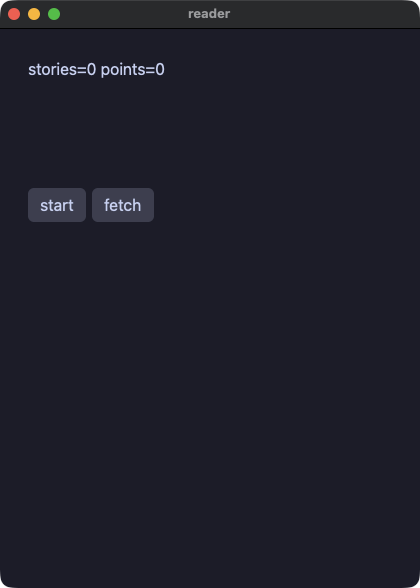
reader.py
# /// script
# requires-python = ">=3.14"
# ///
"""A feed reader: http + json over a realistic nested payload. The
fixture is an @py escape serving JSON in BOTH tiers, the paths are
built per item (f"items.{i}.title") and read in ONE parse with
`jsondoc.get_texts`, and the list renders through the virtualized
list_view.
"""
import os
import sys

sys.path.insert(0, os.path.join(os.path.dirname(os.path.abspath(__file__)), ".."))

from yokan import (
    button,
    column,
    list_view,
    py,
    row,
    run,
    State,
    store,
    text,
)
from yokan import http, jsondoc, strings  # noqa: E402


@py
def serve() -> int:
    import http.server
    import threading

    body = (
        '{"items": ['
        '{"title": "yokan ships native python apps", "points": 128},'
        '{"title": "one rust crate, two doors", "points": 64},'
        '{"title": "the gate arbitrates", "points": 256}'
        "]}"
    ).encode()

    class H(http.server.BaseHTTPRequestHandler):
        def do_GET(self):
            self.send_response(200)
            self.send_header("Content-Length", str(len(body)))
            self.end_headers()
            self.wfile.write(body)

        def log_message(self, format: str, *args: object) -> None:
            pass

    srv = http.server.HTTPServer(("127.0.0.1", 0), H)
    threading.Thread(target=srv.serve_forever, daemon=True).start()
    return srv.server_address[1]


port: State[int] = State(0)


@store
class Feed:
    rows: list[str] = []
    total_points: int = 0

    def refresh(self, src: str) -> None:
        n = jsondoc.length(src, "items")
        paths: list[str] = []
        for i in range(n):
            paths = paths + [f"items.{i}.title", f"items.{i}.points"]
        # every field of every item, in one parse of the document;
        # a number comes back as its text, so it is read as one here
        cells = jsondoc.get_texts(src, paths, "")
        self.rows = []
        self.total_points = 0
        for i in range(n):
            self.rows = self.rows + [cells[2 * i]]
            self.total_points += strings.to_int(cells[2 * i + 1], 0)


def start():
    port.set(serve())


def fetch():
    Feed.refresh(http.get_text(f"http://127.0.0.1:{port()}/feed"))


def item_row(i):
    return text(Feed.rows[i])


def view():
    with column(spacing=8, padding=12):
        text(f"stories={len(Feed.rows)} points={Feed.total_points}", size=16)
        list_view(len(Feed.rows), item_row, item_height=22.0, height=90.0)
        with row(spacing=6):
            button("start", on_click=start)
            button("fetch", on_click=fetch)


if __name__ == "__main__":
    run(view, title="reader")
stdlib — Python の math、random、statistics、json、datetime、time、re、collections、itertools と、Yokan の jsondoc、clock
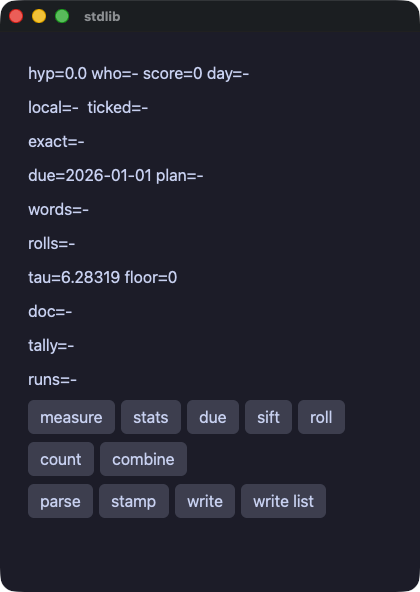
stdlib.py
# /// script
# requires-python = ">=3.14"
# ///
"""The standard library, in its two halves.

`math`, `random` and `statistics` are Python's own, written the way
Python writes them. During development the app imports CPython's
module; the shipped binary calls a twin written against it, and a
table of answers CPython printed holds the twin to CPython. Seed the
generator and the two runs walk the same sequence.

`json.dumps` is Python's too, and writes what CPython writes: keys in
the order they went in, `", "` between the parts, non-ASCII escaped.
Reading a path out of a document is Yokan's own, under `jsondoc`,
because Python's `json` has no such thing;
`datetime` is Python's as well: a date is a value that adds a
timedelta, subtracts another date and formats itself, and the twin
answers what CPython answers. So are `re` (the pattern is compiled by
CPython while the app translates, and the shipped binary runs that
array), `string`, `textwrap`, `bisect` and `heapq`.

`collections` and `itertools` are Python's too, and the pieces of
them that have a shape here are written out rather than called:
`Counter` is the dict of counts, and `itertools`' combinators are
what a `for` walks. The interpreted run is the real module, so the
gate is comparing against CPython itself.

`clock.format_ms` is UTC and `clock.format_local_ms` is the machine's
own zone, from the same zone database in both runs. Python's own
`time` is there too, for the clock itself.
"""
import itertools
import json
import math
import os
import random
import re
import statistics
import string
import sys
import textwrap
import time
from collections import Counter
from datetime import date, timedelta

sys.path.insert(0, os.path.join(os.path.dirname(os.path.abspath(__file__)), ".."))

from yokan import button, column, row, run, State, text  # noqa: E402
from yokan import clock, jsondoc  # noqa: E402

hyp: State[float] = State(0.0)
spread: State[str] = State("-")
rolls: State[str] = State("-")
who: State[str] = State("-")
score: State[int] = State(0)
day: State[str] = State("-")
here: State[str] = State("-")
ticked: State[str] = State("-")
due: State[date] = State(date(2026, 1, 1))
plan: State[str] = State("-")
words: State[str] = State("-")
doc: State[str] = State("-")
scores: State[list[int]] = State([3, 5, 8])
# momo and ada both land on two, and momo was seen first — which is
# the order `most_common` puts them in, and where its second slot goes
votes: State[list[str]] = State(["ivy", "momo", "ivy", "ada", "momo", "ivy", "ada"])
tally: State[str] = State("-")
runs: State[str] = State("-")


def measure():
    hyp.set(math.sqrt(3.0 * 3.0 + 4.0 * 4.0))


def schedule():
    # A date is a value: arithmetic, comparison and formatting all
    # answer what Python answers, down to the weekday's name.
    due.set(date(2026, 1, 1) + timedelta(weeks=6))
    span = due() - date(2026, 1, 1)
    plan.set(f"{due()} ({due().strftime('%A')}) in {span.days} days")


def sift():
    # A pattern is compiled by CPython while the app translates, so
    # the shipped binary runs the array CPython itself would run.
    line = "order 42 from momo@example.com"
    got = re.findall(r"\w+@[\w.]+", line)
    tidy = re.sub(r"\s+", " ", textwrap.dedent("  a   b  "))
    words.set(f"{len(got)} {tidy.strip().title()} {string.digits[:3]}")


def summarize():
    xs: list[float] = [0.1, 0.2, 0.3]
    # An exact mean, as CPython computes it: 0.2, not the
    # 0.20000000000000004 a plain sum would give.
    spread.set(f"{statistics.mean(xs)} sd={statistics.stdev([1.5, 2.5, 4.75]):.4f}")


def roll():
    # Seeded, so both runs walk the same sequence.
    random.seed(20260904)
    out = ""
    for _i in range(5):
        out = out + f"{random.randint(1, 6)}"
    rolls.set(f"{out} u={random.uniform(0.0, 1.0):.4f}")


def count():
    # A Counter is a dict of counts, keyed in first-seen order, and
    # `most_common` orders by the count and keeps that order among
    # equals — which is what CPython's does.
    c = Counter(votes())
    top = c.most_common(2)
    board = ""
    for name, n in top:
        board = board + f"{name}:{n} "
    tally.set(f"{board}of {c.total()} in {len(c)} names")


def combine():
    # Every one of these answers an iterator in Python, so a `for` is
    # what walks them — the loop the translator writes is that walk.
    totals = ""
    for v in itertools.accumulate(scores()):
        totals = totals + f"{v} "
    steps = ""
    for a, b in itertools.pairwise(scores()):
        steps = steps + f"{b - a} "
    both = ""
    for a, b in itertools.combinations(votes()[:3], 2):
        both = both + a[0] + b[0] + " "
    order = ""
    for a, b in itertools.permutations(votes()[:2], 2):
        order = order + a[0] + b[0] + " "
    grid = ""
    for a, b in itertools.product(votes()[:2], scores()):
        grid = grid + f"{a[0]}{b}"
    long = 0
    for w in itertools.chain(votes(), votes()[:2]):
        long = long + len(w)
    runs.set(f"{totals}| {steps}| {both}| {order}| {grid} {long}")


def parse():
    who.set(jsondoc.get_text('{"name": "momo", "scores": [3, 5, 8]}', "name"))
    score.set(jsondoc.get_int('{"name": "momo", "scores": [3, 5, 8]}', "scores.2"))


def stamp():
    # A clock reads differently in every run, so what a gate compares
    # is the shape, not the moment: this one only asks that the two
    # readings are ordered.
    lo = time.monotonic()
    time.sleep(0.001)
    if time.monotonic() > lo:
        ticked.set("yes")
    else:
        ticked.set("no")
    day.set(clock.format_ms(0, "%Y-%m-%d"))
    here.set(clock.format_local_ms(0, "%Y-%m-%d %H:%M"))


def write():
    # A literal nests as deep as it is written out.
    doc.set(json.dumps({"name": "momo", "team": "yokan", "tags": ["a", "b"]}))


def write_list():
    doc.set(json.dumps(scores()))


def view():
    with column(spacing=8, padding=12):
        text(f"hyp={hyp():.1f} who={who()} score={score()} day={day()}")
        text(f"local={here()}  ticked={ticked()}")
        text(f"exact={spread()}")
        text(f"due={due()} plan={plan()}")
        text(f"words={words()}")
        text(f"rolls={rolls()}")
        text(f"tau={math.tau:.5f} floor={math.floor(hyp())}")
        text(f"doc={doc()}")
        text(f"tally={tally()}")
        text(f"runs={runs()}")
        with row(spacing=6):
            button("measure", on_click=measure)
            button("stats", on_click=summarize)
            button("due", on_click=schedule)
            button("sift", on_click=sift)
            button("roll", on_click=roll)
        with row(spacing=6):
            button("count", on_click=count)
            button("combine", on_click=combine)
        with row(spacing=6):
            button("parse", on_click=parse)
            button("stamp", on_click=stamp)
            button("write", on_click=write)
            button("write list", on_click=write_list)


if __name__ == "__main__":
    run(view, title="stdlib")
zones — zoneinfo。一つの会議を四つの土地の時計で読み、astimezone で移し、二つの時刻の差を取る(どちらの実行も機械自身のゾーンファイルを読むので、時差について食い違えない)
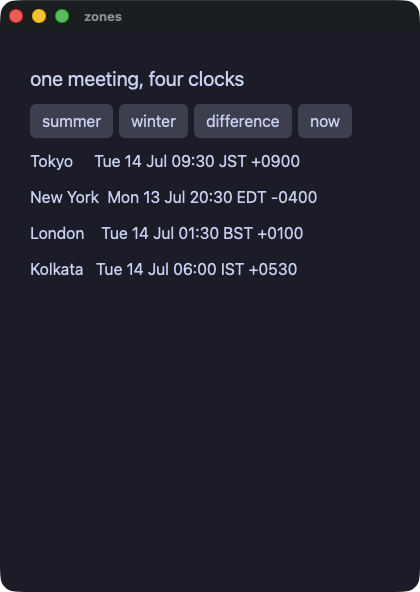
zones.py
# /// script
# requires-python = ">=3.14"
# ///
"""`zoneinfo` in the dialect: one meeting, read in four places.

A zone is named where it is written — `ZoneInfo("Asia/Tokyo")` — and
both runs read the same zone files off the machine, so they cannot
disagree about an offset. `datetime(..., tzinfo=TOKYO)` is the wall
clock in that zone; `astimezone` moves it to another; `isoformat`,
`tzname`, `utcoffset` and `strftime`'s `%z` / `%Z` say where it is,
and a subtraction between two of them is the difference between the
instants, not between the clocks.

The zone rides in the type rather than in the value, so a key is a
literal: the compiled side reads it while it translates. What a State
or a field holds is the naive `datetime` it always held.
"""
import os
import sys
from datetime import datetime, timedelta
from zoneinfo import ZoneInfo

sys.path.insert(0, os.path.join(os.path.dirname(os.path.abspath(__file__)), ".."))

from yokan import State, button, column, row, run, text  # noqa: E402

TOKYO = ZoneInfo("Asia/Tokyo")
NEW_YORK = ZoneInfo("America/New_York")
LONDON = ZoneInfo("Europe/London")
KOLKATA = ZoneInfo("Asia/Kolkata")

# The meeting, in the clock of the room it is booked in.
lines: State[list[str]] = State([])
gap: State[str] = State("")
zone_now: State[str] = State("")


def elsewhere() -> None:
    here = datetime(2026, 7, 14, 9, 30, tzinfo=TOKYO)
    there = here.astimezone(NEW_YORK)
    over = here.astimezone(LONDON)
    east = here.astimezone(KOLKATA)
    lines.set(
        [
            f"Tokyo     {here.strftime('%a %d %b %H:%M %Z %z')}",
            f"New York  {there.strftime('%a %d %b %H:%M %Z %z')}",
            f"London    {over.strftime('%a %d %b %H:%M %Z %z')}",
            f"Kolkata   {east.strftime('%a %d %b %H:%M %Z %z')}",
        ]
    )


def winter() -> None:
    # The same hour six months later: New York is on standard time,
    # so the difference from Tokyo is an hour wider.
    here = datetime(2026, 1, 14, 9, 30, tzinfo=TOKYO)
    there = here.astimezone(NEW_YORK)
    lines.set(
        [
            f"Tokyo     {here.isoformat()}",
            f"New York  {there.isoformat()}",
            f"New York offset {there.strftime('%z')}",
            f"the name it goes by {there.tzname()}",
        ]
    )


def difference() -> None:
    # Two clocks, one instant: the difference is zero. Move one of
    # them and the difference is what moved.
    start = datetime(2026, 7, 14, 9, 30, tzinfo=TOKYO)
    end = start.astimezone(NEW_YORK) + timedelta(hours=2)
    gap.set(f"{(end - start).total_seconds() / 3600.0} hours apart")


def right_now() -> None:
    # The clock itself is not the same in two runs, so what the demo
    # shows is what the zone says about now: its name and its offset.
    n = datetime.now(TOKYO)
    zone_now.set(f"Tokyo is {n.tzname()} at {n.strftime('%z')}")


def view() -> None:
    with column(spacing=10, padding=14):
        text("one meeting, four clocks", size=20)
        with row(spacing=6):
            button("summer", on_click=elsewhere)
            button("winter", on_click=winter)
            button("difference", on_click=difference)
            button("now", on_click=right_now)
        for line in lines():
            text(line)
        text(f"{gap()}")
        text(f"{zone_now()}")


if __name__ == "__main__":
    run(view, title="zones", on_start=elsewhere)
dice — Python の random。同じ種を与えれば、両実行で同じ列が出る
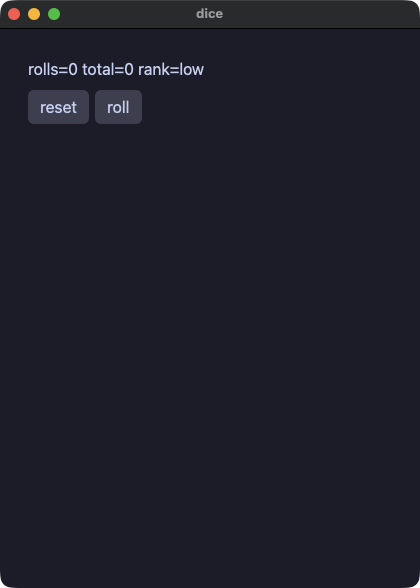
dice.py
# /// script
# requires-python = ">=3.14"
# ///
"""Python's `random`, seeded so both runs walk the same sequence, and
helpers grown up: full statement bodies,
callable from VIEW text because they compile to native `static fn`s
(no receiver, no World — view-safe by definition; making that true
took teaching pixie's view lowering AND its interpreter to call
statics).
"""
import os
import random
import sys

sys.path.insert(0, os.path.join(os.path.dirname(os.path.abspath(__file__)), ".."))

from yokan import button, column, row, run, State, text  # noqa: E402

rolls: State[list[int]] = State([])
total: State[int] = State(0)


def rank(v: int) -> str:
    label = "low"
    if v > 9:
        label = "high"
    return label


def reset():
    random.seed(42)
    rolls.set([])
    total.set(0)


def roll():
    v = random.randint(1, 6)
    rolls.set(rolls() + [v])
    total.set(total() + v)


def view():
    with column(spacing=8, padding=12):
        text(f"rolls={len(rolls())} total={total()} rank={rank(total())}")
        with row(spacing=6):
            button("reset", on_click=reset)
            button("roll", on_click=roll)


if __name__ == "__main__":
    run(view, title="dice")
postcard — 画像とベクタアイコン、そして notify.send(.app バンドルとして動かすと通知センターに届く)
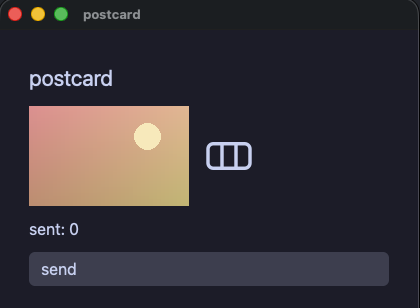
postcard.py
# /// script
# requires-python = ">=3.14"
# ///
"""An image, a vector icon, and an OS notification. `image` and
`svg` take a path (resolved from the run directory in development
and from beside the executable after shipping) with `width=` /
`height=`; an svg renders as a monochrome icon, tinted with the
theme's text color. `notify.send(title, body)` queues an OS notification:
delivered through Notification Center when the app runs as an
`.app` bundle; a bare dev run and headless runs drop it quietly."""
import os
import sys

sys.path.insert(0, os.path.join(os.path.dirname(os.path.abspath(__file__)), ".."))

from yokan import State, button, column, image, notify, row, run, svg, text  # noqa: E402

sent: State[int] = State(0)


def send():
    notify.send("Yokan", "a postcard from the demo")
    sent.set(sent() + 1)


def view():
    with column(spacing=10, padding=14):
        text("postcard", size=22)
        with row(spacing=12):
            image("demo/assets/postcard.png", width=160.0, height=100.0)
            svg("demo/assets/yokan.svg", width=56.0, height=56.0)
        text(f"sent: {sent()}")
        button("send", on_click=send)


if __name__ == "__main__":
    run(view, title="postcard")
Rust crate
rustcrate — yokan add で足した Rust crate:手元の path crate と crates.io の version crate が同居し、どちらも crate 本来の snake_case 名で呼ぶ(同じ宣言を pyproject.toml で書いた版が demo/proj/)
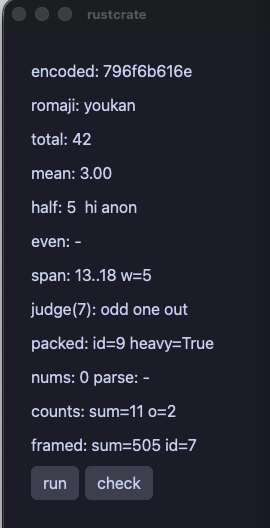
rustcrate.py
# /// script
# requires-python = ">=3.14"
#
# [tool.yokan.crates]
# deunicode = "1"
# hexfmt = { path = "native/hexfmt" }
# ///
"""Rust crates, declared and called — one by path, one by
crates.io version (added with `yokan add`). The `[tool.yokan.crates]` block
names it; `crates.hexfmt.…` calls it — through an auto-built pyo3
door while developing, through the derived binding in the release
build. One implementation, both runs, and the gate compares them.
"""
import os
import sys

sys.path.insert(0, os.path.join(os.path.dirname(os.path.abspath(__file__)), ".."))

from enum import Enum

from yokan import button, column, crates, row, run, store, text, value  # noqa: E402


@value
class Span:
    lo: int
    hi: int


class Grade(Enum):
    Fine = 1
    Odd = 2


@value
class Packed:
    id: int
    weight: int


@value
class Framed:
    span: Span
    packed: Packed


@store
class Out:
    samples: list[float] = [1.0, 2.0, 6.0]
    encoded: str = "-"
    romaji: str = "-"
    total: int = 0
    mean: float = 0.0
    half: int | None = None
    span_lo: int = 0
    span_hi: int = 0
    span_w: int = 0
    verdict: str = "-"
    pack_id: int = 0
    heavy: bool = False
    nums: list[int] = []
    parse_msg: str = "-"

    hello: str = "-"
    even_msg: str = "-"
    csum: int = 0
    o_count: int = 0
    fr_sum: int = 0
    fr_id: int = 0

    def run(self) -> None:
        self.encoded = crates.hexfmt.encode("yokan")
        self.total = crates.hexfmt.add(40, 2)
        self.mean = crates.hexfmt.avg(self.samples)
        self.romaji = crates.deunicode.deunicode("ようかん")
        self.half = crates.hexfmt.halve(10)
        self.hello = crates.hexfmt.greet(None)
        moved = crates.hexfmt.shift(Span(3, 8), 10)
        self.span_lo = moved.lo
        self.span_hi = moved.hi
        self.span_w = crates.hexfmt.width(moved)
        g = crates.hexfmt.judge(7)
        self.verdict = crates.hexfmt.describe(g)
        p = crates.hexfmt.pack(9, 1200)
        self.pack_id = p.id
        self.heavy = crates.hexfmt.heavier(p, 1000)
        counts = crates.hexfmt.char_counts("yokan yokan")
        self.csum = crates.hexfmt.total_counts(counts)
        self.o_count = counts.get("o", 0)
        fr = crates.hexfmt.frame(Span(3, 8), Packed(7, 500))
        self.fr_sum = crates.hexfmt.frame_sum(fr)
        self.fr_id = fr.packed.id

    def check(self) -> None:
        try:
            self.total = crates.hexfmt.parse_even("41")
        except Exception as e:
            self.even_msg = f"{e}"
        try:
            self.nums = crates.hexfmt.parse_all("4, 5, six")
        except Exception as e:
            self.parse_msg = f"{e}"
        try:
            self.nums = crates.hexfmt.parse_all("4, 5, 6")
        except Exception as e:
            self.parse_msg = f"{e}"


def view():
    with column(spacing=8, padding=12):
        text(f"encoded: {Out.encoded}")
        text(f"romaji: {Out.romaji}")
        text(f"total: {Out.total}")
        text(f"mean: {Out.mean:.2f}")
        if (h := Out.half) is not None:
            text(f"half: {h}  {Out.hello}")
        else:
            text(f"half: (none)  {Out.hello}")
        text(f"even: {Out.even_msg}")
        text(f"span: {Out.span_lo}..{Out.span_hi} w={Out.span_w}")
        text(f"judge(7): {Out.verdict}")
        text(f"packed: id={Out.pack_id} heavy={Out.heavy}")
        text(f"nums: {len(Out.nums)} parse: {Out.parse_msg}")
        text(f"counts: sum={Out.csum} o={Out.o_count}")
        text(f"framed: sum={Out.fr_sum} id={Out.fr_id}")
        with row(spacing=6):
            button("run", on_click=Out.run)
            button("check", on_click=Out.check)


if __name__ == "__main__":
    run(view, title="rustcrate", on_start=Out.run)
dashboard — every()。モジュールレベルで宣言したタイマーが両方の実行で動く(ゲートは advance: で進める)
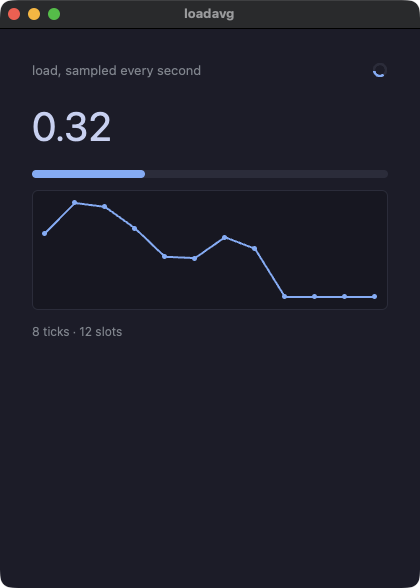
dashboard.py
# /// script
# requires-python = ">=3.14"
# ///
"""A live dashboard: every() drives the updates, in both runs.

`every(1.0, tick)` at module level is a declaration — the compiled
app starts the timer with the app, and a headless run steps it with
`advance:<ms>`, so a minute of ticks is gate-checkable. The samples
come from the seeded RNG both runs share, and the history is a
fixed ring the tick writes by index.
"""
import os
import random
import sys

sys.path.insert(0, os.path.join(os.path.dirname(os.path.abspath(__file__)), ".."))

from yokan import (  # noqa: E402
    State,
    column,
    every,
    line_chart,
    progress,
    row,
    run,
    spinner,
    text,
)

SLOTS = 12

hist: State[list[float]] = State([0.0, 0.0, 0.0, 0.0, 0.0, 0.0, 0.0, 0.0, 0.0, 0.0, 0.0, 0.0])
at: State[int] = State(0)
ticks: State[int] = State(0)
cur: State[float] = State(0.25)


def setup():
    random.seed(7)


def tick():
    step = random.random() * 0.4 - 0.2
    v = cur() + step
    if v < 0.0:
        v = 0.0
    if v > 1.0:
        v = 1.0
    cur.set(v)
    hist[at()] = v
    at.set((at() + 1) % SLOTS)
    ticks.set(ticks() + 1)


every(1.0, tick)


def view():
    with column(spacing=12, padding=16):
        with row(spacing=8):
            text("load, sampled every second", size=13, color="#8a8f98", grow=1.0)
            spinner(size=16.0)
        text(f"{cur():.2f}", size=40)
        progress(cur())
        line_chart(hist(), height=120.0)
        text(f"{ticks()} ticks · {SLOTS} slots", size=12, color="#8a8f98")


if __name__ == "__main__":
    run(view, title="loadavg", on_start=setup)
tasks — task()。重い処理を、どちらの実行でも UI スレッドの外に出す
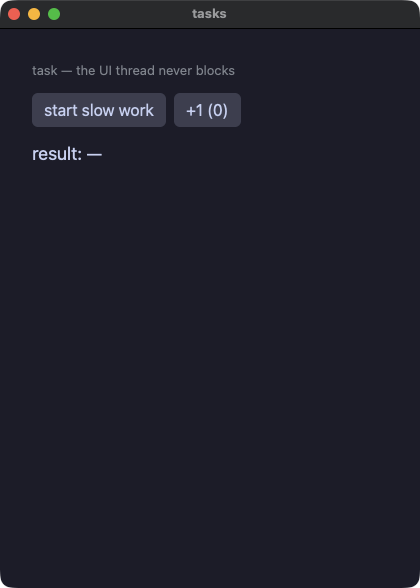
tasks.py
# /// script
# requires-python = ">=3.14"
# ///
"""task — slow work off the UI thread, in both runs.

`task(work, on_done=..., on_progress=...)` hands the work to a
worker: during development that is a Python thread, and the compiled
app awaits the standard-library call inside it, which puts it on the
engine's pool. Either way the window keeps drawing — the counter
button stays clickable while the work runs — and `on_done` lands the
result.

The work is not silent while it runs: `report(fraction, note)` says
where it has got to, from wherever it is running, and `on_progress`
hears it on the UI thread. Every report is heard, and the last one
lands before `on_done` does.
"""
import os
import sys
import time

sys.path.insert(0, os.path.join(os.path.dirname(os.path.abspath(__file__)), ".."))

from yokan import (  # noqa: E402
    State,
    button,
    column,
    progress,
    report,
    row,
    run,
    task,
    text,
)

busy: State[bool] = State(False)
result: State[str] = State("—")
done: State[float] = State(0.0)
step: State[str] = State("")
heard: State[int] = State(0)
n: State[int] = State(0)


def slow_work() -> int:
    time.sleep(0.5)
    report(0.33, "500 ms")
    time.sleep(0.5)
    report(0.66, "1000 ms")
    time.sleep(0.5)
    report(1.0, "1500 ms")
    return 1_500


def moved(fraction: float, note: str):
    done.set(fraction)
    step.set(note)
    heard.set(heard() + 1)


def start():
    busy.set(True)
    task(
        slow_work,
        on_done=lambda v: (busy.set(False), result.set(f"waited {v} ms")),
        on_progress=moved,
    )


def view():
    with column(spacing=12, padding=16):
        text("task — the UI thread never blocks", size=13, color="#8a8f98")
        with row(spacing=8):
            button("start slow work", on_click=start)
            button(f"+1 ({n()})", on_click=lambda: n.set(n() + 1))
        progress(done(), width=260.0)
        text(f"{step()} · {heard()} reports", size=13, color="#8a8f98")
        if busy():
            text("working…", color="#8a8f98")
        else:
            text(f"result: {result()}", size=18)


if __name__ == "__main__":
    run(view, title="tasks")
CPython エスケープと開発専用
pystats — @py + numpy。エスケープした関数はリリースバイナリに CPython ごと同梱される
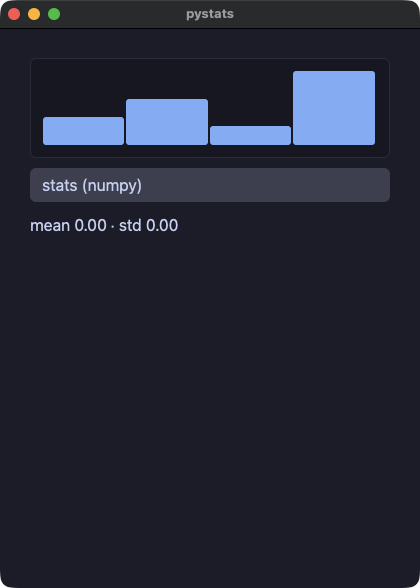
pystats.py
# /// script
# requires-python = ">=3.14"
# dependencies = ["numpy"]
# ///
"""numpy inside the native app: the escape imports numpy, and
--bundle installs it (from this file's own PEP 723 block) into the
shipped runtime's site-packages.

The escape runs inside a `task`, which is what keeps a long Python
call off the UI thread in the compiled app as well as in the
development run. From in there it can say where it has got to:
`report(fraction, note)` inside the escape reaches this app's
`on_progress`, on whatever thread the Python happened to run on.
"""
import os
import sys

sys.path.insert(0, os.path.join(os.path.dirname(os.path.abspath(__file__)), ".."))

from yokan import bar_chart, button, column, py, progress, run, State, task, text  # noqa: E402


@py
def stats(xs: list[float]) -> list[float]:
    from yokan import report

    import numpy as np

    report(0.5, "mean")
    a = np.array(xs)
    m = float(a.mean())
    report(1.0, "spread")
    return [m, float(a.std())]


values: State[list[float]] = State([3.0, 5.0, 2.0, 8.0])
mean: State[float] = State(0.0)
std: State[float] = State(0.0)
done: State[float] = State(0.0)
step: State[str] = State("idle")


def landed(r: list[float]):
    mean.set(r[0])
    std.set(r[1])


def moved(fraction: float, note: str):
    done.set(fraction)
    step.set(note)


def compute():
    xs = values()
    task(lambda: stats(xs), on_done=landed, on_progress=moved)


def view():
    with column(spacing=10, padding=14):
        bar_chart(values(), height=100.0)
        button("stats (numpy)", on_click=compute)
        progress(done(), width=220.0, label=step())
        text(f"mean {mean():.2f} · std {std():.2f}", size=16)


if __name__ == "__main__":
    run(view, title="pystats")
pyjob — @py のエスケープに書いた重い Python を task で回す。ウィンドウは描き続け、エスケープは自分が載ったワーカースレッドから進み具合を報告する
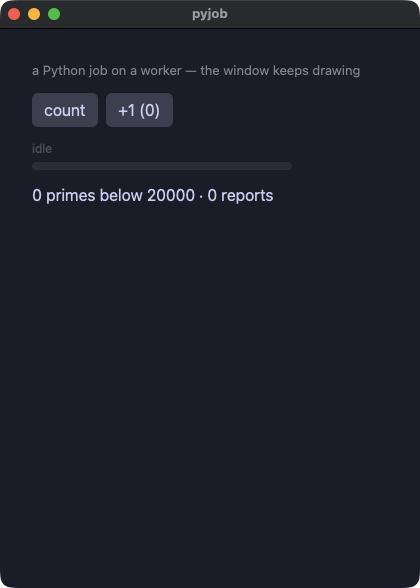
pyjob.py
# /// script
# requires-python = ">=3.14"
# ///
"""A long Python job, off the UI thread, saying where it has got to.

The work is a `@py` escape — real Python, run on an embedded CPython
inside the compiled binary — and `task` puts it on a worker in both
runs, so the window keeps drawing while it grinds: the counter button
stays clickable throughout.

From inside the escape, `report(fraction, note)` reaches this app's
`on_progress`, which runs on the UI thread like any other handler.
Every report is heard, and the last one lands before `on_done` does —
which is what makes `4 reports` in the dump a checked claim rather
than a hope.
"""
import os
import sys

sys.path.insert(0, os.path.join(os.path.dirname(os.path.abspath(__file__)), ".."))

from yokan import (  # noqa: E402
    State,
    button,
    column,
    progress,
    py,
    row,
    run,
    task,
    text,
)


@py
def count_primes(limit: int, chunks: int) -> int:
    from yokan import report

    found = 0
    step = limit // chunks
    for c in range(chunks):
        lo = c * step + 2
        hi = lo + step
        found += sum(
            1
            for n in range(lo, hi)
            if all(n % d for d in range(2, int(n**0.5) + 1))
        )
        report((c + 1) / chunks, f"below {hi}")
    return found


limit: State[int] = State(20_000)
found: State[int] = State(0)
done: State[float] = State(0.0)
step: State[str] = State("idle")
heard: State[int] = State(0)
n: State[int] = State(0)


def counted(total: int):
    found.set(total)


def moved(fraction: float, note: str):
    done.set(fraction)
    step.set(note)
    heard.set(heard() + 1)


def start():
    n_max = limit()
    task(lambda: count_primes(n_max, 4), on_done=counted, on_progress=moved)


def view():
    with column(spacing=12, padding=16):
        text("a Python job on a worker — the window keeps drawing", size=13, color="#8a8f98")
        with row(spacing=8):
            button("count", on_click=start)
            button(f"+1 ({n()})", on_click=lambda: n.set(n() + 1))
        progress(done(), width=260.0, label=step())
        text(f"{found()} primes below {limit()} · {heard()} reports", size=16)


if __name__ == "__main__":
    run(view, title="pyjob")
transcribe — Buzz の移植。@py と mlx-whisper で文字起こしをして、進捗バー、区間の表、TXT と SRT と VTT の書き出しまで揃える
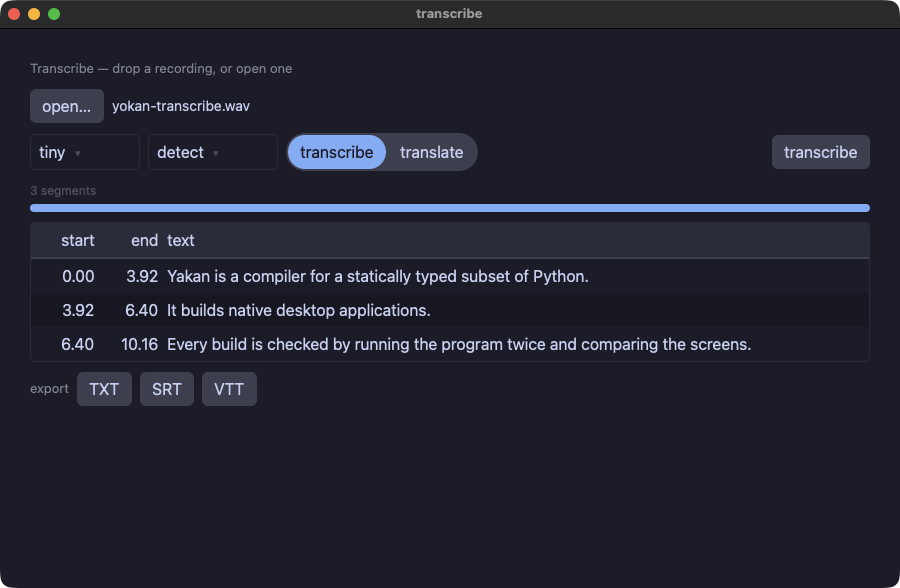
app.py
# /// script
# requires-python = ">=3.14"
# dependencies = ["mlx-whisper", "static-ffmpeg"]
# ///
"""Transcribe — Buzz's screen and flow, ported.

Buzz (MIT, github.com/chidiwilliams/buzz) is a desktop app that turns
recordings into text with Whisper, offline. What is ported here is
its screen and its flow: drop a file, pick a model, a language and
whether to transcribe or translate, watch it work, read the segments,
export TXT / SRT / VTT. The transcription itself is not Buzz's code
and not this app's either — it is mlx-whisper, called from a `@py`
escape. That is the point of the pair: the model stays real Python,
and everything around it — the window, the table, the timestamps, the
three exports — is compiled.

The escape runs inside a `task`, so a recording that takes a minute
leaves the window drawing, and `report(fraction, note)` from in there
moves the bar as the audio goes by.

    uv run demo/transcribe/app.py

The first run downloads the model from Hugging Face; after that it is
offline. ffmpeg reads the audio: the system's is used when there is
one, and `static-ffmpeg` fetches a copy when there is not. With no
recording to hand, this machine can speak one:

    say -v Samantha -o /tmp/hello.wav --data-format=LEI16@16000 \
        "It builds native desktop applications."
"""
import os
import sys

sys.path.insert(0, os.path.join(os.path.dirname(os.path.abspath(__file__)), "..", ".."))

from yokan import (  # noqa: E402
    State,
    button,
    column,
    data_table,
    on_file_drop,
    progress,
    py,
    row,
    run,
    scroll_view,
    segmented,
    select,
    spacer,
    task,
    text,
    value,
)
from yokan import fs, strings  # noqa: E402


@value
class Seg:
    start: float
    end: float
    text: str


@py
def transcribe_file(path: str, repo: str, language: str, job: str) -> list[str]:
    """One call to mlx-whisper, with the bar wired to the window.

    `transcribe` has no progress callback: it counts audio frames
    through a tqdm bar, so the bar is what this replaces — every
    window it decodes becomes a `report`. If a future mlx-whisper
    counts differently the transcription is unaffected; only the bar
    would stop moving.
    """
    import shutil

    from yokan import report

    # The three imports a type checker cannot resolve without the
    # model stack installed. They are the escape's own dependencies,
    # declared in the block at the top of this file; `uv run` fetches
    # them, and pyright is not asked to.
    if shutil.which("ffmpeg") is None:
        import static_ffmpeg  # pyright: ignore[reportMissingImports]

        static_ffmpeg.add_paths()

    import mlx_whisper  # pyright: ignore[reportMissingImports]
    import mlx_whisper.transcribe as engine  # pyright: ignore[reportMissingImports]

    class Bar:
        def __init__(self, total=0, **kw):
            self.total = max(1, total)
            self.n = 0

        def __enter__(self):
            return self

        def __exit__(self, *exc):
            return False

        def update(self, k):
            self.n += k
            secs = self.n // 100
            report(min(1.0, self.n / self.total), f"{secs // 60}:{secs % 60:02d}")

    class Counter:
        tqdm = Bar

    report(0.0, "loading the model")
    engine.tqdm = Counter
    r = mlx_whisper.transcribe(
        path,
        path_or_hf_repo=repo,
        language=language or None,
        task=job,
        temperature=0.0,
        verbose=None,
    )
    return [
        f"{s['start']:.3f}\t{s['end']:.3f}\t{s['text'].strip()}"
        for s in r["segments"]
    ]


# What the chooser shows, and what Hugging Face calls it. The lists
# are held in State rather than written as module constants because
# that is what `select(options=…)` reads, and what an index into one
# can be looked up in.
models: State[list[str]] = State(["tiny", "base", "small", "medium", "large-v3"])
repos: State[list[str]] = State(
    [
        "mlx-community/whisper-tiny",
        "mlx-community/whisper-base-mlx",
        "mlx-community/whisper-small-mlx",
        "mlx-community/whisper-medium-mlx",
        "mlx-community/whisper-large-v3-mlx",
    ]
)
langs: State[list[str]] = State(
    ["detect", "English", "Japanese", "German", "French", "Spanish"]
)
codes: State[list[str]] = State(["", "en", "ja", "de", "fr", "es"])
jobs: State[list[str]] = State(["transcribe", "translate"])

path: State[str] = State("")
model_ix: State[int] = State(0)
lang_ix: State[int] = State(0)
job_ix: State[int] = State(0)
segs: State[list[Seg]] = State([])
pct: State[float] = State(0.0)
note: State[str] = State("")
busy: State[bool] = State(False)
saved: State[str] = State("")


def name_of(p: str) -> str:
    if p == "":
        return "(nothing yet)"
    cut = p.rfind("/")
    return p[cut + 1 :]


def stamp(t: float, comma: bool) -> str:
    ms = int(t * 1000)
    sep = "."
    if comma:
        sep = ","
    return f"{ms // 3600000:02d}:{(ms // 60000) % 60:02d}:{(ms // 1000) % 60:02d}{sep}{ms % 1000:03d}"


def pick_model(i: int):
    model_ix.set(i)


def pick_lang(i: int):
    lang_ix.set(i)


def pick_job(i: int):
    job_ix.set(i)


def took(p: str):
    if p != "":
        path.set(p)
        segs.set([])
        saved.set("")


def open_one():
    task(lambda: fs.open_dialog("Choose a recording"), on_done=took)


def to_seg(line: str) -> Seg:
    part: list[str] = line.split("\t")
    return Seg(
        strings.to_float(part[0], 0.0),
        strings.to_float(part[1], 0.0),
        part[2],
    )


def landed(lines: list[str]):
    segs.set([to_seg(line) for line in lines])
    busy.set(False)
    pct.set(1.0)
    note.set(f"{len(lines)} segments")


def moved(fraction: float, mark: str):
    pct.set(fraction)
    note.set(mark)


def start():
    if path() == "":
        return
    audio = path()
    repo = repos()[model_ix()]
    code = codes()[lang_ix()]
    job = jobs()[job_ix()]
    busy.set(True)
    pct.set(0.0)
    task(
        lambda: transcribe_file(audio, repo, code, job),
        on_done=landed,
        on_progress=moved,
    )


def wrote_txt(p: str):
    if p != "":
        body = ""
        for s in segs():
            body = body + s.text + "\n"
        fs.write_text(p, body)
        saved.set(f"wrote {name_of(p)}")


def wrote_srt(p: str):
    if p != "":
        body = ""
        n = 0
        for s in segs():
            n = n + 1
            head = f"{stamp(s.start, True)} --> {stamp(s.end, True)}"
            body = body + f"{n}\n{head}\n{s.text}\n\n"
        fs.write_text(p, body)
        saved.set(f"wrote {name_of(p)}")


def wrote_vtt(p: str):
    if p != "":
        body = "WEBVTT\n\n"
        for s in segs():
            head = f"{stamp(s.start, False)} --> {stamp(s.end, False)}"
            body = body + f"{head}\n{s.text}\n\n"
        fs.write_text(p, body)
        saved.set(f"wrote {name_of(p)}")


def export_txt():
    task(lambda: fs.save_dialog("transcript.txt"), on_done=wrote_txt)


def export_srt():
    task(lambda: fs.save_dialog("transcript.srt"), on_done=wrote_srt)


def export_vtt():
    task(lambda: fs.save_dialog("transcript.vtt"), on_done=wrote_vtt)


on_file_drop(took)


def view():
    with column(spacing=10, padding=14):
        text("Transcribe — drop a recording, or open one", size=13, color="#8a8f98")
        with row(spacing=8):
            button("open…", on_click=open_one)
            text(f"{name_of(path())}", size=14)
        with row(spacing=8):
            select(options=models(), selected=model_ix(), on_change=pick_model, width=110.0)
            select(options=langs(), selected=lang_ix(), on_change=pick_lang, width=130.0)
            segmented(options=jobs(), selected=job_ix(), on_change=pick_job)
            spacer()
            button("transcribe", on_click=start, disabled=busy())
        progress(pct(), label=note())
        with scroll_view(height=260.0):
            with data_table():
                # The two time columns are given a WIDTH rather than a
                # share: a share is what is left after the content, so
                # a longer timestamp in one row would move that row's
                # text and the column would stop being a column.
                with row(spacing=8):
                    text("start", width=56.0, align="right")
                    text("end", width=56.0, align="right")
                    text("text", grow=1.0)
                for s in segs():
                    with row(spacing=8):
                        text(f"{s.start:.2f}", width=56.0, align="right")
                        text(f"{s.end:.2f}", width=56.0, align="right")
                        text(s.text, grow=1.0)
        with row(spacing=8):
            text("export", size=13, color="#8a8f98")
            button("TXT", on_click=export_txt)
            button("SRT", on_click=export_srt)
            button("VTT", on_click=export_vtt)
            spacer()
            text(f"{saved()}", size=13, color="#8a8f98")


if __name__ == "__main__":
    run(view, title="transcribe", width=900, height=560)
multi — マルチモジュール構成(state.py と widgets.py に分割、ヘルパはコンポーネントになる)
app.py
# /// script
# requires-python = ">=3.14"
# ///
"""Multi-module apps: state lives in state.py, view helpers in
widgets.py. Helpers compile as reusable components; the build
flattens the module graph into the one compiled program.
"""
import os
import sys
from yokan import button, column, run

sys.path.insert(0, os.path.join(os.path.dirname(os.path.abspath(__file__)), "..", ".."))

from state import count  # noqa: E402
from widgets import badge, header  # noqa: E402


def view():
    with column(spacing=10, padding=14):
        header()
        badge("multi-module")
        button("+1", on_click=lambda: count.set(count() + 1))


if __name__ == "__main__":
    run(view, title="multi")
widgets.py
app — numpy 入りのダッシュボード(開発専用:辞書 state)
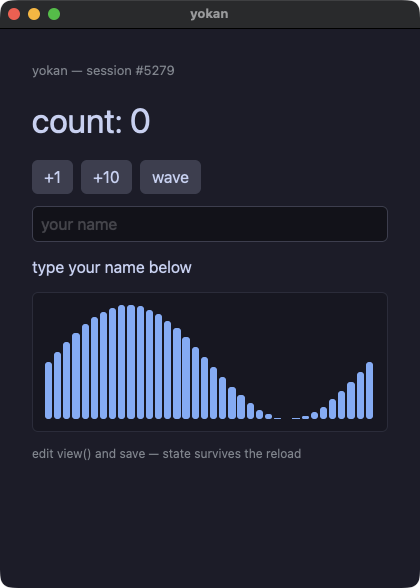
app.py
# /// script
# requires-python = ">=3.14"
# dependencies = ["numpy"]
# ///
"""yokan demo: real CPython + numpy driving pixie's gpui engine.

Build the module, then run:
    just dev-so
    uv run crates/yokan/demo/app.py

While it runs, edit view() below and save — the window updates in
place; the session id, the count and the typed name all survive
(state lives on, only the view function is re-executed).
"""
import os
import random
import sys
from yokan import bar_chart, button, column, row, run, text, text_field

sys.path.insert(0, os.path.join(os.path.dirname(os.path.abspath(__file__)), ".."))

import numpy as np  # noqa: E402


def view(s):
    xs = np.linspace(0.0, 2.0 * np.pi, 36)
    wave = ((np.sin(xs + s["phase"]) + 1.0) * 0.5).tolist()
    greeting = f"Hello, {s['name']}!" if s["name"] else "type your name below"
    return column(
        text(f"yokan — session #{s['sid']}", size=13, color="#8a8f98"),
        text(f"count: {s['count']}", size=34),
        row(
            button("+1", on_click=lambda: s.update(count=s["count"] + 1)),
            button("+10", on_click=lambda: s.update(count=s["count"] + 10)),
            button("wave", on_click=lambda: s.update(phase=s["phase"] + 0.7)),
            spacing=8,
        ),
        text_field(
            s["name"],
            placeholder="your name",
            on_change=lambda t: s.update(name=t),
        ),
        text(greeting, size=16),
        bar_chart(wave, height=140.0),
        text("edit view() and save — state survives the reload", size=12, color="#8a8f98"),
        spacing=12,
        padding=16,
    )


if __name__ == "__main__":
    run(
        view,
        state={"sid": random.randint(1000, 9999), "count": 0, "phase": 0.0, "name": ""},
        title="yokan",
    )
csv_viewer — 10 万行の仮想化テーブル + numpy(開発専用:辞書 state)
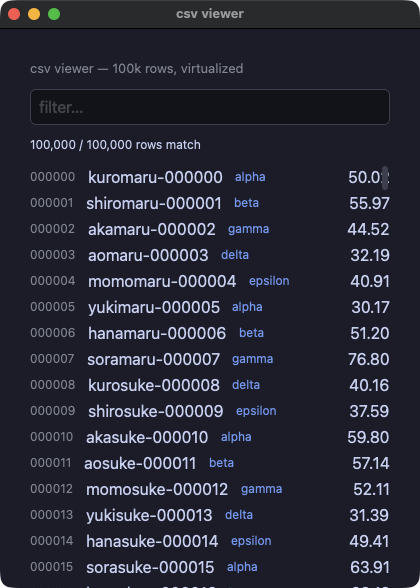
csv_viewer.py
# /// script
# requires-python = ">=3.14"
# dependencies = ["numpy"]
# ///
"""yokan dogfood #1: 100,000 rows at native scroll speed.

Type in the filter box; rows render through a virtualized ListView,
so Python builds only the visible window (~14 rows of 100k). Run
with PIXIE_TRACE_LAZY=1 to watch the requested ranges.
"""
import os
import sys
from yokan import column, list_view, row, run, text, text_field

sys.path.insert(0, os.path.join(os.path.dirname(os.path.abspath(__file__)), ".."))

import numpy as np  # noqa: E402

N = 100_000
rng = np.random.default_rng(7)
CATS = ["alpha", "beta", "gamma", "delta", "epsilon"]
STEMS = ["kuro", "shiro", "aka", "ao", "momo", "yuki", "hana", "sora"]
TAILS = ["maru", "suke", "chan", "gou", "ta", "emon"]
names = [f"{STEMS[i % 8]}{TAILS[(i // 8) % 6]}-{i:06d}" for i in range(N)]
cats = [CATS[i % 5] for i in range(N)]
values = np.round(rng.normal(50.0, 20.0, N), 2)


def matches(q):
    if not q:
        return list(range(N))
    q = q.lower()
    return [i for i in range(N) if q in names[i] or q in cats[i]]


def view(s):
    idx = s["idx"]

    def render_row(k):
        i = idx[k]
        return row(
            text(f"{i:06d}", size=12, color="#8a8f98"),
            text(names[i], grow=1.0),
            text(cats[i], size=12, color="#7aa2f7"),
            text(f"{values[i]:.2f}", align="right"),
            spacing=12,
        )

    return column(
        text("csv viewer — 100k rows, virtualized", size=13, color="#8a8f98"),
        text_field(s["q"], placeholder="filter…", on_change=lambda t: s.update(q=t, idx=matches(t))),
        text(f"{len(idx):,} / {N:,} rows match", size=12),
        list_view(len(idx), render_row, item_height=26.0, height=430.0),
        spacing=10,
        padding=14,
    )


if __name__ == "__main__":
    run(view, state={"q": "", "idx": list(range(N))}, title="csv viewer")