デモ
43 本のアプリが並んでいます。
どれもゲートを通っています。
つまり、インタプリタで動かした実行と、コンパイルした実行を、同じスクリプトで動かして、1 バイトずつ突き合わせてあります。
どれもリポジトリの wakakusa/ からそのまま動きます。
スクリーンショットは、どれも起動直後の画面です。 ゲーム 2 本だけは、遊んでいるところを録画したものを載せています。 それぞれの下にあるのは、そのファイルの全文です。
まずここから
counter — 基本形。アプリはオブジェクトで、状態はそのインスタンス変数、ハンドラはそのオブジェクトが見えるブロック
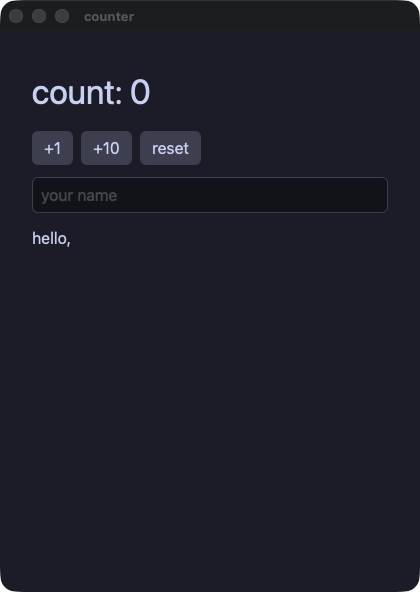
counter.rb
# The reference: everything in this file is what Wakakusa takes. The
# app is an object, its state is its instance variables, and a handler
# is a block that closes over it.
#
#   wakakusa run  demo/counter.rb
#   wakakusa gate demo/counter.rb --script "click:+1,input:Momo"
require "wakakusa"

class Counter
  def initialize
    @count = 0
    @name = ""
  end

  def view
    column(
      text("count: #{@count}", size: 34.0),
      row(
        button("+1") { @count += 1 },
        button("+10") { @count += 10 },
        button("reset") { @count = 0 },
        spacing: 8.0
      ),
      text_field(@name, placeholder: "your name") { |s| @name = s },
      text("hello, #{@name}"),
      spacing: 12.0,
      padding: 16.0
    )
  end
end

run(Counter.new, title: "counter")
blockform — 同じカウンタを別の書き方で。コンテナは子をブロックとして取り、どちらの書き方も同じ木になる
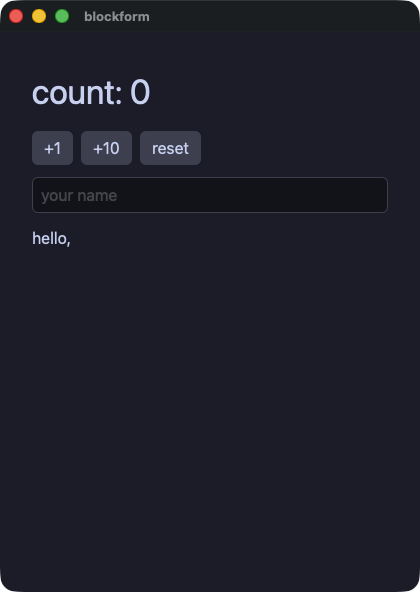
blockform.rb
# The same counter as demo/counter.rb, written the other way. A
# container takes its children as a block, and each element inside
# joins the one that is open.
#
# Both spellings build the same tree; this demo exists to say so.
require "wakakusa"

class Counter
  def initialize
    @count = 0
    @name = ""
  end

  def view
    column(spacing: 12.0, padding: 16.0) {
      text "count: #{@count}", size: 34.0
      row(spacing: 8.0) {
        button("+1") { @count += 1 }
        button("+10") { @count += 10 }
        button("reset") { @count = 0 }
      }
      text_field(@name, placeholder: "your name") { |s| @name = s }
      text "hello, #{@name}"
    }
  end
end

run(Counter.new, title: "blockform")
control — ビューの中はただの Ruby。if、unless、三項演算子、ループ、画面の一部を返すメソッド
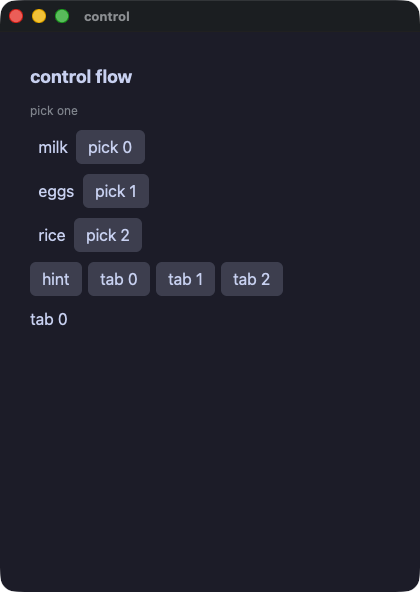
control.rb
# Ordinary Ruby inside a view: `if`, `unless`, a ternary, a loop, and a
# method that answers part of the screen. Nothing here is a special
# form — the block is Ruby, and each element joins the container that
# is open.
#
# The one shape that is refused is a block written inside a loop's
# block. `line` below is what to write instead, and `wakakusa check`
# says so with the line.
require "wakakusa"

class Control
  def initialize
    @items = ["milk", "eggs", "rice"]
    @picked = -1
    @show_hint = true
    @tab = 0
  end

  def hint
    text "pick one", size: 12.0, color: "#8a8f98"
  end

  def line(name, i)
    row(spacing: 8.0) {
      text(i == @picked ? "▸ #{name}" : "  #{name}")
      button("pick #{i}") { @picked = i }
    }
  end

  def tab_button(n)
    button("tab #{n}") { @tab = n }
  end

  def view
    column(spacing: 10.0, padding: 14.0) {
      text "control flow", size: 18.0, bold: true

      if @show_hint
        hint
      else
        text "hidden", size: 12.0
      end

      @items.each_with_index { |name, i| line(name, i) }

      unless @picked < 0
        text "picked #{@items[@picked]}", color: @picked.even? ? "accent" : "#f38ba8"
      end

      row(spacing: 6.0) {
        button("hint") { @show_hint = !@show_hint }
        3.times { |n| tab_button(n) }
      }
      text "tab #{@tab}"
    }
  end
end

run(Control.new, title: "control")
todo — 行を必要なぶんだけ作るリストと、enter で確定する入力欄
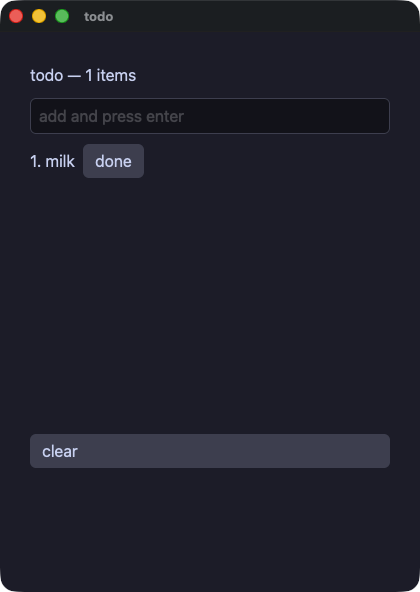
todo.rb
# A list whose rows are built on demand: the builder is called for the
# rows in view, not for all of them. The row number is an ordinary
# argument inside it, so the line, the marker and that row's own button
# all read the same `i`.
require "wakakusa"

class Todo
  def initialize
    @items = ["milk"]
    @draft = ""
    @done = -1
  end

  def add(t)
    items = @items.dup
    items.push(t)
    @items = items
    @draft = ""
  end

  def line(i)
    cells = [text("#{i + 1}. #{@items[i]}")]
    cells.push(text("done", color: "accent")) if i == @done
    cells.push(button("done") { @done = i })
    row(*cells, spacing: 8.0)
  end

  def view
    column(
      text("todo — #{@items.length} items", size: 16.0),
      text_field(@draft, placeholder: "add and press enter",
                 on_submit: -> { add(event_text) }) { |t| @draft = t },
      list_view(@items.length, item_height: 26.0, height: 280.0) { |i| line(i) },
      button("clear") { @items = [] },
      spacing: 10.0,
      padding: 14.0
    )
  end
end

run(Todo.new, title: "todo")
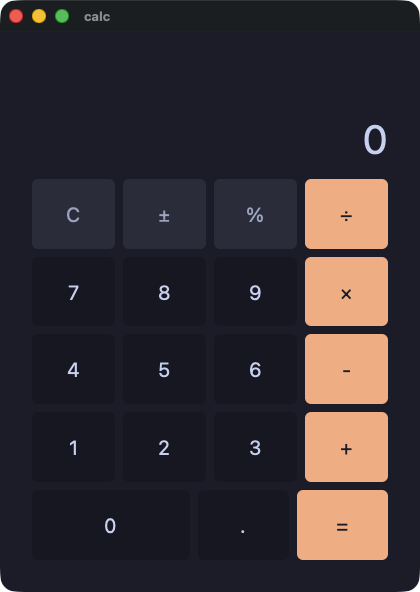
calc — 電卓。途中の値ひとつと待っている演算ひとつを持ち、見た目は Hash にまとめて各キーに ** で渡す
calc.rb
# A calculator: one accumulator, one pending operation, and a display
# the app builds as a string. The look is a Hash of properties, handed
# to each key with `**`.
require "wakakusa"
require_relative "calc_style"

class Calc
  def initialize
    @display = "0"
    @acc = 0.0
    @op = ""
    @fresh = true
    @has_dot = false
  end

  def to_f_or_zero(s)
    Float(s)
  rescue ArgumentError, TypeError
    0.0
  end

  def press(d)
    if @fresh
      @display = d
      @fresh = false
      @has_dot = false
    elsif @display == "0"
      @display = d
    else
      @display = @display + d
    end
  end

  def dot
    if @fresh
      @display = "0."
      @fresh = false
      @has_dot = true
    elsif !@has_dot
      @display = @display + "."
      @has_dot = true
    end
  end

  def negate
    v = to_f_or_zero(@display)
    return if v == 0.0

    @display = "#{0.0 - v}"
    @fresh = false
  end

  def percent
    @display = "#{to_f_or_zero(@display) / 100.0}"
    @fresh = true
    @has_dot = false
  end

  def apply(nxt)
    if @fresh && @op != ""
      @op = nxt
      return
    end
    cur = to_f_or_zero(@display)
    @acc = cur if @op == ""
    @acc += cur if @op == "+"
    @acc -= cur if @op == "-"
    @acc *= cur if @op == "×"
    if @op == "÷"
      if cur == 0.0
        @display = "Error"
        @acc = 0.0
        @op = ""
        @fresh = true
        return
      end
      @acc /= cur
    end
    @display = "#{@acc}"
    @op = nxt
    @fresh = true
  end

  def clear
    @display = "0"
    @acc = 0.0
    @op = ""
    @fresh = true
    @has_dot = false
  end

  def digit(d)
    button(d, **KEY) { press(d) }
  end

  def op_key(name)
    button(name, **OP) { apply(name) }
  end

  def view
    column(spacing: 8.0, padding: 16.0, grow: 1.0) {
      text @display, **READOUT
      row(**KEYS) {
        button("C", **FUN) { clear }
        button("±", **FUN) { negate }
        button("%", **FUN) { percent }
        op_key("÷")
      }
      row(**KEYS) {
        digit("7")
        digit("8")
        digit("9")
        op_key("×")
      }
      row(**KEYS) {
        digit("4")
        digit("5")
        digit("6")
        op_key("-")
      }
      row(**KEYS) {
        digit("1")
        digit("2")
        digit("3")
        op_key("+")
      }
      row(**KEYS) {
        button("0", **WIDE) { press("0") }
        button(".", **KEY) { dot }
        button("=", **OP) { apply("") }
      }
    }
  end
end

run(Calc.new, title: "calc")
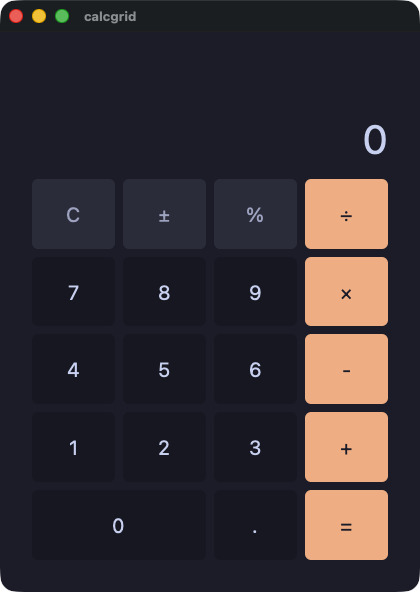
calcgrid — 同じ電卓を 5 行ではなくグリッドで。0 キーが 2 つぶんの幅になるのは col_span:
calcgrid.rb
# The same calculator as demo/calc.rb, on a grid instead of five rows.
# `col_span:` is what makes the zero key twice as wide.
require "wakakusa"
require_relative "calc_style"

class CalcGrid
  def initialize
    @display = "0"
    @acc = 0.0
    @op = ""
    @fresh = true
    @has_dot = false
  end

  def to_f_or_zero(s)
    Float(s)
  rescue ArgumentError, TypeError
    0.0
  end

  def press(d)
    if @fresh
      @display = d
      @fresh = false
      @has_dot = false
    elsif @display == "0"
      @display = d
    else
      @display = @display + d
    end
  end

  def dot
    if @fresh
      @display = "0."
      @fresh = false
      @has_dot = true
    elsif !@has_dot
      @display = @display + "."
      @has_dot = true
    end
  end

  def negate
    v = to_f_or_zero(@display)
    return if v == 0.0

    @display = "#{0.0 - v}"
    @fresh = false
  end

  def percent
    @display = "#{to_f_or_zero(@display) / 100.0}"
    @fresh = true
    @has_dot = false
  end

  def apply(nxt)
    if @fresh && @op != ""
      @op = nxt
      return
    end
    cur = to_f_or_zero(@display)
    @acc = cur if @op == ""
    @acc += cur if @op == "+"
    @acc -= cur if @op == "-"
    @acc *= cur if @op == "×"
    if @op == "÷"
      if cur == 0.0
        @display = "Error"
        @acc = 0.0
        @op = ""
        @fresh = true
        return
      end
      @acc /= cur
    end
    @display = "#{@acc}"
    @op = nxt
    @fresh = true
  end

  def clear
    @display = "0"
    @acc = 0.0
    @op = ""
    @fresh = true
    @has_dot = false
  end

  def digit(d)
    button(d, **KEY) { press(d) }
  end

  def op_key(name)
    button(name, **OP) { apply(name) }
  end

  def view
    column(spacing: 8.0, padding: 16.0, grow: 1.0) {
      text @display, **READOUT
      grid(columns: 4, rows: 5, spacing: 8.0, grow: 5.0) {
        button("C", **FUN) { clear }
        button("±", **FUN) { negate }
        button("%", **FUN) { percent }
        op_key("÷")
        digit("7")
        digit("8")
        digit("9")
        op_key("×")
        digit("4")
        digit("5")
        digit("6")
        op_key("-")
        digit("1")
        digit("2")
        digit("3")
        op_key("+")
        button("0", col_span: 2, **KEY) { press("0") }
        button(".", **KEY) { dot }
        button("=", **OP) { apply("") }
      }
    }
  end
end

run(CalcGrid.new, title: "calcgrid")
状態を持つ
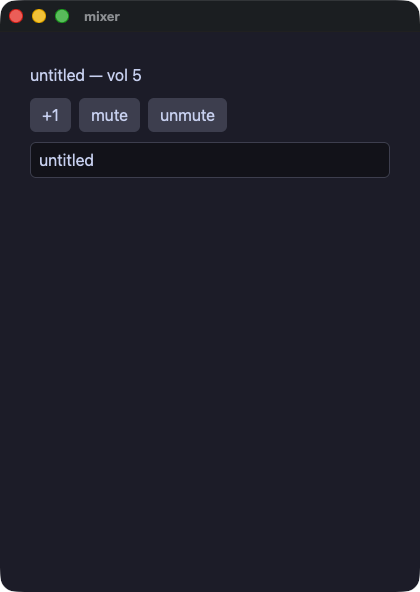
mixer — アプリが持つ状態と、そこへ書き込む入力欄
mixer.rb
# State an app keeps and a field that writes into it.
require "wakakusa"

class Mixer
  def initialize
    @volume = 5
    @title = "untitled"
    @muted = false
  end

  def view
    cells = [
      text("#{@title} — vol #{@volume}", size: 16.0),
      row(
        button("+1") { @volume += 1 },
        button("mute") { @muted = true },
        button("unmute") { @muted = false },
        spacing: 8.0
      ),
    ]
    cells.push(text("(muted)", size: 12.0, color: "#8a8f98")) if @muted
    cells.push(text_field(@title, placeholder: "title") { |t| @title = t })
    column(*cells, spacing: 10.0, padding: 14.0)
  end
end

run(Mixer.new, title: "mixer")
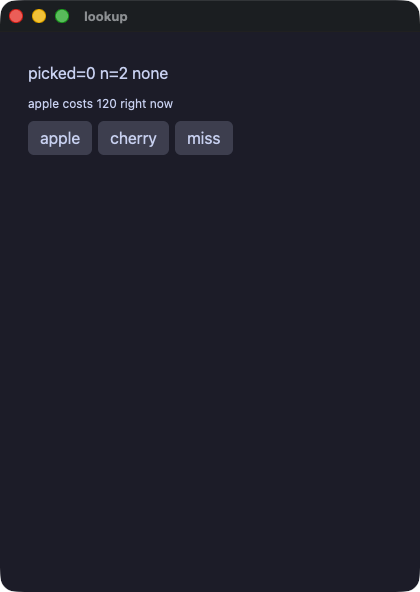
lookup — アプリが持つ Hash。既定値つきの読み出し、キーの有無の確認、ウィンドウを開けたまま増やす
lookup.rb
# A Hash on the app: reading with a fallback, asking whether a key is
# there, and adding one while the window is open.
require "wakakusa"

class Lookup
  def initialize
    @prices = { "apple" => 120, "banana" => 80 }
    @picked = 0
    @label = "none"
  end

  def pick_apple
    @picked = @prices.fetch("apple", -1)
    @label = @prices.key?("cherry") ? "cherry known" : "no cherry"
  end

  def add_cherry
    @prices["cherry"] = 200
    @picked = @prices.fetch("cherry", -1)
    @label = "cherry known" if @prices.key?("cherry")
  end

  def view
    column(spacing: 8.0, padding: 12.0) {
      text "picked=#{@picked} n=#{@prices.length} #{@label}"
      text "apple costs #{@prices.fetch("apple", -1)} right now", size: 12.0
      row(spacing: 6.0) {
        button("apple") { pick_apple }
        button("cherry") { add_cherry }
        button("miss") { @picked = @prices.fetch("durian", -7) }
      }
    }
  end
end

run(Lookup.new, title: "lookup")
points — 値のための小さなクラスを、アプリの状態として持つ
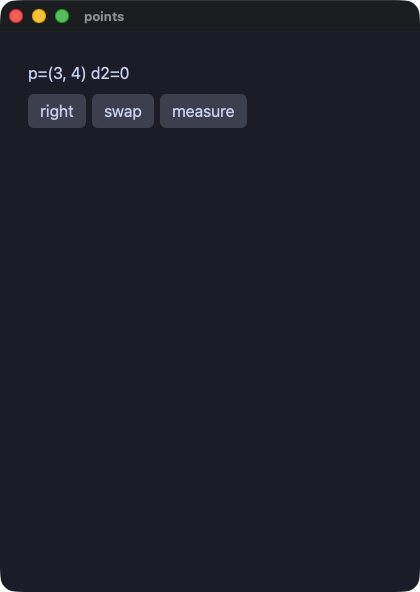
points.rb
# A small class of values, carried on the app's own state.
require "wakakusa"

class Point
  attr_reader :x, :y

  def initialize(x, y = 0)
    @x = x
    @y = y
  end
end

class Points
  def initialize
    @sel = Point.new(3, 4)
    @dist = 0
  end

  def view
    column(
      text("p=(#{@sel.x}, #{@sel.y}) d2=#{@dist}"),
      row(
        button("right") { @sel = Point.new(@sel.x + 5, @sel.y) },
        button("swap") { @sel = Point.new(@sel.y, @sel.x) },
        button("measure") { @dist = @sel.x * @sel.x + @sel.y * @sel.y },
        spacing: 6.0
      ),
      spacing: 8.0,
      padding: 12.0
    )
  end
end

run(Points.new, title: "points")
links — 互いを指すオブジェクト。Ruby の GC は循環を扱えるので、逆向きの参照も普通の参照でよい
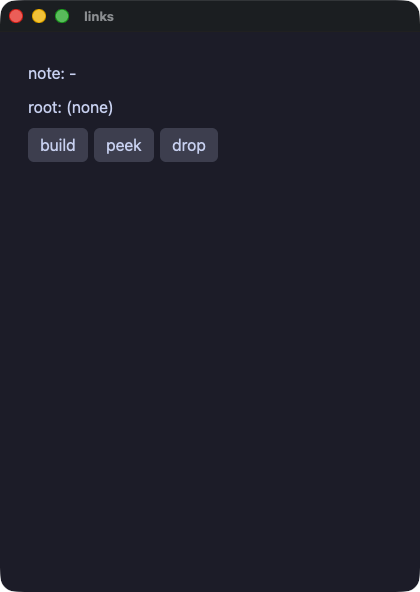
links.rb
# Objects that point at one another. Yokan needs a weak back pointer
# here so a parent and a child cannot own each other forever; Ruby's
# collector takes a cycle in its stride, so the back pointer is an
# ordinary reference and the tree is written the way it reads.
require "wakakusa"

class Node
  attr_accessor :label, :kid, :parent

  def initialize(label)
    @label = label
    @kid = nil
    @parent = nil
  end
end

class Tree
  def initialize
    @root = nil
    @keep = nil
    @note = "-"
  end

  def build
    a = Node.new("alpha")
    b = Node.new("beta")
    a.kid = b
    b.parent = a
    @root = a
    @keep = b
  end

  def peek
    @note = if @root.nil?
              @keep.nil? ? "no root" : "kept #{@keep.label}, parent=#{@keep.parent.label}"
            elsif @root.kid.nil?
              "no kid"
            else
              "kid=#{@root.kid.label} parent=#{@root.kid.parent.label}"
            end
  end

  def view
    column(spacing: 8.0, padding: 12.0) {
      text "note: #{@note}"
      if @root.nil?
        text "root: (none)"
      else
        text "root: #{@root.label}"
      end
      row(spacing: 6.0) {
        button("build") { build }
        button("peek") { peek }
        button("drop") { @root = nil }
      }
    }
  end
end

run(Tree.new, title: "links")
moods — いくつかの名前のどれかである値(シンボル)と、何もないかもしれない値(nil)を case で見分ける
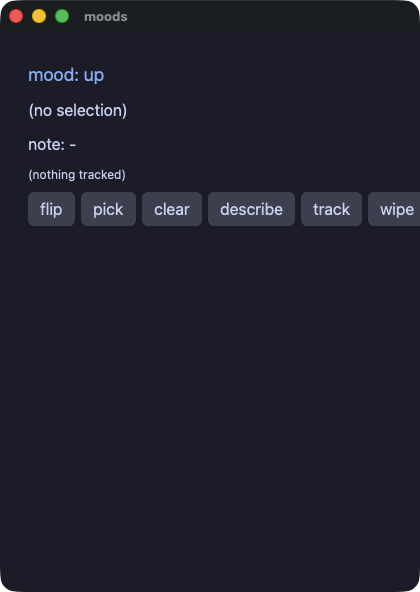
moods.rb
# Values that are one of a few named things, and a value that may be
# nothing at all. Ruby writes the first as symbols and the second as
# nil, and `case` tells them apart.
require "wakakusa"

class Tracker
  attr_reader :last, :trend

  def initialize
    @last = nil
    @trend = :happy
  end

  def note(v)
    @last = v
    @trend = case @trend
             when :happy then :sad
             else :happy
             end
  end

  def wipe
    @last = nil
  end
end

class Moods
  def initialize
    @mood = :happy
    @sel = nil
    @note = "-"
    @tracker = Tracker.new
  end

  def flip
    @mood = case @mood
            when :happy then :sad
            else :happy
            end
  end

  def describe
    @note = @sel.nil? ? "nothing chosen" : "chose #{@sel}"
  end

  def mood_line
    return text("mood: up", size: 18.0, color: "accent", animate: 120.0, easing: "out") if @mood == :happy

    text("mood: down", size: 18.0, color: "#f38ba8", animate: 120.0, easing: "out")
  end

  def view
    column(spacing: 8.0, padding: 12.0) {
      mood_line
      if @sel.nil?
        text "(no selection)"
      else
        text "selection: #{@sel}"
      end
      text "note: #{@note}"
      if @tracker.last.nil?
        text "(nothing tracked)", size: 12.0
      else
        text "tracked: #{@tracker.last}", size: 12.0
      end
      row(spacing: 6.0) {
        button("flip") { flip }
        button("pick") { @sel = 7 }
        button("clear") { @sel = nil }
        button("describe") { describe }
        button("track", animate: 100.0, easing: "inOut") { @tracker.note(9) }
        button("wipe") { @tracker.wipe }
      }
    }
  end
end

run(Moods.new, title: "moods")
要素、配置、見た目
forms — 人が動かす要素。チェックボックス、スイッチ、スライダ、そして 4 種類の選択
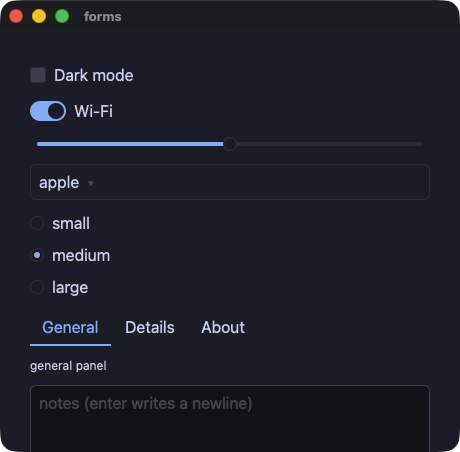
forms.rb
# The controls a person changes: a box, a switch, a track, and the four
# choosers. Each hands its new value to the block.
require "wakakusa"

class Forms
  def initialize
    @dark = false
    @wifi = true
    @volume = 5.0
    @fruits = ["apple", "banana", "cherry"]
    @fruit = 0
    @sizes = ["small", "medium", "large"]
    @size = 1
    @tabs = ["General", "Details", "About"]
    @tab = 0
    @note = ""
  end

  def panel
    return text("general panel", size: 12.0) if @tab == 0
    return text("details panel", size: 12.0) if @tab == 1

    text("about panel", size: 12.0)
  end

  def view
    column(
      checkbox("Dark mode", checked: @dark,
               tooltip: "the whole window follows this") { |on| @dark = on },
      switch("Wi-Fi", checked: @wifi) { |on| @wifi = on },
      slider(value: @volume, min: 0.0, max: 10.0, step: 1.0,
             tooltip: "0 to 10, in whole steps") { |v| @volume = v },
      select(options: @fruits, selected: @fruit) { |i| @fruit = i },
      radio_group(options: @sizes, selected: @size) { |i| @size = i },
      tab_bar(labels: @tabs, active: @tab) { |i| @tab = i },
      panel,
      text_field(@note, placeholder: "notes (enter writes a newline)",
                 multiline: true, rows: 3.0) { |t| @note = t },
      text("dark=#{@dark}  wifi=#{@wifi}  vol=#{format("%.1f", @volume)}"),
      text("fruit##{@fruit}  size##{@size}  tab##{@tab}"),
      spacing: 10.0,
      padding: 14.0
    )
  end
end

run(Forms.new, title: "forms", width: 460.0, height: 420.0)
quantities — 文字ではなく数を持つ 2 つの入力欄。enter で確定し、数でない文字は捨てられる
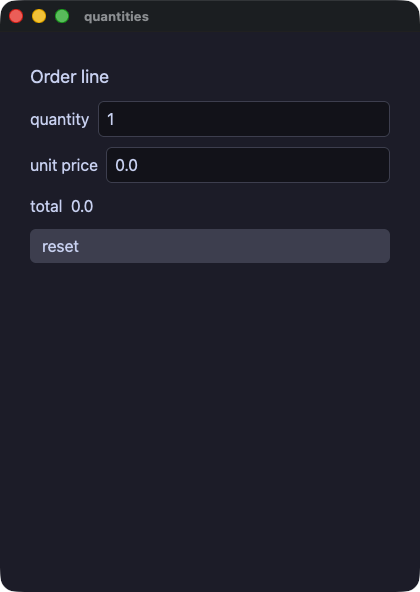
quantities.rb
# The two fields that hold a number rather than text: enter or leaving
# them commits, text that is not a number is dropped and the shown
# value returns to what the app holds.
require "wakakusa"

class Order
  def initialize
    @qty = 1
    @price = 0.0
  end

  def reset
    @qty = 1
    @price = 0.0
  end

  def view
    column(
      text("Order line", size: 18.0),
      row(
        text("quantity"),
        int_field(@qty, min: 1, max: 99, placeholder: "qty") { |n| @qty = n },
        spacing: 8.0
      ),
      row(
        text("unit price"),
        number_field(@price, min: 0.0, max: 1000.0, step: 0.5,
                     placeholder: "price") { |p| @price = p },
        spacing: 8.0
      ),
      text("total  #{@qty * @price}"),
      button("reset") { reset },
      spacing: 10.0,
      padding: 14.0
    )
  end
end

run(Order.new, title: "quantities")
layout — spacer と divider。続きを端まで押しやる余白と、区切り線
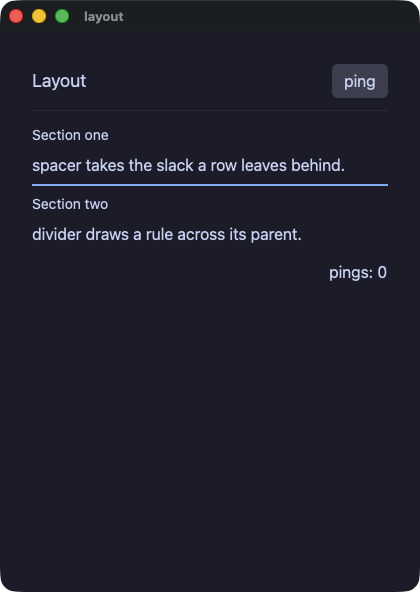
layout.rb
# spacer and divider: a filler and a rule. The header row's spacer
# pushes "ping" to the far edge; the footer's does the same for the
# count. divider draws the rules, the second one heavier and colored.
require "wakakusa"

class Layout
  def initialize
    @pings = 0
  end

  def view
    column(
      row(
        text("Layout", size: 18.0),
        spacer,
        button("ping") { @pings += 1 }
      ),
      divider,
      column(
        text("Section one", size: 14.0),
        text("spacer takes the slack a row leaves behind."),
        divider(thickness: 2.0, color: "accent"),
        text("Section two", size: 14.0),
        text("divider draws a rule across its parent."),
        spacing: 6.0
      ),
      row(
        spacer,
        text("pings: #{@pings}")
      ),
      spacing: 12.0,
      padding: 16.0
    )
  end
end

run(Layout.new, title: "layout")
cards — 名前のついた画面の一部はメソッド。他の要素を包むものは、それらを引数に取る
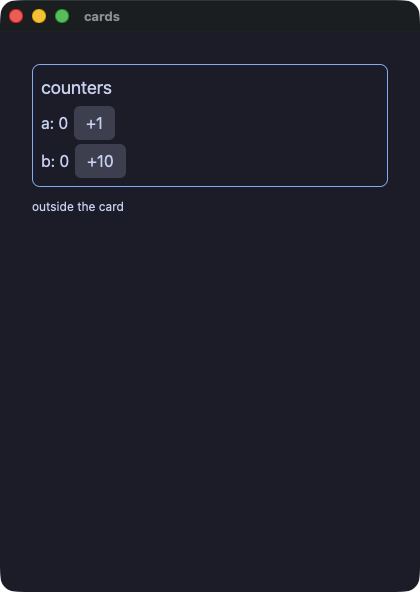
cards.rb
# A piece of screen with a name is a method that answers an element,
# and one that wraps other elements takes them as arguments.
require "wakakusa"

class Cards
  def initialize
    @a = 0
    @b = 0
  end

  def card(title, *kids)
    column(
      text(title, size: 18.0),
      *kids,
      spacing: 4.0, padding: 8.0,
      border_width: 1.0, border_color: "accent", border_radius: 8.0
    )
  end

  def view
    column(
      card("counters",
           row(text("a: #{@a}"), button("+1") { @a += 1 }, spacing: 6.0),
           row(text("b: #{@b}"), button("+10") { @b += 10 }, spacing: 6.0)),
      text("outside the card", size: 12.0),
      spacing: 10.0,
      padding: 16.0
    )
  end
end

run(Cards.new, title: "cards")
styled — 見た目をひとところに。Hash を merge して ** で渡し、theme: でパネルごと切り替える
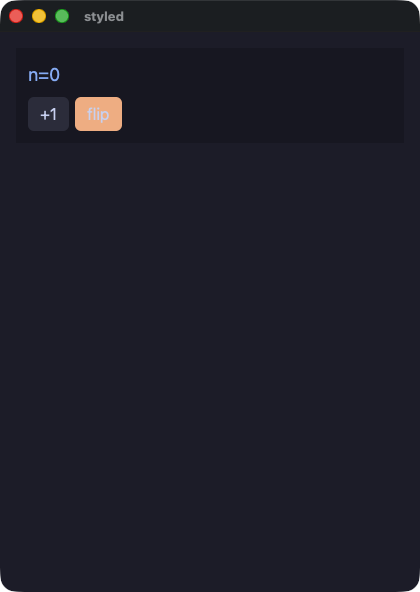
styled.rb
# A look kept in one place: a Hash of properties, merged and handed to
# an element with `**`. `theme:` swaps the palette its subtree resolves
# colors in, so one keyword flips the whole panel.
require "wakakusa"

CHIP = { size: 18.0, color: "accent" }.freeze
KEY = { background: "#313244", hover_background: "#45475a" }.freeze
HOT = { background: "#fab387" }.freeze
KEY_HOT = KEY.merge(HOT).freeze

class Styled
  def initialize
    @mode = "dark"
    @n = 0
  end

  def flip
    @mode = @mode == "dark" ? "light" : "dark"
  end

  def view
    column(
      text("n=#{@n}", **CHIP),
      row(
        button("+1", **KEY) { @n += 1 },
        button("flip", **KEY_HOT) { flip },
        spacing: 6.0
      ),
      spacing: 8.0, padding: 12.0, background: "panel", theme: @mode
    )
  end
end

run(Styled.new, title: "styled")
badges — 文字を丸いラベルに。等幅、下線、斜体、省略記号での打ち切り、行数の制限
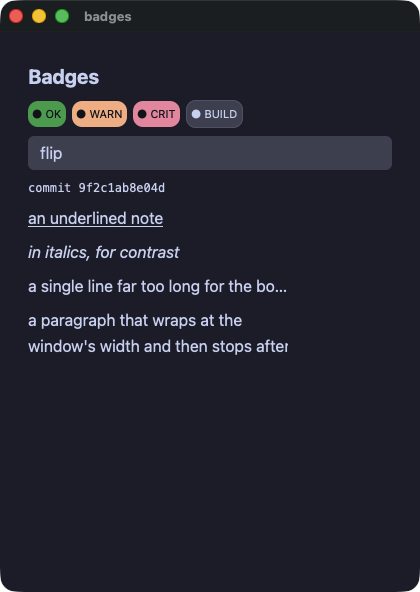
badges.rb
# Text as a pill: a background with padding and a radius. And the rest
# of what a run of text can be — monospace, underlined, italic, clipped
# with an ellipsis, or wrapped and then clamped.
require "wakakusa"

PILL = { size: 11.0, color: "#11111b", padding: 4.0, border_radius: 10.0 }.freeze
PILL_OK = PILL.merge({ background: "#2fa84f" }).freeze
PILL_WARN = PILL.merge({ background: "#fab387" }).freeze
PILL_CRIT = PILL.merge({ background: "#f38ba8" }).freeze

class Badges
  def initialize
    @tint = "#45475a"
    @hot = false
  end

  def flip
    @hot = !@hot
    @tint = @hot ? "#f38ba8" : "#45475a"
  end

  def view
    column(
      text("Badges", size: 20.0, bold: true),
      row(
        text("● OK", **PILL_OK),
        text("● WARN", **PILL_WARN),
        text("● CRIT", **PILL_CRIT),
        text("● BUILD", size: 11.0, color: "#cdd6f4", background: @tint,
             padding: 4.0, border_radius: 10.0, border_width: 1.0,
             border_color: "#585b70"),
        spacing: 6.0
      ),
      button("flip") { flip },
      text("commit 9f2c1ab8e04d", mono: true, size: 12.0),
      text("an underlined note", underline: true),
      text("in italics, for contrast", italic: true),
      # An ellipsis needs a bounded box to clip against.
      text("a single line far too long for the box it was given, so it ends in an ellipsis",
           wrap: "ellipsis", width: 260.0),
      # The clamp is the other half: this one wraps, then stops.
      text("a paragraph that wraps at the window's width and then stops after two lines, " \
           "because a clamped label is what a card summary wants",
           max_lines: 2, width: 260.0),
      spacing: 8.0,
      padding: 12.0
    )
  end
end

run(Badges.new, title: "badges")
panels — 並べる要素と覆う要素。グリッド、重ね、スクロールする面、ウィンドウの上に出る一枚
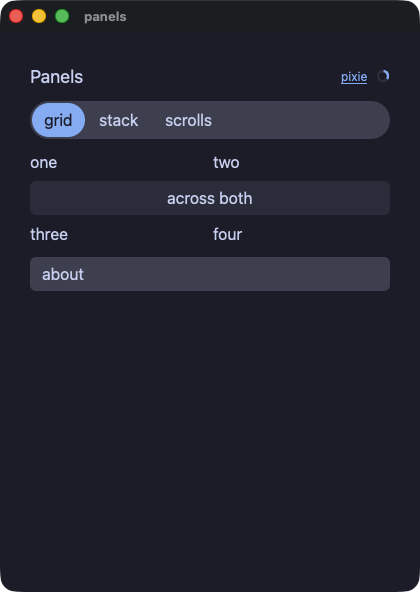
panels.rb
# The elements that arrange or cover: tracks, layers, panes that
# scroll, and a panel over the rest of the window.
require "wakakusa"

class Panels
  def initialize
    @open = false
    @view = 0
    @views = ["grid", "stack", "scrolls"]
  end

  def tracks
    grid(
      text("one"), text("two"),
      grid_cell(text("across both", align: "center", background: "#313244",
                     padding: 4.0, border_radius: 6.0), col_span: 2),
      text("three"), text("four"),
      columns: 2, spacing: 6.0
    )
  end

  def layers
    stack(
      image("demo/assets/postcard.png", width: 180.0, height: 90.0),
      text("over the picture", size: 14.0, color: "#11111b",
           background: "#f9e2af", padding: 4.0)
    )
  end

  def scrolls
    column(
      scroll_view(
        column(*(1..12).map { |n| text("line #{n}") }, spacing: 2.0),
        height: 90.0
      ),
      h_scroll_view(
        row(*(1..10).map { |n| text("col #{n}", width: 70.0) }, spacing: 6.0)
      ),
      spacing: 8.0
    )
  end

  def panel
    return tracks if @view == 0
    return layers if @view == 1

    scrolls
  end

  def view
    stack(
      column(
        row(
          text("Panels", size: 18.0),
          spacer,
          link("pixie", "https://example.invalid", size: 12.0),
          spinner(size: 14.0),
          spacing: 8.0
        ),
        segmented(options: @views, selected: @view) { |i| @view = i },
        panel,
        button("about") { @open = true },
        spacing: 10.0,
        padding: 14.0
      ),
      modal(
        column(
          text("A panel over the rest of it.", size: 14.0),
          button("close") { @open = false },
          spacing: 8.0, padding: 12.0, background: "panel"
        ),
        open: @open
      )
    )
  end
end

run(Panels.new, title: "panels")
dialog — ウィンドウの上に出る一枚を、アプリが開いて閉じる
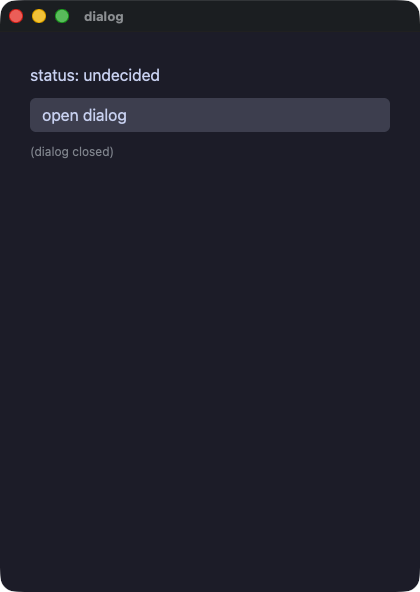
dialog.rb
# A panel over the rest of the window, opened and closed by the app.
require "wakakusa"

class Dialog
  def initialize
    @show = false
    @status = "undecided"
  end

  def decide(answer)
    @status = answer
    @show = false
  end

  def view
    column(spacing: 10.0, padding: 14.0) {
      text "status: #{@status}", size: 16.0
      button("open dialog") { @show = true }
      if @show
        modal {
          text "accept the terms?", size: 18.0
          row(spacing: 8.0) {
            button("accept") { decide("accepted") }
            button("decline") { decide("declined") }
          }
        }
      else
        text "(dialog closed)", size: 12.0, color: "#8a8f98"
      end
    }
  end
end

run(Dialog.new, title: "dialog")
labels — 画面読み上げに伝える名前と、ポインタが見せる説明。role: は値を取るので、見出しであることを途中でやめられる
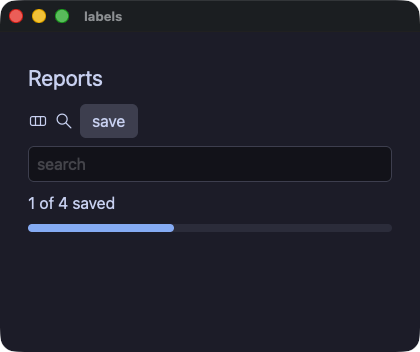
labels.rb
# What a screen reader is told, and what the pointer shows. `role:`
# takes a value, so the summary line is a heading until there is a
# result under it and then it is not.
require "wakakusa"

class Labels
  def initialize
    @title = "Reports"
    @query = ""
    @summary_role = "heading"
  end

  def view
    column(
      text(@title, size: 22.0, role: "heading"),
      row(
        svg("demo/assets/yokan.svg", width: 20.0, height: 20.0, a11y_label: "Yokan"),
        svg("demo/assets/search.svg", width: 20.0, height: 20.0, a11y_label: "Search"),
        # The one element carrying a tooltip, a role, a name and a tween
        # at once, which is what pins the order they wrap in.
        button("save", animate: 150.0, easing: "out", role: "button",
               a11y_label: "Save the report", tooltip: "Save this report") do
          @summary_role = "label"
        end,
        spacing: 6.0, role: "group", a11y_label: "toolbar"
      ),
      text_field(@query, placeholder: "search", a11y_label: "search") { |q| @query = q },
      text("1 of 4 saved", role: @summary_role),
      progress(0.4),
      spacing: 8.0,
      padding: 12.0
    )
  end
end

run(Labels.new, title: "labels", width: 420.0, height: 320.0)
shared — 共通のプロパティを、種類の違う要素それぞれに付けてみる
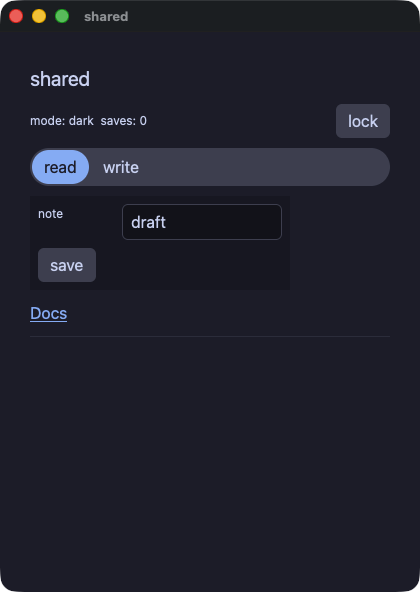
shared.rb
# The properties every element takes, on elements that have nothing
# else in common: a theme scope on a spacer, a box around a column, a
# tween on a chooser, a tooltip on a rule, and the lock that makes a
# field and a button inert.
require "wakakusa"

class Locks
  def initialize
    @locked = false
    @saves = 0
    # The palette the spacer's subtree resolves its tokens in — a
    # property takes a value, not just a literal, so the lock switches it.
    @mode = "dark"
    @tab = 0
    @note = "draft"
  end

  def flip
    @locked = !@locked
    @mode = @locked ? "light" : "dark"
  end

  def view
    column(
      text("shared", size: 20.0, role: "heading"),
      row(
        text("mode: #{@mode}  saves: #{@saves}", size: 12.0),
        # A theme scope on a spacer: the property is the element's,
        # whichever element it is.
        spacer(grow: 1.0, theme: @mode),
        button("lock", tooltip: "flip the lock") { flip },
        spacing: 8.0
      ),
      segmented(options: ["read", "write"], selected: @tab,
                animate: 120.0, easing: "out") { |i| @tab = i },
      # A box around the section: 260 wide, never under 200.
      column(
        # The field takes two of the grid's three tracks, and goes inert
        # with the lock.
        grid(
          text("note", size: 12.0),
          text_field(@note, col_span: 2, disabled: @locked) { |t| @note = t },
          columns: 3, spacing: 8.0
        ),
        button("save", disabled: @locked, tooltip: "count a save") { @saves += 1 },
        width: 260.0, min_width: 200.0, spacing: 8.0, padding: 8.0, background: "panel"
      ),
      link("Docs", "https://i2y.github.io/yokan/", role: "button"),
      divider(tooltip: "the end of the shared properties"),
      spacing: 10.0,
      padding: 14.0
    )
  end
end

run(Locks.new, title: "shared")
loading — 満ちていくバーの 3 つの形と、終わりの見えないジョブのための行き来する表示
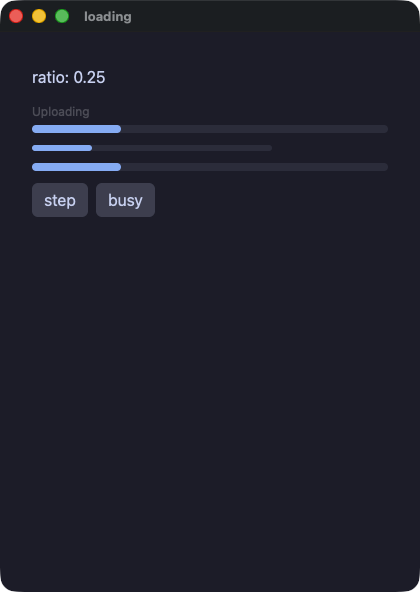
loading.rb
# The bar that fills, in its three forms: with a caption above it, at a
# size the app chose, and sweeping for work with no known length.
require "wakakusa"

class Loading
  def initialize
    @ratio = 0.25
    @busy = false
  end

  def step
    @ratio = @ratio >= 1.0 ? 0.0 : @ratio + 0.25
  end

  def view
    column(
      text("ratio: #{@ratio}"),
      progress(@ratio, label: "Uploading"),
      progress(@ratio, width: 240.0, height: 6.0),
      progress(@ratio, indeterminate: @busy),
      row(
        button("step") { step },
        button("busy") { @busy = !@busy },
        spacing: 8.0
      ),
      spacing: 12.0,
      padding: 16.0
    )
  end
end

run(Loading.new, title: "loading")
filter — リストの見せかたを変える選択。行は必要なぶんだけ作られる
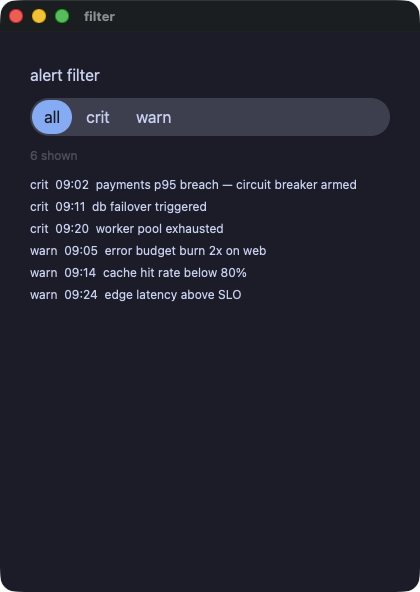
filter.rb
# A chooser that changes what a list shows. The rows are built on
# demand, so the list is asked only for the ones in view.
require "wakakusa"

class Alerts
  def initialize
    @levels = ["all", "crit", "warn"]
    @level = 0
    @crit = [
      "crit  09:02  payments p95 breach — circuit breaker armed",
      "crit  09:11  db failover triggered",
      "crit  09:20  worker pool exhausted",
    ]
    @warn = [
      "warn  09:05  error budget burn 2x on web",
      "warn  09:14  cache hit rate below 80%",
      "warn  09:24  edge latency above SLO",
    ]
    @visible = @crit + @warn
  end

  def pick(i)
    @level = i
    @visible = case i
               when 1 then @crit
               when 2 then @warn
               else @crit + @warn
               end
  end

  def alert_row(i)
    text(@visible[i], size: 12.0)
  end

  def view
    column(
      text("alert filter", size: 16.0),
      segmented(options: @levels, selected: @level) { |i| pick(i) },
      text("#{@visible.length} shown", size: 12.0, color: "textDim"),
      list_view(@visible.length, item_height: 22.0, height: 150.0) { |i| alert_row(i) },
      spacing: 10.0,
      padding: 14.0
    )
  end
end

run(Alerts.new, title: "filter")
リストと表とグラフ
table — data_table が表そのものを描く。最初の row が見出しで、以降は交互に色の変わるデータ行
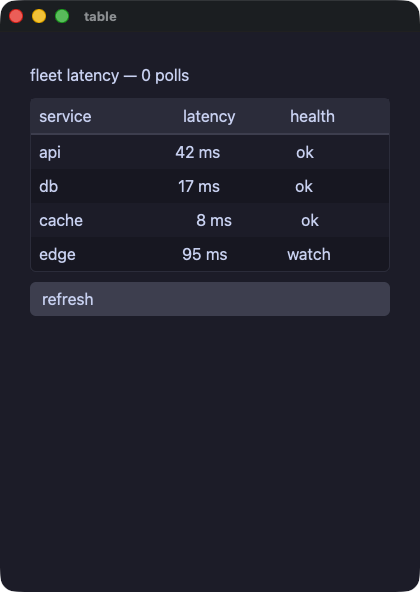
table.rb
# data_table draws the table itself: the first row inside it is the
# header, every later row is a data row shaded in alternation, and the
# frame comes with the element. Columns line up because the cells of
# one column carry the same `grow` share.
require "wakakusa"

class Fleet
  def initialize
    @latency = { "api" => 42, "db" => 17, "cache" => 8, "edge" => 95 }
    @polls = 0
  end

  def refresh
    @polls += 1
    @latency["api"] = (@latency["api"] * 3 + 29) % 140
    @latency["db"] = (@latency["db"] * 5 + 11) % 140
    @latency["cache"] = (@latency["cache"] * 7 + 3) % 140
    @latency["edge"] = (@latency["edge"] * 2 + 47) % 140
  end

  def health(ms)
    label = "ok"
    label = "watch" if ms > 60
    label = "slow" if ms > 100
    label
  end

  def service_row(name)
    row(
      text(name, grow: 2.0),
      text("#{@latency[name]} ms", grow: 1.0, align: "right"),
      text(health(@latency[name]), grow: 1.0, align: "center"),
      spacing: 8.0
    )
  end

  def view
    column(
      text("fleet latency — #{@polls} polls", size: 16.0),
      data_table(
        row(
          text("service", grow: 2.0),
          text("latency", grow: 1.0, align: "right"),
          text("health", grow: 1.0, align: "center"),
          spacing: 8.0
        ),
        service_row("api"),
        service_row("db"),
        service_row("cache"),
        service_row("edge")
      ),
      button("refresh") { refresh },
      spacing: 10.0,
      padding: 14.0
    )
  end
end

run(Fleet.new, title: "table")
roster — 行を必要なぶんだけ作る表。行の選択と見出しでの並べ替えは、アプリ自身が行う
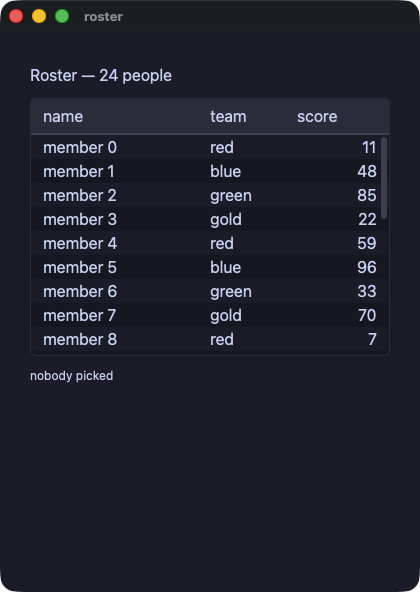
roster.rb
# The table that builds its rows on demand: the block builds row i as a
# row of one cell per column, and the header and the rows sit on tracks
# whose shares are `widths`. Picking a row and sorting a column are the
# app's own methods, named rather than handed over.
require "wakakusa"

class Roster
  def initialize
    @teams = ["red", "blue", "green", "gold"]
    @names = []
    @team_of = []
    @scores = []
    24.times do |i|
      @names.push("member #{i}")
      @team_of.push(@teams[i % 4])
      @scores.push((i * 37 + 11) % 100)
    end
    @sel = -1
    @line = ""
    @sort = -1
    @desc = false
  end

  def pick(i)
    @sel = i
    @line = "#{@names[i]} (#{@team_of[i]}, #{@scores[i]})"
  end

  def sort_by(col)
    @desc = col == @sort ? !@desc : false
    @sort = col
    order = (0...@names.length).to_a
    order.sort_by! { |i| col == 2 ? @scores[i] : @names[i] }
    order.reverse! if @desc
    @names = order.map { |i| @names[i] }
    @team_of = order.map { |i| @team_of[i] }
    @scores = order.map { |i| @scores[i] }
    @sel = -1
    @line = ""
  end

  def line(i)
    row(
      text(@names[i], grow: 2.0),
      text(@team_of[i], grow: 1.0),
      text(@scores[i].to_s, grow: 1.0, align: "right")
    )
  end

  def view
    column(
      text("Roster — #{@names.length} people", size: 16.0),
      table(["name", "team", "score"], @names.length,
            widths: [2.0, 1.0, 1.0], height: 220.0,
            selected: @sel, sort: @sort, descending: @desc,
            on_select: -> { pick(event_index) },
            on_sort: -> { sort_by(event_index) }) { |i| line(i) },
      text(@line.empty? ? "nobody picked" : @line, size: 12.0),
      spacing: 10.0,
      padding: 14.0
    )
  end
end

run(Roster.new, title: "roster")
csv_viewer — 10 万行を、打ちながら絞り込む。作られるのは画面に入っている行だけ
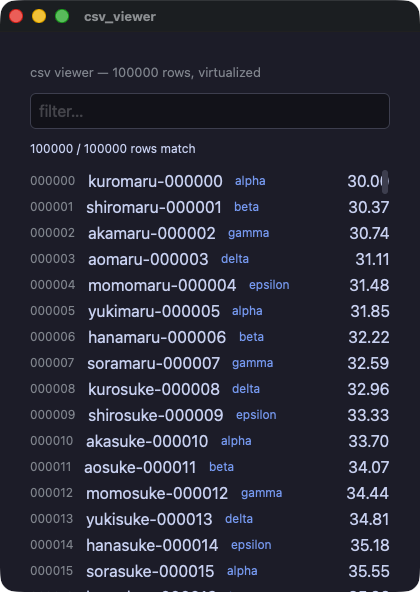
csv_viewer.rb
# A hundred thousand rows, filtered as you type. The list is
# virtualized: only the rows in the window are ever built, so the
# filter is the only thing that touches all of them.
#
# The numbers are arithmetic rather than random, because the two runs
# do not share a generator and a viewer whose rows cannot be compared
# would not be worth gating.
require "wakakusa"

N = 100_000
CATS = %w[alpha beta gamma delta epsilon].freeze
STEMS = %w[kuro shiro aka ao momo yuki hana sora].freeze
TAILS = %w[maru suke chan gou ta emon].freeze

class Viewer
  def initialize
    @names = Array.new(N) { |i| format("%s%s-%06d", STEMS[i % 8], TAILS[(i / 8) % 6], i) }
    @cats = Array.new(N) { |i| CATS[i % 5] }
    @values = Array.new(N) { |i| ((i * 37 % 4000) / 100.0) + 30.0 }
    @q = ""
    @idx = (0...N).to_a
  end

  def filter(q)
    @q = q
    @idx = if q.empty?
             (0...N).to_a
           else
             low = q.downcase
             (0...N).select { |i| @names[i].include?(low) || @cats[i].include?(low) }
           end
  end

  def line(k)
    i = @idx[k]
    row(spacing: 12.0) {
      text format("%06d", i), size: 12.0, color: "#8a8f98"
      text @names[i], grow: 1.0
      text @cats[i], size: 12.0, color: "#7aa2f7"
      text format("%.2f", @values[i]), align: "right"
    }
  end

  def view
    column(spacing: 10.0, padding: 14.0) {
      text "csv viewer — #{N} rows, virtualized", size: 13.0, color: "#8a8f98"
      text_field(@q, placeholder: "filter…") { |t| filter(t) }
      text "#{@idx.length} / #{N} rows match", size: 12.0
      list_view(@idx.length, item_height: 26.0, height: 430.0) { |k| line(k) }
    }
  end
end

run(Viewer.new, title: "csv_viewer")
trend — ひとつの数のリストを、2 通りに描く
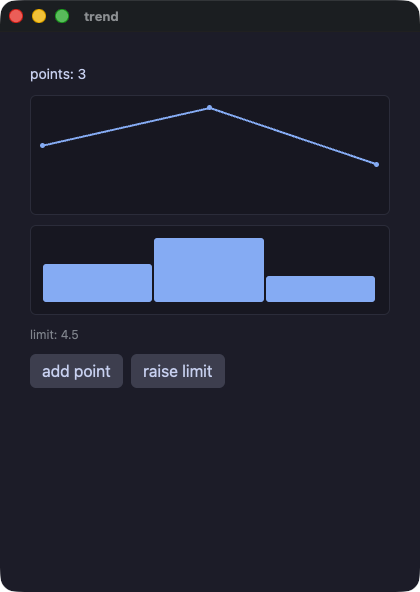
trend.rb
# One list of numbers, drawn twice. A chart takes its data as its first
# argument, so a view that computes the numbers reads in order.
require "wakakusa"

class Trend
  def initialize
    @values = [3.0, 5.0, 2.0]
    @limit = 4.5
  end

  def bump
    values = @values.dup
    values.push(8.0)
    @values = values
  end

  def view
    column(
      text("points: #{@values.length}", size: 14.0),
      line_chart(@values, height: 120.0),
      bar_chart(@values, height: 90.0),
      text("limit: #{format("%.1f", @limit)}", size: 12.0, color: "#8a8f98"),
      row(
        button("add point") { bump },
        button("raise limit") { @limit += 0.5 },
        spacing: 8.0
      ),
      spacing: 10.0,
      padding: 14.0
    )
  end
end

run(Trend.new, title: "trend")
charts — 0 の線より下に垂れる損失、固定した範囲、目盛りと補助線のある軸、色を持つ 2 本の系列
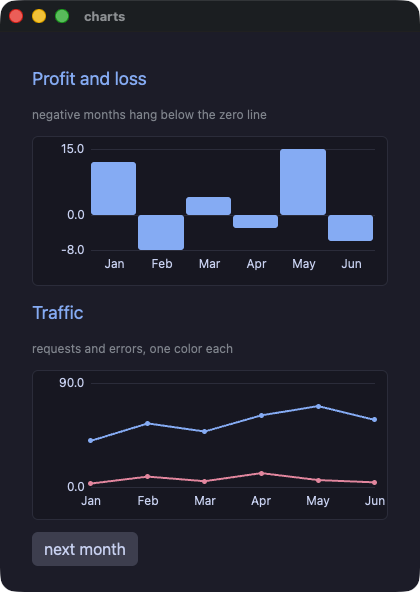
charts.rb
# Charts that can say what they mean: a profit-and-loss bar chart whose
# losing months hang below the zero line, and a two-series line chart.
# `min`/`max` both zero take the range from the data; `axis` draws the
# tick labels and a faint gridline at each; `series` takes one list per
# line, `colors` one color each.
require "wakakusa"

HEADING = { size: 18.0, color: "accent" }.freeze
FAINT = { size: 12.0, color: "#8a8f98" }.freeze

class Book
  def initialize
    @months = ["Jan", "Feb", "Mar", "Apr", "May", "Jun"]
    @profit = [12.0, -8.0, 4.0, -3.0, 15.0, -6.0]
    @requests = [40.0, 55.0, 48.0, 62.0, 70.0, 58.0]
    @errors = [3.0, 9.0, 5.0, 12.0, 6.0, 4.0]
    @traffic = [@requests, @errors]
    @n = 6
  end

  def next_month
    @n += 1
    # A deterministic next month, so both runs read the same numbers
    # and the gate can compare them.
    @profit = grown(@profit, (@n * 7 % 41).to_f - 18.0)
    @months = grown(@months, "M#{@n}")
    @requests = grown(@requests, (@n * 13 % 50).to_f + 30.0)
    @errors = grown(@errors, (@n * 5 % 14).to_f)
    @traffic = [@requests, @errors]
  end

  # `list + [one]` on a field takes a different shape in the two runs;
  # a copy that is pushed to takes the same one in both.
  def grown(list, item)
    out = list.dup
    out.push(item)
    out
  end

  def view
    column(
      text("Profit and loss", **HEADING),
      text("negative months hang below the zero line", **FAINT),
      bar_chart(@profit, labels: @months, axis: true, height: 150.0),
      text("Traffic", **HEADING),
      text("requests and errors, one color each", **FAINT),
      line_chart(series: @traffic, labels: @months, colors: ["accent", "#f38ba8"],
                 axis: true, max: 90.0, height: 150.0),
      row(button("next month") { next_month }, spacing: 8.0),
      spacing: 12.0,
      padding: 16.0
    )
  end
end

run(Book.new, title: "charts")
キャンバスと、2 本のゲーム
canvas — 仮想ピクセルの格子を、命令をひとつずつ並べて塗る。色はパレットの番号、キーボードはタイマーから読む
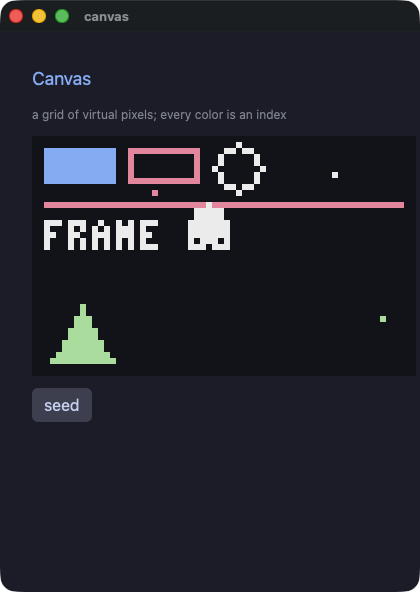
canvas.rb
# A canvas: a grid of virtual pixels, painted command by command.
#
# `canvas(width, height, scale:, background:, palette:)` opens the grid
# and its block paints — pixel, line, rect, rect_outline, circle,
# circle_outline, triangle, triangle_outline, sprite and pixel_text.
# `scale` says how many logical pixels one virtual pixel takes, so a
# 64x40 canvas at six is 384x240 on screen.
#
# Every color is a NUMBER: the index of a color in `palette`. That is
# how tools for pixel art work, so drawing code written for one moves
# here with its numbers unchanged.
#
# The commands are not elements. Nothing here can be clicked, themed,
# sized or animated, and a loop inside the canvas is the ordinary loop:
# what its body paints joins the frame where it stands.
require "wakakusa"

HEADING = { size: 18.0, color: "accent" }.freeze
FAINT = { size: 12.0, color: "#8a8f98" }.freeze

# Five colors are enough to show that the index IS the color.
PALETTE = ["#11111b", "#89b4fa", "#f38ba8", "#eeeeee", "#a6e3a1"].freeze

class Blip
  attr_reader :x, :y, :c

  def initialize(x, y, c)
    @x = x
    @y = y
    @c = c
  end
end

class Sky
  def initialize
    @frame = 0
    @ball_x = 30
    @ball_y = 18
    @dx = 1
    @dy = 1
    @blips = []
    seed
  end

  def seed
    @blips = [Blip.new(6, 4, 1), Blip.new(20, 9, 2), Blip.new(50, 6, 3), Blip.new(58, 30, 4)]
  end

  def tick
    @frame += 1
    # The keyboard is read here, in the tick, never in a view.
    # `key_down` is "held right now", so holding an arrow steers.
    @dx = -1 if key_down("left")
    @dx = 1 if key_down("right")
    @dy = -@dy if key_pressed("space")
    x = @ball_x + @dx
    y = @ball_y + @dy
    if x < 4
      x = 4
      @dx = 1
    end
    if x > 59
      x = 59
      @dx = -1
    end
    if y < 4
      y = 4
      @dy = 1
    end
    if y > 35
      y = 35
      @dy = -1
    end
    @ball_x = x
    @ball_y = y
  end

  def blip(b)
    pixel(b.x, b.y, b.c)
  end

  def view
    column(spacing: 12.0, padding: 16.0) {
      text "Canvas", **HEADING
      text "a grid of virtual pixels; every color is an index", **FAINT
      canvas(64, 40, scale: 6, background: 0, palette: PALETTE) {
        rect(2, 2, 12, 6, 1)
        rect_outline(16, 2, 12, 6, 2)
        circle_outline(34, 5, 4, 3)
        line(2, 11, 61, 11, 2)
        triangle(3, 37, 8, 28, 13, 37, 4)
        @blips.each { |b| blip(b) }
        circle(@ball_x, @ball_y, 3, 3)
        pixel_text(2, 14, "FRAME #{@frame}", 3)
      }
      row(spacing: 8.0) {
        button("seed") { seed }
      }
    }
  end
end

app = Sky.new
every(0.05) { app.tick }
run(app, title: "canvas")
jump — Pyxel のジャンプゲームの移植。重力、乗ると落ちる床、果物、それぞれの速さで流れる背景
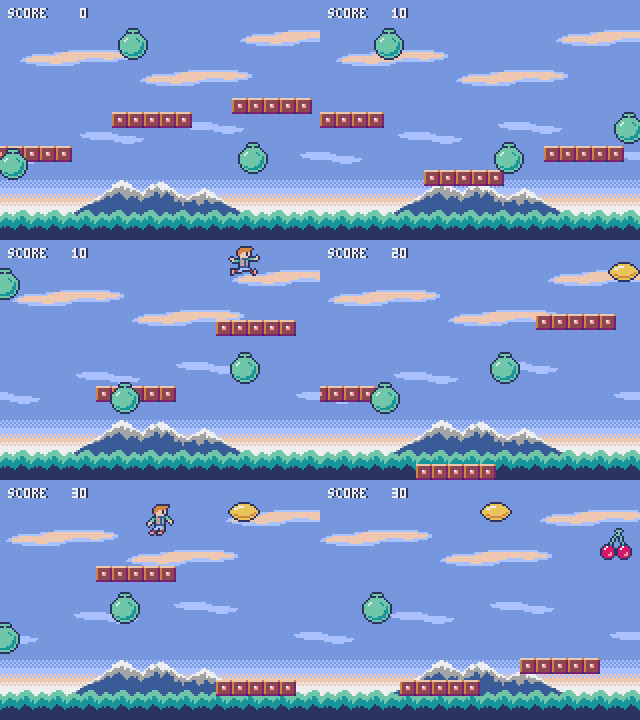
jump.rb
# Pyxel Jump, ported to Wakakusa.
#
# The original is `02_jump_game.py` from Pyxel's examples (Takashi
# Kitao, MIT, https://github.com/kitao/pyxel), and `assets/jump.png` is
# that example's own image bank written out with Pyxel's palette. The
# port follows it line by line: `pyxel.blt` becomes `sprite`,
# `pyxel.btn` becomes `key_down`, `pyxel.cls(12)` becomes the canvas
# background, and 12 still means the same color, because inside a
# canvas a color is an index into the palette this file declares.
#
# What is different, and why. The three effects are WAV files written
# by `tools/gen_sounds.rb` rather than the original's chiptune, since
# the engine plays files; a run under a script is silent, so the gate
# still compares two silent runs. And the numbers come from a generator
# written here rather than from `rand`: a seeded `rand` gives the two
# runs different sequences, and a game whose floors land in different
# places is not one the gate can compare. Everything else is the game.
#
# Left and right move; the rest is gravity.
require "wakakusa"

WIDTH = 160
HEIGHT = 120
SKY = 12
SHEET = "demo/assets/jump.png"
SND_BOUNCE = "demo/assets/sound/jump.wav"
SND_FRUIT = "demo/assets/sound/pickup.wav"
SND_OVER = "demo/assets/sound/over.wav"

PALETTE = [
  "#000000", "#2b335f", "#7e2072", "#19959c",
  "#8b4852", "#395c98", "#a9c1ff", "#eeeeee",
  "#d4186c", "#d38441", "#e9c35b", "#70c6a9",
  "#7696de", "#a3a3a3", "#ff9798", "#edc7b0"
].freeze

# Whole numbers from arithmetic alone, so both runs draw one game.
class Roll
  def initialize(seed)
    @s = seed
  end

  def int(lo, hi)
    @s = (@s * 1103515245 + 12345) % 2147483648
    lo + ((@s >> 8) % (hi - lo + 1))
  end
end

class Cloud
  attr_reader :x, :y

  def initialize(x, y)
    @x = x
    @y = y
  end
end

class Floor
  attr_reader :x, :y, :alive

  def initialize(x, y, alive)
    @x = x
    @y = y
    @alive = alive
  end
end

class Fruit
  attr_reader :x, :y, :kind, :alive

  def initialize(x, y, kind, alive)
    @x = x
    @y = y
    @kind = kind
    @alive = alive
  end
end

class Game
  def initialize
    @score = 0
    @px = 72
    @py = -16
    @dy = 0
    @alive = true
    @frame = 0
    # What the view needs whole: the parallax offsets and which of the
    # two player sprites to cut out.
    @tree_off = 0
    @far_off = 0
    @near_off = 0
    @player_u = 0
    @roll = Roll.new(11)
    @far = [Cloud.new(-10, 75), Cloud.new(40, 65), Cloud.new(90, 60)]
    @near = [Cloud.new(10, 25), Cloud.new(70, 35), Cloud.new(120, 15)]
    @floors = []
    @fruits = []
    4.times { |i| boot_one(i) }
  end

  def boot_one(i)
    @floors.push(Floor.new(i * 60, @roll.int(8, 104), true))
    @fruits.push(Fruit.new(i * 60, @roll.int(0, 104), @roll.int(0, 2), true))
  end

  def tick
    @frame += 1
    @tree_off = @frame % 160
    @far_off = (@frame / 16) % 160
    @near_off = (@frame / 8) % 160
    update_player
    update_floors
    update_fruits
  end

  def update_player
    @px = [@px - 2, 0].max if key_down("left")
    @px = [@px + 2, WIDTH - 16].min if key_down("right")
    @py += @dy
    @dy = [@dy + 1, 8].min
    @player_u = 0
    @player_u = 16 if @dy > 0
    return if @py <= HEIGHT

    audio_play(SND_OVER, 0.5) if @alive
    @alive = false
    return if @py <= 600

    @score = 0
    @px = 72
    @py = -16
    @dy = 0
    @alive = true
  end

  # A floor the player lands on drops away and bounces them. The
  # original edits the tuple in the list; these are built fresh
  # instead, and `dy` is carried in a local because the bounce it
  # writes is what the floors after this one see.
  def update_floors
    out = []
    @floors.each { |f| out.push(next_floor(f)) }
    @floors = out
  end

  def next_floor(f)
    x = f.x
    y = f.y
    alive = f.alive
    if alive
      if @px + 16 >= x && @px <= x + 40 && @py + 16 >= y && @py <= y + 8 && @dy > 0
        alive = false
        @score += 10
        @dy = -12
        audio_play(SND_BOUNCE, 0.5)
      end
    else
      y += 6
    end
    x -= 4
    if x < -40
      x += 240
      y = @roll.int(8, 104)
      alive = true
    end
    Floor.new(x, y, alive)
  end

  def update_fruits
    out = []
    @fruits.each { |f| out.push(next_fruit(f)) }
    @fruits = out
  end

  def next_fruit(f)
    x = f.x
    y = f.y
    kind = f.kind
    alive = f.alive
    if alive && (x - @px).abs < 12 && (y - @py).abs < 12
      alive = false
      @score += (kind + 1) * 100
      @dy = [@dy, -8].min
      audio_play(SND_FRUIT, 0.5)
    end
    x -= 2
    if x < -40
      x += 240
      y = @roll.int(0, 104)
      kind = @roll.int(0, 2)
      alive = true
    end
    Fruit.new(x, y, kind, alive)
  end

  def tree(i)
    sprite(i * 160 - @tree_off, 104, SHEET, 0, 48, 160, 16, colkey: SKY)
  end

  def far_cloud(c, i)
    sprite(c.x + i * 160 - @far_off, c.y, SHEET, 64, 32, 32, 8, colkey: SKY)
  end

  def near_cloud(c, i)
    sprite(c.x + i * 160 - @near_off, c.y, SHEET, 0, 32, 56, 8, colkey: SKY)
  end

  def far_strip(i)
    @far.each { |c| far_cloud(c, i) }
  end

  def near_strip(i)
    @near.each { |c| near_cloud(c, i) }
  end

  def floor_of(f)
    sprite(f.x, f.y, SHEET, 0, 16, 40, 8, colkey: SKY)
  end

  def fruit_of(f)
    sprite(f.x, f.y, SHEET, 32 + f.kind * 16, 0, 16, 16, colkey: SKY) if f.alive
  end

  def view
    column(spacing: 0.0, padding: 0.0) {
      canvas(WIDTH, HEIGHT, scale: 4, background: SKY, palette: PALETTE) {
        # sky, mountain, and the trees that scroll fastest
        sprite(0, 88, SHEET, 0, 88, 160, 32)
        sprite(0, 88, SHEET, 0, 64, 160, 24, colkey: SKY)
        2.times { |i| tree(i) }
        # two layers of cloud, each strip drawn twice so it wraps
        2.times { |i| far_strip(i) }
        2.times { |i| near_strip(i) }
        @floors.each { |f| floor_of(f) }
        @fruits.each { |f| fruit_of(f) }
        sprite(@px, @py, SHEET, @player_u, 0, 16, 16, colkey: SKY)
        pixel_text(5, 4, format("SCORE %4d", @score), 1)
        pixel_text(4, 4, format("SCORE %4d", @score), 7)
      }
    }
  end
end

app = Game.new
every(0.033) { app.tick }
run(app, title: "Pyxel Jump", width: 640.0, height: 480.0, padding: 0.0)
shooter — Pyxel のシューティングの移植。場面の切り替え、視差のある星、揺れながら落ちてくる敵、当たり判定と広がる爆発
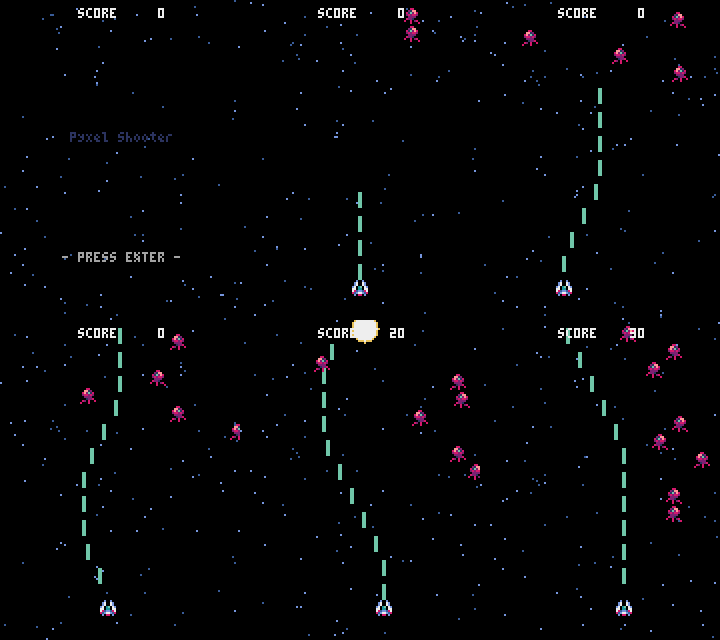
shooter.rb
# Pyxel Shooter, ported to Wakakusa.
#
# The original is `10_platformer.py`'s sibling `shooter.py` from
# Pyxel's examples (Takashi Kitao, MIT,
# https://github.com/kitao/pyxel), and `assets/shooter.png` is that
# example's own image bank written out with Pyxel's palette.
#
# What is different, and why. The effects are WAV files written by
# `tools/gen_sounds.rb` rather than the original's chiptune, since the
# engine plays files; a run under a script is silent, so the gate still
# compares two silent runs. And the numbers come from a generator
# written here rather than from `rand`, because a seeded `rand` gives
# the two runs different sequences and a game whose enemies arrive in
# different places is not one the gate can compare.
#
# Arrows move, space fires, enter starts and restarts, q closes.
require "wakakusa"

WIDTH = 120
HEIGHT = 160

SND_SHOOT = "demo/assets/sound/shoot.wav"
SND_BLAST = "demo/assets/sound/blast.wav"
SND_OVER = "demo/assets/sound/over.wav"

SCENE_TITLE = 0
SCENE_PLAY = 1
SCENE_GAMEOVER = 2

NUM_STARS = 100
STAR_COLOR_HIGH = 12
STAR_COLOR_LOW = 5

PLAYER_WIDTH = 8
PLAYER_HEIGHT = 8
PLAYER_SPEED = 2

BULLET_WIDTH = 2
BULLET_HEIGHT = 8
BULLET_COLOR = 11
BULLET_SPEED = 4

ENEMY_WIDTH = 8
ENEMY_HEIGHT = 8
# Pyxel's 1.5 px a frame, in tenths.
ENEMY_SPEED = 15

BLAST_START_RADIUS = 1
BLAST_END_RADIUS = 8
BLAST_COLOR_IN = 7
BLAST_COLOR_OUT = 10

SHEET = "demo/assets/shooter.png"

# Pyxel's own sixteen colors, which is what makes the numbers in this
# file mean what they mean in the original.
PALETTE = [
  "#000000", "#2b335f", "#7e2072", "#19959c",
  "#8b4852", "#395c98", "#a9c1ff", "#eeeeee",
  "#d4186c", "#d38441", "#e9c35b", "#70c6a9",
  "#7696de", "#a3a3a3", "#ff9798", "#edc7b0"
].freeze

# Whole numbers from arithmetic alone, so both runs play one game.
class Roll
  def initialize(seed)
    @s = seed
  end

  def int(lo, hi)
    @s = (@s * 1103515245 + 12345) % 2147483648
    lo + ((@s >> 8) % (hi - lo + 1))
  end
end

class Star
  # `y` is what the canvas draws; `y10` is where the star really is.
  attr_reader :x, :y, :y10, :speed10, :col

  def initialize(x, y, y10, speed10, col)
    @x = x
    @y = y
    @y10 = y10
    @speed10 = speed10
    @col = col
  end
end

class Bullet
  attr_reader :x, :y

  def initialize(x, y)
    @x = x
    @y = y
  end
end

class Enemy
  attr_reader :x, :y, :x10, :y10, :flip, :offset

  def initialize(x, y, x10, y10, flip, offset)
    @x = x
    @y = y
    @x10 = x10
    @y10 = y10
    @flip = flip
    @offset = offset
  end
end

class Blast
  attr_reader :x, :y, :radius

  def initialize(x, y, radius)
    @x = x
    @y = y
    @radius = radius
  end
end

class Game
  def initialize
    @scene = SCENE_TITLE
    @score = 0
    @frame = 0
    @title_col = 0
    @px = 56
    @py = 140
    @stars = []
    @bullets = []
    @enemies = []
    @blasts = []
    @live_enemies = []
    @hit_bullets = []
    @player_struck = false
    @enemy_struck = false
    @roll = Roll.new(7)
    NUM_STARS.times { boot_star }
  end

  def boot_star
    x = @roll.int(0, WIDTH - 1)
    y = @roll.int(0, HEIGHT - 1)
    speed10 = @roll.int(10, 25)
    col = speed10 > 18 ? STAR_COLOR_HIGH : STAR_COLOR_LOW
    @stars.push(Star.new(x, y, y * 10, speed10, col))
  end

  def tick
    quit if key_pressed("q")
    @frame += 1
    @title_col = @frame % 16
    move_stars
    if @scene == SCENE_TITLE
      @scene = SCENE_PLAY if key_pressed("enter")
    elsif @scene == SCENE_PLAY
      play
    else
      over
    end
  end

  def move_stars
    out = []
    @stars.each { |s| out.push(next_star(s)) }
    @stars = out
  end

  def next_star(s)
    y10 = s.y10 + s.speed10
    y10 -= HEIGHT * 10 if y10 >= HEIGHT * 10
    Star.new(s.x, y10 / 10, y10, s.speed10, s.col)
  end

  def play
    if (@frame % 6).zero?
      x = @roll.int(0, WIDTH - ENEMY_WIDTH)
      @enemies.push(Enemy.new(x, 0, x * 10, 0, false, @roll.int(0, 59)))
    end
    collide
    move_player
    move_bullets
    move_enemies
    move_blasts
  end

  def over
    move_bullets
    move_enemies
    move_blasts
    return unless key_pressed("enter")

    @scene = SCENE_PLAY
    @px = 56
    @py = 140
    @score = 0
    @enemies = []
    @bullets = []
    @blasts = []
  end

  def move_player
    x = @px
    y = @py
    x -= PLAYER_SPEED if key_down("left")
    x += PLAYER_SPEED if key_down("right")
    y -= PLAYER_SPEED if key_down("up")
    y += PLAYER_SPEED if key_down("down")
    @px = [[x, 0].max, WIDTH - PLAYER_WIDTH].min
    @py = [[y, 0].max, HEIGHT - PLAYER_HEIGHT].min
    return unless key_pressed("space")

    @bullets.push(Bullet.new(@px + 3, @py - 4))
    audio_play(SND_SHOOT, 0.35)
  end

  def move_bullets
    out = []
    @bullets.each { |b| keep_bullet(out, b) }
    @bullets = out
  end

  def keep_bullet(out, b)
    y = b.y - BULLET_SPEED
    out.push(Bullet.new(b.x, y)) if y + BULLET_HEIGHT - 1 >= 0
  end

  def move_enemies
    out = []
    @enemies.each { |e| keep_enemy(out, e) }
    @enemies = out
  end

  def keep_enemy(out, e)
    x10 = e.x10
    flip = true
    if (@frame + e.offset) % 60 < 30
      x10 += ENEMY_SPEED
      flip = false
    else
      x10 -= ENEMY_SPEED
    end
    y10 = e.y10 + ENEMY_SPEED
    out.push(Enemy.new(x10 / 10, y10 / 10, x10, y10, flip, e.offset)) if y10 <= (HEIGHT - 1) * 10
  end

  def move_blasts
    out = []
    @blasts.each { |b| keep_blast(out, b) }
    @blasts = out
  end

  def keep_blast(out, b)
    r = b.radius + 1
    out.push(Blast.new(b.x, b.y, r)) if r <= BLAST_END_RADIUS
  end

  # The two rectangle tests, resolved into new lists. Where the
  # original sets `is_alive = False` and filters afterwards, this keeps
  # the ones that live.
  #
  # The three names below are a frame's working room rather than state
  # the game has: a block cannot write the local outside it, so what
  # the loop collects is collected on the object.
  def collide
    @live_enemies = []
    @hit_bullets = []
    @player_struck = false
    @enemies.each { |e| resolve(e) }
    live = []
    @bullets.each_with_index { |b, i| live.push(b) unless @hit_bullets.include?(i) }
    @enemies = @live_enemies
    @bullets = live
    @scene = SCENE_GAMEOVER if @player_struck
  end

  def resolve(e)
    @enemy_struck = false
    @bullets.each_with_index { |b, i| note_hit(e, b, i) }
    if @enemy_struck
      @blasts.push(Blast.new(e.x + 4, e.y + 4, BLAST_START_RADIUS))
      @score += 10
      audio_play(SND_BLAST, 0.5)
    elsif rammed?(e)
      @blasts.push(Blast.new(@px + 4, @py + 4, BLAST_START_RADIUS))
      @player_struck = true
      audio_play(SND_OVER, 0.6)
    else
      @live_enemies.push(e)
    end
  end

  def note_hit(e, b, i)
    return unless shot?(e, b)

    @enemy_struck = true
    @hit_bullets.push(i)
  end

  def shot?(e, b)
    e.x + ENEMY_WIDTH > b.x && b.x + BULLET_WIDTH > e.x &&
      e.y + ENEMY_HEIGHT > b.y && b.y + BULLET_HEIGHT > e.y
  end

  def rammed?(e)
    @px + PLAYER_WIDTH > e.x && e.x + ENEMY_WIDTH > @px &&
      @py + PLAYER_HEIGHT > e.y && e.y + ENEMY_HEIGHT > @py
  end

  def star(s)
    pixel(s.x, s.y, s.col)
  end

  def bullet(b)
    rect(b.x, b.y, BULLET_WIDTH, BULLET_HEIGHT, BULLET_COLOR)
  end

  def enemy(e)
    sprite(e.x, e.y, SHEET, 8, 0, ENEMY_WIDTH, ENEMY_HEIGHT, colkey: 0, flip_x: e.flip)
  end

  def blast(b)
    circle(b.x, b.y, b.radius, BLAST_COLOR_IN)
    circle_outline(b.x, b.y, b.radius, BLAST_COLOR_OUT)
  end

  def view
    column(spacing: 0.0, padding: 0.0) {
      canvas(WIDTH, HEIGHT, scale: 4, background: 0, palette: PALETTE) {
        @stars.each { |s| star(s) }
        if @scene == SCENE_TITLE
          pixel_text(35, 66, "Pyxel Shooter", @title_col)
          pixel_text(31, 126, "- PRESS ENTER -", 13)
        elsif @scene == SCENE_PLAY
          sprite(@px, @py, SHEET, 0, 0, PLAYER_WIDTH, PLAYER_HEIGHT, colkey: 0)
        else
          pixel_text(43, 66, "GAME OVER", 8)
          pixel_text(31, 126, "- PRESS ENTER -", 13)
        end
        @bullets.each { |b| bullet(b) }
        @enemies.each { |e| enemy(e) }
        @blasts.each { |b| blast(b) }
        pixel_text(39, 4, format("SCORE %5d", @score), 7)
      }
    }
  end
end

app = Game.new
every(0.033) { app.tick }
# `padding: 0.0`: the canvas IS the app, so it paints to the window's
# edge rather than sitting inside the engine's ring.
run(app, title: "Pyxel Shooter", width: 480.0, height: 640.0, padding: 0.0)
Ruby、ファイル、データ
stdlib — Ruby 自身の標準ライブラリをゲートにかける。Math、Time、JSON、CSV、format、正規表現、Enumerable
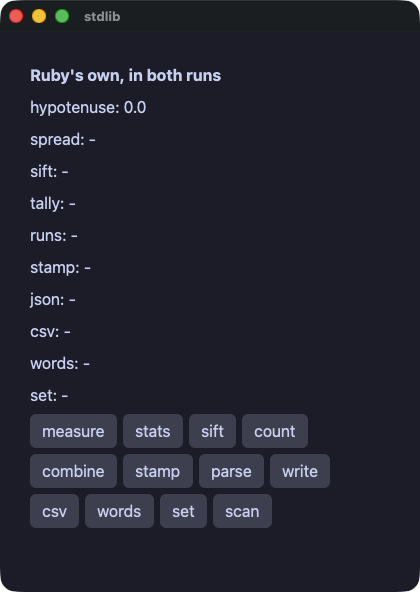
stdlib.rb
# Ruby's own standard library, under the gate.
#
# Nothing here is Wakakusa's. `Math`, `Time`, `JSON`, `CSV`,
# `format`, the regular expressions and everything Enumerable answers
# are the language's, and both runs call the same ones. What the gate
# says is that they answer the same — which is the only claim worth
# making about a standard library shared between two implementations.
require "wakakusa"
require "json"
require "csv"

class Stdlib
  def initialize
    @hyp = 0.0
    @spread = "-"
    @sift = "-"
    @tally = "-"
    @runs = "-"
    @stamp = "-"
    @doc = "-"
    @row = "-"
    @words = "-"
    @unique = "-"
    @scores = [3, 5, 8, 13, 21]
    @votes = %w[ivy momo ivy ada momo ivy ada]
  end

  def measure
    @hyp = Math.sqrt(3.0 * 3.0 + 4.0 * 4.0)
  end

  def stats
    mean = @scores.sum.to_f / @scores.length
    sorted = @scores.sort
    median = sorted[sorted.length / 2]
    @spread = format("mean %.1f median %d min %d max %d",
                     mean, median, sorted.first, sorted.last)
  end

  def sift
    big = @scores.select { |n| n > 5 }
    small = @scores.reject { |n| n > 5 }
    @sift = "big #{big.join(",")} small #{small.join(",")}"
  end

  def count
    @tally = @votes.tally.sort_by { |name, n| [-n, name] }
                   .map { |name, n| "#{name}:#{n}" }.join(" ")
  end

  def combine
    steps = @scores.each_cons(2).map { |a, b| b - a }
    pairs = @scores.first(3).zip(%w[a b c]).map { |n, s| "#{s}#{n}" }
    @runs = "steps #{steps.join(",")} pairs #{pairs.join(",")}"
  end

  def stamp
    @stamp = Time.at(1_700_000_000).utc.strftime("%Y-%m-%d %H:%M:%S UTC")
  end

  def parse
    src = '{"name": "wakakusa", "parts": [1, 2, 3], "ok": true}'
    doc = JSON.parse(src)
    @doc = "#{doc["name"]} #{doc["parts"].sum} #{doc["ok"]}"
  end

  def write
    @doc = JSON.generate({ "n" => @scores.length, "top" => @scores.max })
  end

  def read_row
    @row = CSV.parse_line("api,42,\"one, two\"").join(" | ")
  end

  def words
    line = "  the quick brown fox  "
    @words = "#{line.strip.split.map(&:capitalize).join("-")} (#{line.strip.length})"
  end

  # The set of names, without repeats.
  def unique
    @unique = @votes.uniq.sort.join(",")
  end

  def find_numbers
    @spread = "a1b22c333".scan(/\d+/).map(&:to_i).sum.to_s
  end

  def view
    column(spacing: 6.0, padding: 14.0) {
      text "Ruby's own, in both runs", size: 16.0, bold: true
      text "hypotenuse: #{@hyp}"
      text "spread: #{@spread}"
      text "sift: #{@sift}"
      text "tally: #{@tally}"
      text "runs: #{@runs}"
      text "stamp: #{@stamp}"
      text "json: #{@doc}"
      text "csv: #{@row}"
      text "words: #{@words}"
      text "set: #{@unique}"
      row(spacing: 6.0) {
        button("measure") { measure }
        button("stats") { stats }
        button("sift") { sift }
        button("count") { count }
      }
      row(spacing: 6.0) {
        button("combine") { combine }
        button("stamp") { stamp }
        button("parse") { parse }
        button("write") { write }
      }
      row(spacing: 6.0) {
        button("csv") { read_row }
        button("words") { words }
        button("set") { unique }
        button("scan") { find_numbers }
      }
    }
  end
end

run(Stdlib.new, title: "stdlib")
files — Ruby 自身の File と Dir でファイルを扱う。ここに Wakakusa のものは何もない
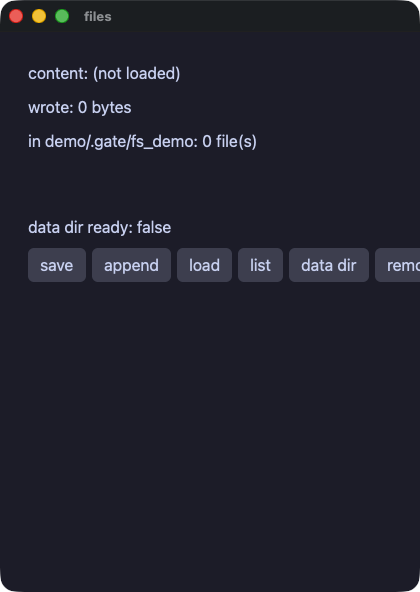
files.rb
# Files, with Ruby's own File and Dir. Nothing here is Wakakusa's: both
# runs call the same methods of the same standard library, and the gate
# is what says they answer the same.
require "wakakusa"

DIR = "demo/.gate/fs_demo"
NOTE = "demo/.gate/fs_demo/note.txt"

class Files
  def initialize
    @content = "(not loaded)"
    @wrote = 0
    @names = []
    @ready = false
  end

  def save
    Dir.mkdir(DIR) unless Dir.exist?(DIR)
    @wrote = File.write(NOTE, "hello from one standard library")
  end

  def add_line
    File.write(NOTE, " (and again)", mode: "a")
  end

  def listing
    @names = Dir.children(DIR).sort
  end

  def clean
    File.delete(NOTE) if File.exist?(NOTE)
    listing
  end

  # A place of the app's own, made on the way out. A demo has no
  # business in someone's home directory, so this one keeps to the
  # directory the gate already writes in — and beside the one it lists,
  # not inside it, or the listing would depend on the order.
  def data_dir
    path = "demo/.gate/fs_demo_app"
    Dir.mkdir(path) unless Dir.exist?(path)
    @ready = Dir.exist?(path)
  end

  def entry(i)
    text @names[i]
  end

  def view
    column(spacing: 8.0, padding: 12.0) {
      text "content: #{@content}"
      text "wrote: #{@wrote} bytes"
      text "in #{DIR}: #{@names.length} file(s)"
      list_view(@names.length, item_height: 20.0, height: 44.0) { |i| entry(i) }
      text "data dir ready: #{@ready}"
      row(spacing: 6.0) {
        button("save") { save }
        button("append") { add_line }
        button("load") { @content = File.read(NOTE) }
        button("list") { listing }
        button("data dir") { data_dir }
        button("remove") { clean }
      }
    }
  end
end

run(Files.new, title: "files")
reader — ウィンドウのスレッドの外で取ってくるページ。相手はアプリが自分で立てたサーバなので、両方の実行が同じバイト列を読む
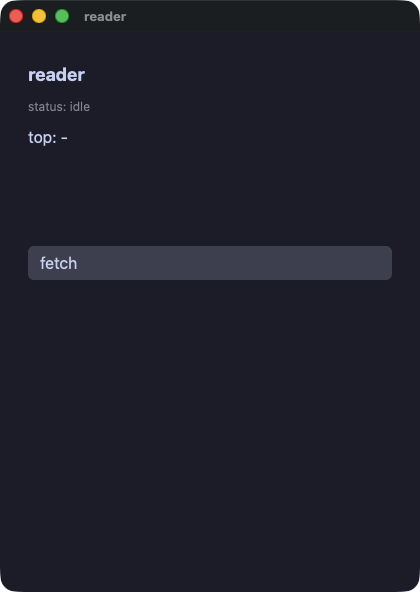
reader.rb
# A page fetched and read, with nothing outside the machine involved:
# the app serves the document to itself on a port the operating system
# picks, so both runs read the same bytes and the gate can compare them.
#
# The fetch happens off the window's thread, which is what `task` is
# for; the server answers on a thread of its own.
require "wakakusa"
require "net/http"
require "uri"
require "socket"
require "json"

BODY = '{"items": [' \
       '{"title": "wakakusa ships native ruby apps", "points": 128},' \
       '{"title": "one engine, two doors", "points": 64},' \
       '{"title": "the gate arbitrates", "points": 256}' \
       ']}'

class Reader
  def initialize
    @status = "idle"
    @titles = []
    @top = "-"
    @port = 0
  end

  # A server that answers exactly one request and then closes. Serving
  # in a loop would leave a thread sitting in `accept`, and a compiled
  # run waits for its threads before it exits.
  def serve_one
    server = TCPServer.new("127.0.0.1", 0)
    @port = server.addr[1]
    Thread.new do
      socket = server.accept
      # past the request head: a blank line is where it ends
      loop do
        line = socket.gets
        break if line.nil? || line == "\r\n"
      end
      socket.print("HTTP/1.1 200 OK\r\nContent-Length: #{BODY.bytesize}\r\n" \
                   "Connection: close\r\n\r\n#{BODY}")
      socket.close
      server.close
    end
  end

  def fetch
    @status = "fetching"
    serve_one
    job = task { Net::HTTP.get(URI("http://127.0.0.1:#{@port}/")) }
    on_done(job) { read(task_answer) }
  end

  def read(body)
    doc = JSON.parse(body)
    items = doc["items"]
    @titles = items.map { |it| it["title"] }
    best = items.max_by { |it| it["points"] }
    @top = "#{best["title"]} (#{best["points"]})"
    @status = "read #{items.length} items"
  end

  def line(i)
    text @titles[i], size: 13.0
  end

  def view
    column(spacing: 8.0, padding: 12.0) {
      text "reader", size: 18.0, bold: true
      text "status: #{@status}", size: 12.0, color: "#8a8f98"
      text "top: #{@top}"
      list_view(@titles.length, item_height: 22.0, height: 80.0) { |i| line(i) }
      button("fetch") { fetch }
    }
  end
end

run(Reader.new, title: "reader")
dbnotes — エンジン越しに触るデータベース。値は文に埋め込まず、束縛して渡す
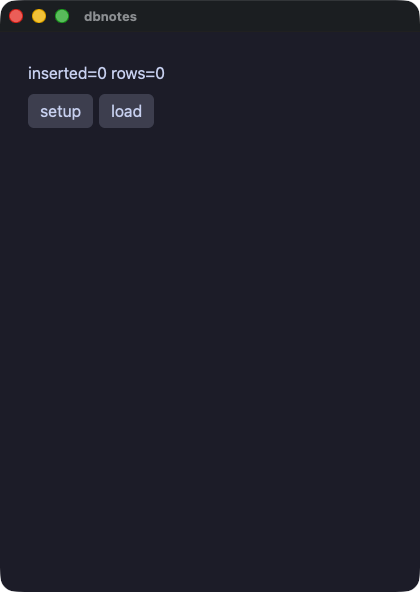
dbnotes.rb
# A database, reached through the engine so that both runs call one
# implementation. Write `?` in the statement and put the values beside
# it, and text a person typed can never become part of the statement.
require "wakakusa"

DB = "demo/.gate/notes.db"

class Notes
  def initialize
    @changed = 0
    @rows = []
  end

  def setup
    sqlite_exec(DB, "CREATE TABLE IF NOT EXISTS notes(t TEXT)")
    sqlite_exec(DB, "DELETE FROM notes")
    @changed = sqlite_exec(DB, "INSERT INTO notes VALUES ('alpha'),('beta'),('gamma')")
  end

  def load
    @rows = sqlite_column(DB, "SELECT t FROM notes ORDER BY t")
  end

  def note_row(i)
    text @rows[i]
  end

  def view
    column(spacing: 8.0, padding: 12.0) {
      text "inserted=#{@changed} rows=#{@rows.length}"
      row(spacing: 6.0) {
        button("setup") { setup }
        button("load") { load }
      }
      list_view(@rows.length, item_height: 22.0, height: 120.0) { |i| note_row(i) }
    }
  end
end

run(Notes.new, title: "dbnotes")
ledger — sqlite に置いた家計簿。o'brien という品目はアポストロフィであって、SQL の一部にはならない
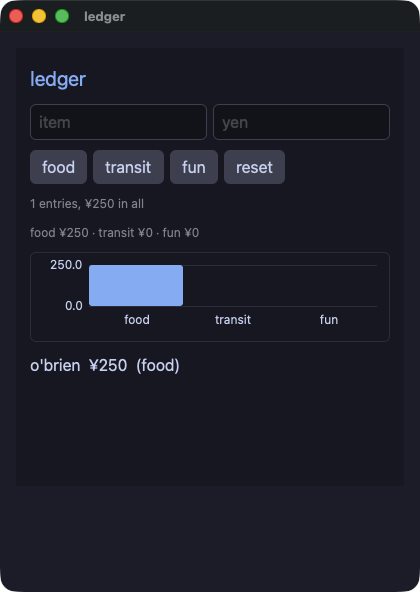
ledger.rb
# Money kept in a database, with the values bound rather than spliced:
# an item called o'brien is an apostrophe and never a piece of SQL.
require "wakakusa"

DB = "demo/.gate/ledger.db"

HEADING = { size: 20.0, color: "accent" }.freeze
FAINT = { size: 12.0, color: "#8a8f98" }.freeze

class Ledger
  def initialize
    @name = ""
    @amount = ""
    @count = 0
    @grand = 0
    @food = 0
    @transit = 0
    @fun = 0
    @rows = []
    load
  end

  def reset
    sqlite_exec(DB, "CREATE TABLE IF NOT EXISTS expenses(name TEXT, amount INTEGER, cat TEXT)")
    sqlite_exec(DB, "DELETE FROM expenses")
    load
  end

  def add(cat)
    yen = @amount.to_i
    return unless yen > 0

    sqlite_exec(DB, "INSERT INTO expenses VALUES (?, ?, ?)", [@name, yen, cat])
    load
  end

  def one_number(sql, params)
    rows = sqlite_rows(DB, sql, params)
    rows.empty? ? 0 : rows[0][0].to_i
  end

  def load
    @count = one_number("SELECT COUNT(*) FROM expenses", [])
    @grand = one_number("SELECT COALESCE(SUM(amount),0) FROM expenses", [])
    by = "SELECT COALESCE(SUM(amount),0) FROM expenses WHERE cat=?"
    @food = one_number(by, ["food"])
    @transit = one_number(by, ["transit"])
    @fun = one_number(by, ["fun"])
    # whole rows, every column as text: the line is written here rather
    # than assembled in SQL
    @rows = sqlite_rows(DB, "SELECT name, amount, cat FROM expenses ORDER BY rowid")
                .map { |r| "#{r[0]}  ¥#{r[1]}  (#{r[2]})" }
  end

  def chart
    [@food.to_f, @transit.to_f, @fun.to_f]
  end

  def entry_row(i)
    text @rows[i]
  end

  def view
    column(spacing: 10.0, padding: 14.0, background: "panel") {
      text "ledger", **HEADING
      row(spacing: 6.0) {
        text_field(@name, placeholder: "item") { |t| @name = t }
        text_field(@amount, placeholder: "yen") { |t| @amount = t }
      }
      row(spacing: 6.0) {
        button("food") { add("food") }
        button("transit") { add("transit") }
        button("fun") { add("fun") }
        button("reset") { reset }
      }
      text "#{@count} entries, ¥#{@grand} in all", **FAINT
      text "food ¥#{@food} · transit ¥#{@transit} · fun ¥#{@fun}", **FAINT
      bar_chart(chart, labels: ["food", "transit", "fun"], axis: true, height: 90.0)
      list_view(@rows.length, item_height: 22.0, height: 120.0) { |i| entry_row(i) }
    }
  end
end

run(Ledger.new, title: "ledger")
edges — 端の話。リストの終わりを越えた添字と、64 ビットをはるかに越えた数
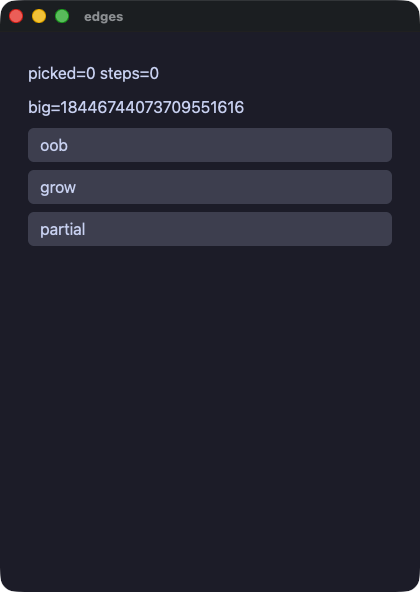
edges.rb
# The edges: an index past the end of a list, and a number far past what
# a machine word holds that keeps growing. Both runs have to answer the
# same, and this is the demo that says so.
#
# The number starts big rather than growing into it. A value that begins
# inside a machine word and then passes 2**63 is where the two runs part
# company today: the compiled run keeps the slot it first chose and the
# value wraps to zero, which the compiler's own notes call out.
require "wakakusa"

class Edges
  def initialize
    @xs = [7]
    @picked = 0
    @big = 18_446_744_073_709_551_616
    @steps = 0
  end

  def view
    column(
      text("picked=#{@picked} steps=#{@steps}"),
      text("big=#{@big}"),
      button("oob") { @picked = @xs[5].nil? ? -1 : @xs[5] },
      button("grow") { @big = @big * 4 },
      button("partial") do
        @steps += 1
        @picked = @xs[9].nil? ? -1 : @xs[9]
      end,
      spacing: 8.0,
      padding: 12.0
    )
  end
end

run(Edges.new, title: "edges")
flow — ハンドラの中の制御フロー。飛ばすループ、止まるループ、while、別のメソッドを包むメソッド
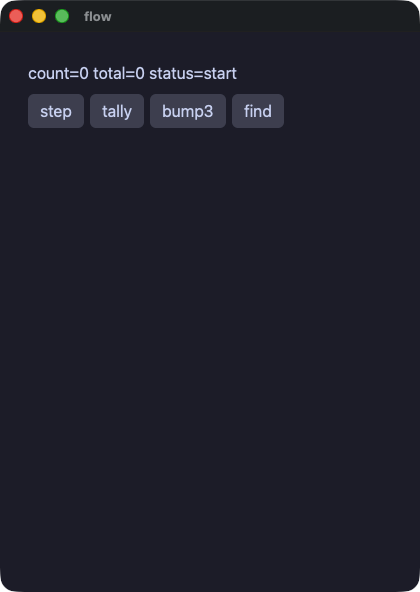
flow.rb
# Control flow in the handlers: a loop that skips, a loop that stops, a
# while, and a method that wraps another one. Both runs do the same
# thing, which is what the gate compares.
require "wakakusa"

class Flow
  def initialize
    @count = 0
    @total = 0
    @status = "start"
  end

  def double(v)
    v * 2
  end

  # A wrapper around a handler: it says what it is doing, runs the
  # handler, and says it is done.
  def announced
    @status = "working"
    yield
    @status = "done"
  end

  def step
    @count += 1
    @status = if @count > 3 && @count < 100
                "big"
              elsif @count == 3
                "three"
              else
                "small"
              end
  end

  def tally
    @total = 0
    (1...6).each do |i|
      next if i == 3

      @total += double(i)
    end
  end

  def bump3
    announced do
      @count += 1 while @count < 3
    end
  end

  def find
    (0...10).each do |i|
      if i * i > 10
        @count = i
        break
      end
    end
  end

  def view
    column(spacing: 8.0, padding: 12.0) {
      text "count=#{@count} total=#{@total} status=#{@status}"
      row(spacing: 6.0) {
        button("step") { step }
        button("tally") { tally }
        button("bump3") { bump3 }
        button("find") { find }
      }
    }
  end
end

run(Flow.new, title: "flow")
ウィンドウ
keys — キーの組み合わせにハンドラを結び付け、同じものをメニューバーにも置く。key:cmd+s と menu:Save で動かせる
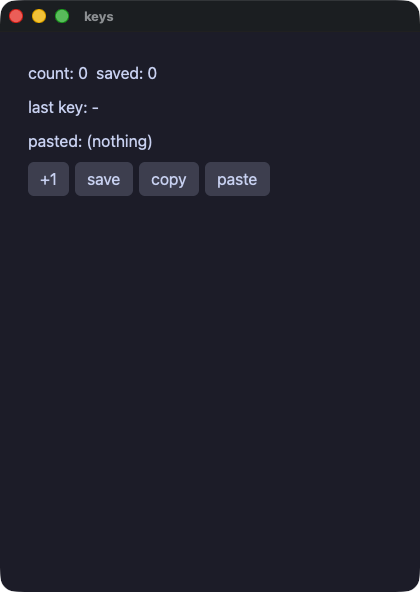
keys.rb
# The keyboard as a set of chords, and the same handlers in the
# application's menu bar. A script presses one with `key:cmd+s` and
# picks one with `menu:Save`.
require "wakakusa"

class Keys
  def initialize
    @count = 0
    @saved = 0
    @last = "-"
    @pasted = "(nothing)"
  end

  def save
    @saved = @count
  end

  def clear
    @count = 0
    @saved = 0
  end

  def copy_count
    clipboard_set("count=#{@count}")
  end

  def paste
    @pasted = clipboard_get
  end

  def typed(key)
    @last = key
  end

  def view
    column(spacing: 8.0, padding: 12.0) {
      text "count: #{@count}  saved: #{@saved}"
      text "last key: #{@last}"
      text "pasted: #{@pasted}"
      row(spacing: 6.0) {
        button("+1") { @count += 1 }
        button("save") { save }
        button("copy") { copy_count }
        button("paste") { paste }
      }
    }
  end
end

app = Keys.new

menu_item("Count", "Save") { app.save }
menu_item("Count", "Clear") { app.clear }

shortcut("cmd+s") { app.save }
shortcut("cmd+shift+r") { app.clear }
shortcut("cmd+shift+c") { app.copy_count }
shortcut("cmd+shift+v") { app.paste }
on_key { |chord| app.typed(chord) }

run(app, title: "keys")
picker — OS 自身のファイル選択と、ウィンドウへ落とされたファイル。選択は人を待つので、ウィンドウのスレッドの外で頼む
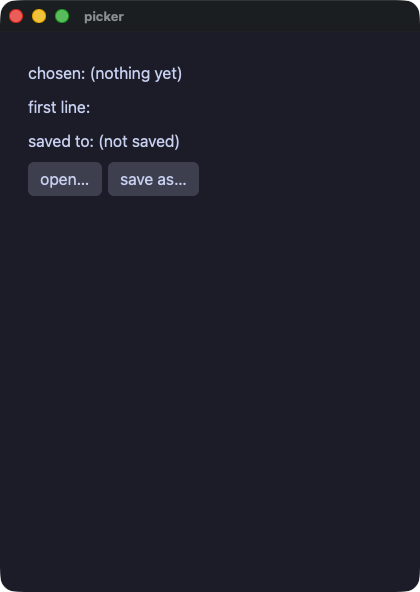
picker.rb
# The platform's own panels, and a file dragged onto the window. A
# dialog waits for a person, so it is asked for off the window's
# thread; a script answers one with `file:<path>` and drops one with
# `drop:<path>`.
require "wakakusa"

class Picker
  def initialize
    @chosen = "(nothing yet)"
    @body = ""
    @saved = "(not saved)"
  end

  def took(path)
    @chosen = path
    @body = read_or(path, "(unreadable)") unless path.empty?
  end

  def read_or(path, fallback)
    File.read(path)
  rescue SystemCallError
    fallback
  end

  def open_one
    job = task { open_dialog("Choose a file") }
    on_done(job) { took(task_answer) }
  end

  def save_as
    job = task { save_dialog("notes.txt") }
    on_done(job) do
      path = task_answer
      unless path.empty?
        File.write(path, @body)
        @saved = path
      end
    end
  end

  def view
    column(spacing: 8.0, padding: 12.0) {
      text "chosen: #{@chosen}"
      text "first line: #{@body[0, 40]}"
      text "saved to: #{@saved}"
      row(spacing: 6.0) {
        button("open…", tooltip: "the platform's own panel") { open_one }
        button("save as…") { save_as }
      }
    }
  end
end

app = Picker.new
on_file_drop { |path| app.took(path) }
run(app, title: "picker")
about — ページを開くリンクと、システムのクリップボード
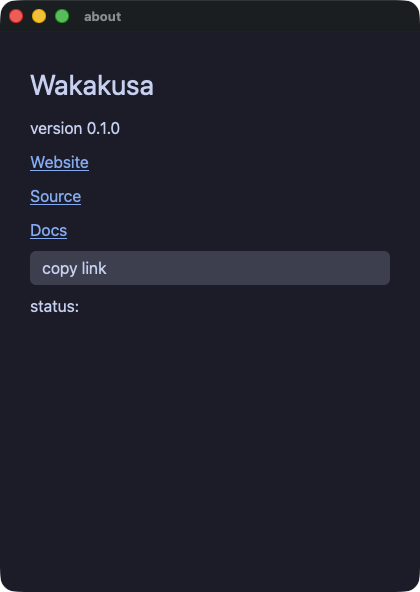
about.rb
# Links that open a page, and the system clipboard.
require "wakakusa"

class About
  def initialize
    @status = ""
  end

  def view
    column(spacing: 8.0, padding: 14.0) {
      text "Wakakusa", size: 28.0
      text "version 0.1.0"
      link("Website", "https://i2y.github.io/yokan/")
      link("Source", "https://github.com/i2y/yokan")
      link("Docs", "https://i2y.github.io/yokan/tour/")
      button("copy link") do
        clipboard_set("https://github.com/i2y/yokan")
        @status = "copied"
      end
      text "status: #{@status}"
    }
  end
end

run(About.new, title: "about")
sound — ハンドラから WAV ファイルを鳴らす。スクリプトの下では無音になるので、ゲートが突き合わせるのは画面だけ
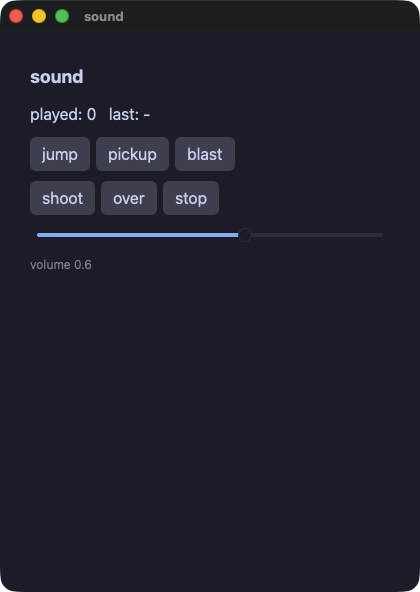
sound.rb
# Sound. A WAV file is played and the call answers at once, so a handler
# that starts one carries on.
#
# A run under a script is silent: a gate must not need a machine with
# speakers, and both runs read that one flag through the same library,
# so neither is louder than the other. That is why this demo can be
# gated at all — the screen is what the two runs compare.
require "wakakusa"

DIR = File.join(__dir__, "assets", "sound")

class Sound
  def initialize
    @played = 0
    @last = "-"
    @volume = 0.6
  end

  def play(name)
    audio_play(File.join(DIR, "#{name}.wav"), @volume)
    @played += 1
    @last = name
  end

  def hush
    audio_stop
    @last = "stopped"
  end

  def view
    column(spacing: 10.0, padding: 14.0) {
      text "sound", size: 18.0, bold: true
      text "played: #{@played}   last: #{@last}"
      row(spacing: 6.0) {
        button("jump") { play("jump") }
        button("pickup") { play("pickup") }
        button("blast") { play("blast") }
      }
      row(spacing: 6.0) {
        button("shoot") { play("shoot") }
        button("over") { play("over") }
        button("stop") { hush }
      }
      slider(value: @volume, min: 0.0, max: 1.0, step: 0.1) { |v| @volume = v }
      text format("volume %.1f", @volume), size: 12.0, color: "#8a8f98"
    }
  end
end

run(Sound.new, title: "sound")
時間と、ウィンドウの外のジョブ
dashboard — アプリを走らせる前に宣言するタイマー。両方の実行で同じだけ時を刻む(ゲートは advance: で進める)
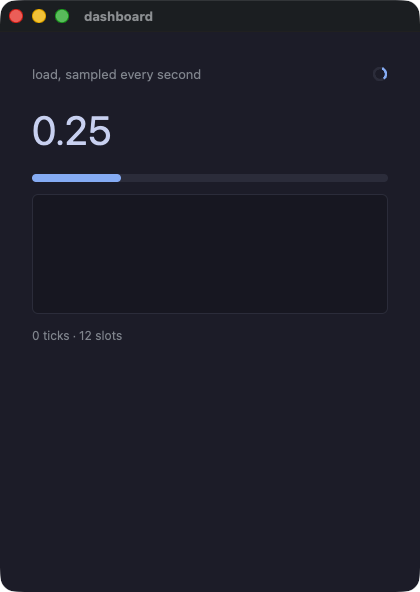
dashboard.rb
# A timer: declared before the app runs, told every second. Both runs
# tick off the same clock — a frame in a window, an `advance:` in a
# script — so the same number of ticks lands in both.
#
# The step is arithmetic rather than a random number: the two runs draw
# on different generators, and a dashboard that cannot be compared is
# not worth gating.
require "wakakusa"

SLOTS = 12

class Dashboard
  attr_reader :ticks

  def initialize
    @hist = Array.new(SLOTS, 0.0)
    @at = 0
    @ticks = 0
    @cur = 0.25
  end

  def tick
    @ticks += 1
    step = ((@ticks * 37 % 41).to_f / 100.0) - 0.2
    v = @cur + step
    v = 0.0 if v < 0.0
    v = 1.0 if v > 1.0
    @cur = v
    @hist[@at] = v
    @at = (@at + 1) % SLOTS
  end

  def view
    column(
      row(
        text("load, sampled every second", size: 13.0, color: "#8a8f98", grow: 1.0),
        spinner(size: 16.0),
        spacing: 8.0
      ),
      text(format("%.2f", @cur), size: 40.0),
      progress(@cur),
      line_chart(@hist, height: 120.0),
      text("#{@ticks} ticks · #{SLOTS} slots", size: 12.0, color: "#8a8f98"),
      spacing: 12.0,
      padding: 16.0
    )
  end
end

app = Dashboard.new
every(1.0) { app.tick }
run(app, title: "dashboard")
tasks — 時間のかかるジョブをウィンドウのスレッドの外へ。答えは on_done で受け取る
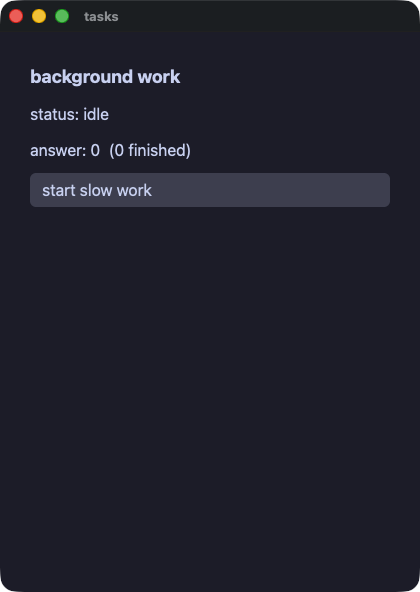
tasks.rb
# Work that takes a while, done off the window's thread. `task` runs
# the block on a thread of its own; when it answers, the app's
# `on_done:` method is called on the window's thread with the answer.
#
# Nothing inside the work touches the app's state or the screen. That
# is the whole rule, and it is why the handler asks for the answer with
# `task_answer` rather than the worker writing it anywhere.
require "wakakusa"

class Jobs
  def initialize
    @status = "idle"
    @answer = 0
    @done = 0
  end

  def start
    @status = "working"
    job = task do
      # deliberately slow, and deliberately arithmetic: both runs have
      # to agree about what it answers.
      total = 0
      i = 0
      while i < 300_000
        total += i % 7
        i += 1
      end
      total
    end
    on_done(job) do
      @answer = task_answer
      @done += 1
      @status = "done"
    end
  end

  def view
    column(spacing: 10.0, padding: 14.0) {
      text "background work", size: 18.0, bold: true
      text "status: #{@status}"
      text "answer: #{@answer}  (#{@done} finished)"
      button("start slow work") { start }
    }
  end
end

run(Jobs.new, title: "tasks")